
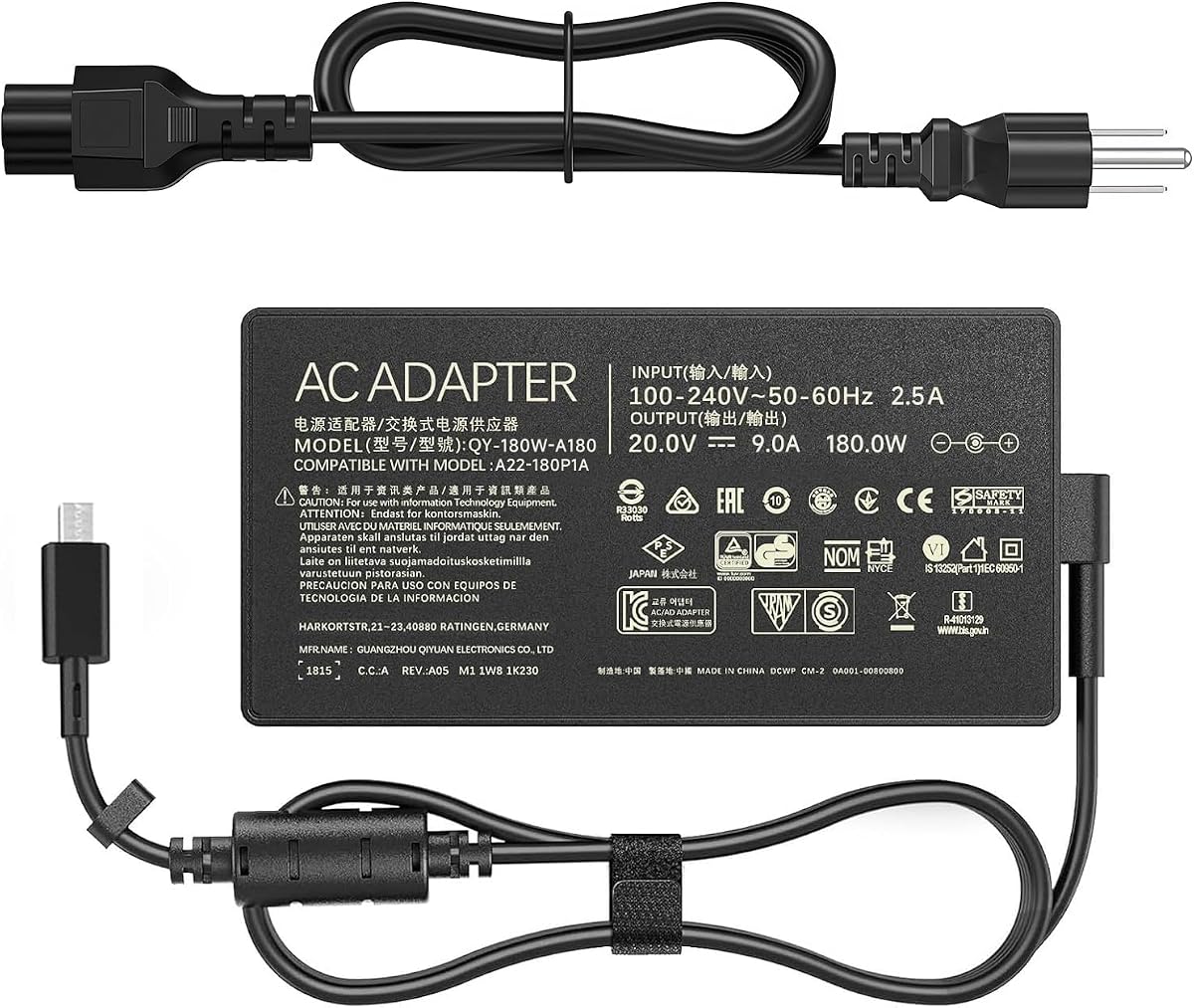
Match 180W ASUS Laptop Chargers: Verify Connector, Wattage, and Genuine Compatibility
When replacing or adding a charger for ASUS ROG Zephyrus G14 (2024) or TUF Gaming A14, the 180W power adapter with a rectangle connector is a critical accessory. This guide helps you confirm the exact model numbers (GA403UI, GA403UV, FA401WV) and understand the 20V 9A power requirements to avoid underpowering your laptop.
Key Considerations Before Buying
- Check your laptop's model number and power port shape—this charger uses a proprietary rectangle connector, not USB-C, so compatibility hinges on matching your specific ASUS model.
- Verify the wattage: 180W (20V/9A) is essential for gaming laptops that demand high power during intense tasks; using a lower-wattage charger can lead to slow charging or performance throttling.
- Consider cord length and build quality: a thicker, reinforced cord (as noted in reviews) reduces wear and tear, which is important for daily use and travel.
What Our Analysts Recommend
Look for chargers that explicitly list your laptop model in the compatibility chart. Check for safety certifications (e.g., UL, CE) and overcurrent protection. Genuine ASUS chargers or high-quality third-party alternatives should have a snug connector fit and consistent power output.
Chargers & Adapters Market Context
Market Overview
The market for laptop chargers is crowded with both OEM and third-party options, especially for popular gaming lines like ASUS ROG and TUF. Third-party chargers offer cost savings but vary widely in quality and safety, making it crucial to research before purchase.
Common Issues
Common problems include mismatched wattage, incompatible connectors, and poor build quality that leads to fraying or overheating. Some chargers may not deliver the advertised power, causing slow charging or battery drain during use.
Quality Indicators
Quality indicators include consistent positive reviews from verified buyers, mention of robust construction, and adherence to electrical standards. A charger that runs cool and maintains stable voltage under load is a sign of good design.
Review Authenticity Insights
Grade B Interpretation
The Grade B rating with an estimated 10% fake review rate suggests that while most reviews are genuine, a small fraction may be incentivized or fabricated. This is common for popular tech accessories, but the 4.67/5 rating (adjusted to 4.40) still indicates strong real-world performance.
Trust Recommendation
Trust the verified purchase reviews that detail personal experiences, such as replacing a damaged cord or using it across multiple devices. Be wary of overly generic or overly enthusiastic reviews that lack specifics about the product's performance.
Tips for Reading Reviews
When reading reviews, prioritize those that mention the exact laptop model they use it with, as compatibility is key. Also, look for photos or videos showing the charger's build and connector, and note any mentions of heat or charging speed.
Expert Perspective
This 180W charger appears to be a reliable power solution for the specified ASUS gaming laptops, as evidenced by the high genuine review score and specific user feedback about cord thickness and connector fit. The adjusted rating of 4.40/5, accounting for suspicious reviews, still reflects a solid product that meets the power demands of these devices.
Purchase Considerations
Weigh the cost against OEM chargers—if you need a spare or replacement, this third-party option may offer good value, but ensure it includes a warranty and return policy. Consider your usage: if you travel frequently, the cord durability and portability are important factors.
Comparing Alternatives
Shoppers should also consider official ASUS chargers or other reputable third-party brands to compare pricing and build quality, especially if you require a specific cord length or additional features like multiple tips.


