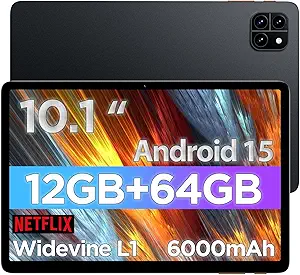
13-Inch Android Tablet with Keyboard: What to Know Before You Buy
A 13-inch Android tablet with a bundled keyboard, like this model with Android 16, 32GB RAM, 256GB storage, and a 2TB expansion claim, targets buyers who want a large-screen hybrid device without paying iPad or Galaxy Tab prices. But the gap between advertised specs and real-world performance can be wide in this segment, so understanding the fine print matters.
Key Considerations Before Buying
- The 2TB figure refers to microSD expansion, not built-in storage—the actual internal capacity is 256GB. Confirm the tablet has a dedicated microSD slot and check the maximum supported card size, since some devices cap out well below 2TB.
- Android 16 on a budget tablet often ships with a lightweight or near-stock build, which can mean fewer preinstalled apps but also less optimization for the large screen. Look for reviews that mention multi-window behavior and keyboard shortcuts.
- The included keyboard case is usually a folio-style cover with a Bluetooth keyboard. Check whether the keyboard charges separately, how it connects, and whether the hinge supports stable lap use—common weak points on budget bundles.
What Our Analysts Recommend
Prioritize listings that specify the processor model, screen resolution, and battery capacity rather than vague terms like 'fast' or 'long-lasting.' A 13-inch display at 1080p or higher is ideal; lower resolutions will look soft at this size. Also verify the Android version and whether the manufacturer promises OS updates, as budget tablets often ship with outdated software and no upgrade path.
Tablets Market Context
Market Overview
The 13-inch Android tablet market has grown as remote work and digital note-taking drive demand for large, affordable screens. Brands like Samsung, Lenovo, and a wave of lesser-known manufacturers compete on price, often bundling keyboards and styluses to mimic premium 2-in-1 laptops. However, the gap in performance and software support between budget and premium models remains significant.
Common Issues
Buyers frequently report sluggish performance when multitasking, dim displays, and short battery life on low-cost large tablets. Another common complaint is misleading storage claims—advertised expansion limits may not be achievable in practice. Keyboard bundles sometimes include low-quality keys or unreliable Bluetooth connections, and Android update support is often nonexistent after purchase.
Quality Indicators
A reputable listing will disclose the exact chipset, RAM type, and screen resolution, and will have a consistent ratio of detailed positive and negative reviews. Look for mentions of Widevine L1 support if you plan to stream HD video, and check whether the tablet has a USB-C port with data transfer and charging. Brands that respond to customer reviews and offer warranties are a better bet.
Review Authenticity Insights
Grade B Interpretation
A Grade B authenticity rating with an estimated 15% fake reviews means the review pool is mostly genuine but includes a noticeable minority of suspicious entries. The adjusted rating of 3.80/5, down from 4.11/5, suggests that when potentially manipulated reviews are removed, the product's real-world satisfaction is lower. This is typical for budget electronics, where incentivized reviews can inflate early ratings.
Trust Recommendation
Trust the adjusted rating more than the headline rating, and focus on reviews that are detailed, balanced, and verified. Look for reviewers who mention specific use cases, such as note-taking or streaming, and who have a history of reviewing similar products. Avoid making a decision based solely on five-star reviews with generic praise.
Tips for Reading Reviews
When reading reviews for this tablet, prioritize those that discuss performance after several weeks of use, as initial impressions can be misleading. Pay attention to complaints about keyboard connectivity, screen brightness, and battery drain—these are recurring themes in budget tablet reviews. Also, filter for reviews that mention the Android version and update experience.
Expert Perspective
This 13-inch Android tablet with keyboard offers a tempting package on paper: a large screen, Android 16, and generous RAM and storage for the price. However, the adjusted rating of 3.80/5 and 15% fake review estimate indicate that real-world performance may not match the marketing. The included keyboard and silver case add value, but the core experience hinges on the unknown processor and display quality, which are not specified.
Purchase Considerations
Weigh the low cost against potential compromises in build quality, software updates, and customer support. If you need a device for basic media consumption, light browsing, and typing, it may suffice. But for demanding tasks like gaming, video editing, or long-term reliability, consider spending more on a established brand with a track record of updates and service.
Comparing Alternatives
Before buying, compare this tablet with similarly priced models from Samsung, Lenovo, or Amazon's Fire lineup, and check whether they offer better display specs or longer software support.