Chromebook CM15: Big Screen, Modest Power, Cloud-First Value
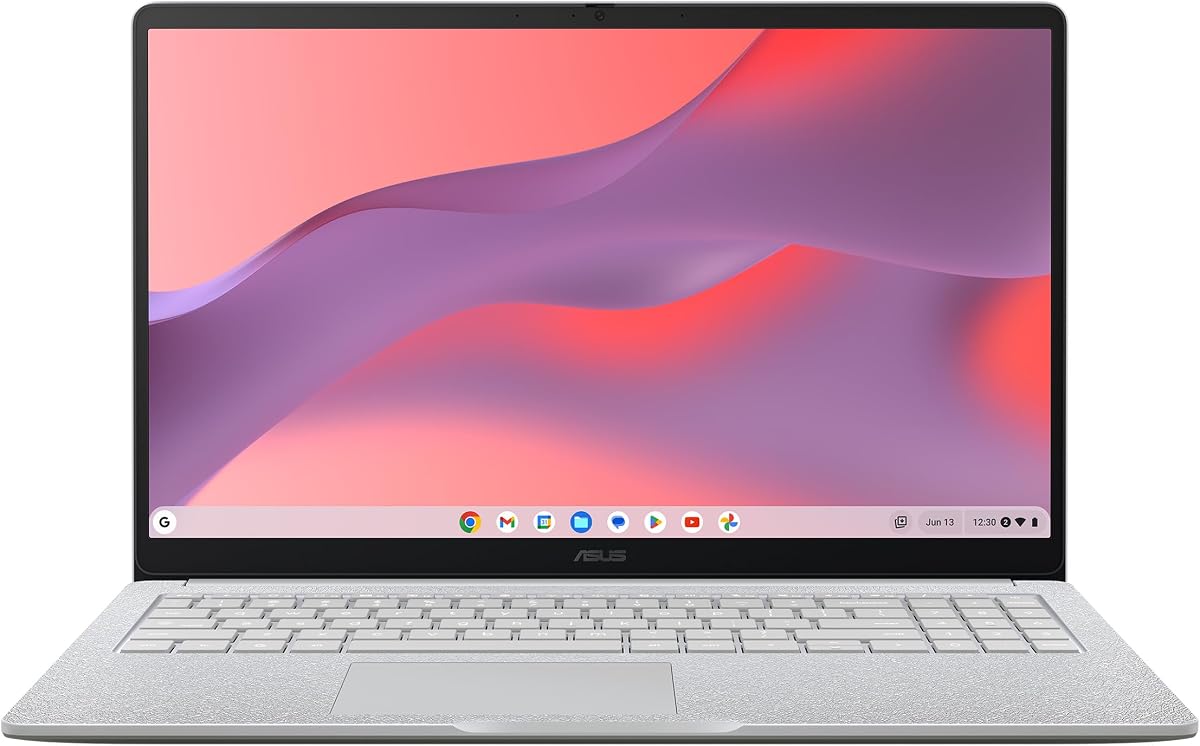
The ASUS Chromebook CM15 pairs a 15.6-inch FHD display with a MediaTek Kompanio 540 processor, 4GB of RAM, and 64GB of storage—specs that signal a cloud-first, budget-oriented laptop. Before buying, understand how this configuration shapes real-world performance for browsing, streaming, and light productivity.
Key Considerations Before Buying
- The MediaTek Kompanio 540 is an ARM-based chip tuned for efficiency, so expect smooth web browsing and video playback but not heavy multitasking—4GB of RAM is the real bottleneck when many Chrome tabs or Android apps are open.
- 64GB of storage is tight once ChromeOS, Android apps, and offline files are counted; rely on Google Drive or an SD card, and confirm whether the model includes an expansion slot before committing.
- The 15.6-inch FHD panel is the standout feature for the price—verify brightness and viewing angles in reviews, since budget 15-inch Chromebooks often use dim TN or basic IPS screens.
What Our Analysts Recommend
Check the exact panel type (IPS vs. TN), battery capacity, and port selection (USB-C charging, HDMI, microSD) because ASUS varies these across CM15 configurations. Also confirm the keyboard is backlit if you plan to work in low light, and look for Wi-Fi 6 support for smoother cloud use.
Traditional Laptops Market Context
Market Overview
Budget Chromebooks have shifted toward ARM chips like the Kompanio series to hit low prices with long battery life, while premium Chromebooks move to Intel Core and Ryzen. The 15-inch budget segment is crowded with similar specs, so screen quality and build often separate winners from compromises.
Common Issues
Buyers frequently complain about 4GB RAM models slowing down with many tabs, dim displays, and flimsy hinges on budget 15-inch laptops. Storage anxiety is also common because 64GB fills quickly, and some ARM Chromebooks have limited Linux app support.
Quality Indicators
Look for IPS display confirmation, MIL-STD durability claims, USB-C Power Delivery, and a stated battery life of 10+ hours. Reviews that mention keyboard feel, trackpad accuracy, and fan noise (or lack of one) are strong signals of real-world quality.
Review Authenticity Insights
Grade B Interpretation
A Grade U with 0.00% estimated fake reviews and zero ratings means there is simply no review data to analyze—this is a new or unrated listing, not a sign of manipulation. The absence of ratings means you cannot rely on crowd-sourced feedback yet.
Trust Recommendation
Treat the listing as unproven and seek hands-on reviews from tech outlets or verified retailer listings before buying. Since no Amazon reviews exist, check return policy and warranty terms carefully, and consider waiting for early buyer feedback.
Tips for Reading Reviews
When reviews appear, prioritize detailed ones that mention specific tasks (tab counts, video streaming, battery hours) over star-only ratings. Watch for patterns about RAM slowdowns and screen brightness, which are the most common pain points for this class of Chromebook.
Expert Perspective
The CM15 is a purpose-built cloud laptop: the 15.6-inch FHD screen and ARM efficiency suit students and casual users who live in a browser. However, 4GB RAM and 64GB storage are entry-level even for ChromeOS, so it fits light workloads only—email, streaming, docs, and video calls. At an unrated 0.00/5 with no reviews, there is no evidence yet of real-world reliability.
Purchase Considerations
Weigh the large screen and low price against the RAM and storage limits, and confirm the display is IPS rather than TN. If you need to run many tabs or offline files, a 8GB/128GB configuration or a different model may serve you better despite the higher cost.
Comparing Alternatives
Compare with other 15-inch Chromebooks offering 8GB RAM or Intel processors, and check similar ASUS CM15 variants that may include better panels or storage.