Tri-Mode Gaming Mouse: 12000 DPI, Wireless Freedom, and Authentic Reviews
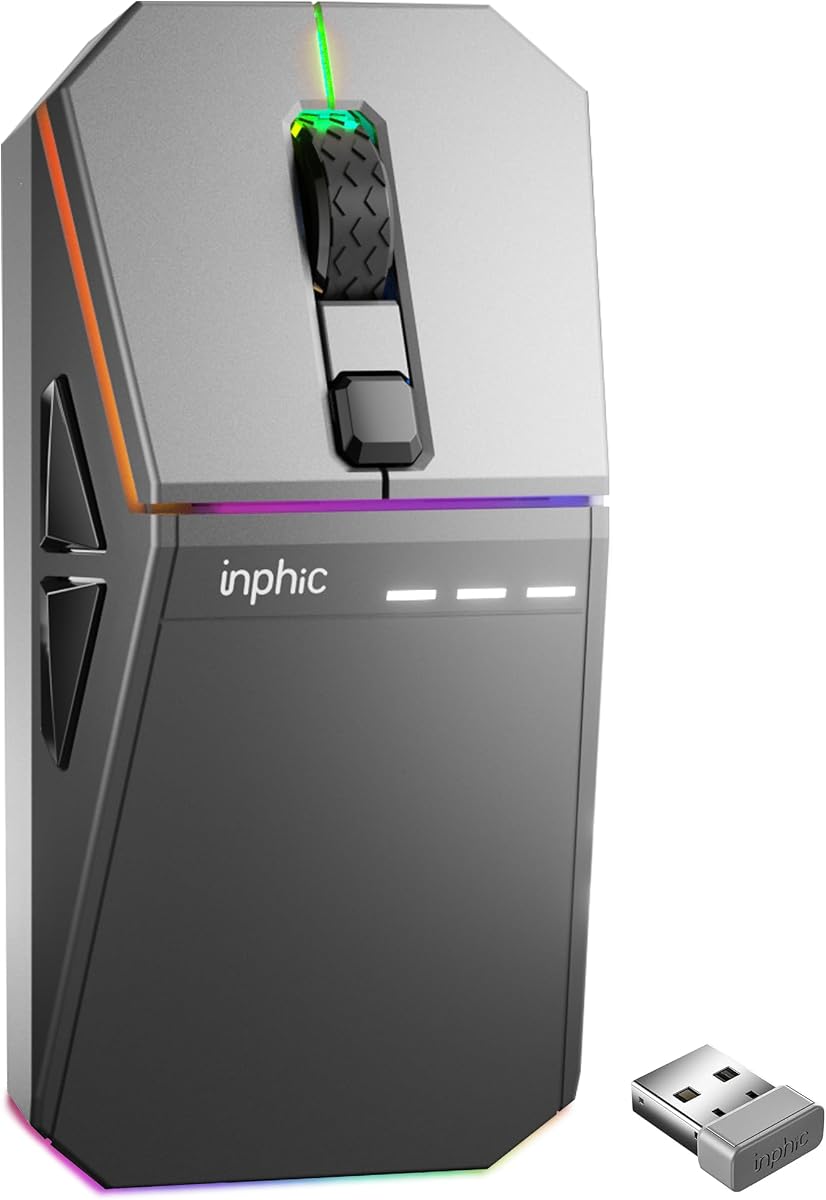
When shopping for a gaming mouse like the INPHIC Cyber, you're balancing performance specs with build quality and connectivity options. This tri-mode mouse offers wired, 2.4GHz wireless, and Bluetooth connectivity, plus a 12000 DPI sensor—a versatile feature set for both gaming and productivity. Before you click 'buy,' understand what matters most in this category and how to spot a genuinely reliable product.
Key Considerations Before Buying
- Connectivity flexibility: Tri-mode support means you can switch between low-latency 2.4GHz for gaming, Bluetooth for office use, and wired for charging—ensure the mouse has an easy toggle and remembers paired devices.
- DPI range and adjustability: A 12000 DPI sensor is overkill for most users, but having adjustable DPI steps (e.g., 800/1600/3200) lets you fine-tune sensitivity for different games or tasks. Check if the mouse offers on-the-fly DPI switching.
- Battery life and charging: Wireless gaming mice vary widely in battery endurance—look for specs on rechargeable battery capacity and whether it supports USB-C charging for convenience.
What Our Analysts Recommend
Quality indicators include a responsive optical sensor with no acceleration, durable switches rated for millions of clicks, and a comfortable ergonomic shape that fits your grip style. Also, verify that the wireless connection uses a reliable 2.4GHz dongle with minimal latency, and that the mouse feet are smooth for gliding.
Mice Market Context
Market Overview
The gaming mouse market has exploded with options from established brands (Logitech, Razer, SteelSeries) and budget-friendly challengers like INPHIC. Features that were once premium—high DPI sensors, multiple connectivity modes, RGB lighting—are now common in mid-range products, making price and build quality the main differentiators.
Common Issues
Common issues in this category include inconsistent wireless connectivity, sensor tracking issues on certain surfaces, and software that's clunky or buggy for remapping buttons. Some budget mice also suffer from cheap switches that develop double-click issues over time.
Quality Indicators
Look for mice with reputable sensor brands (e.g., PixArt), braided cables for wired mode, and solid build materials that don't creak under pressure. User reviews that mention long-term durability and responsive customer support are strong signals of quality.
Review Authenticity Insights
Grade B Interpretation
A Grade B with an estimated 10% fake review rate means the majority of the 1,146 reviews are genuine, but about 115 might be incentivized or fake. This is relatively low for budget electronics, so you can trust the overall 4.67-star rating, though the adjusted 4.40 suggests some overrating exists.
Trust Recommendation
Given the authenticity grade, you can reasonably rely on the product's positive reception, but read a few 3-star reviews to understand potential drawbacks. Focus on verified purchases and look for consistent themes in both praise and criticism.
Tips for Reading Reviews
For this type of product, pay attention to reviews that mention specific sensor behavior, battery life in real usage, and any connectivity issues. Be cautious of overly generic reviews that lack details about the mouse's unique features like tri-mode switching or DPI adjustment.
Expert Perspective
The INPHIC Cyber appears to be a solid value proposition in the budget-to-mid-range gaming mouse segment, offering features that rival more expensive brands. The high genuine review count and strong rating suggest it delivers on its promises, but the 10% fake review rate warrants a slight discount on the absolute rating. The tri-mode connectivity and 12000 DPI sensor are compelling for users who want flexibility without breaking the bank.
Purchase Considerations
Consider your primary use case: if you're a competitive gamer, latency and sensor performance are critical—look for reviews that test these aspects. If you need a versatile mouse for work and play, the Bluetooth mode adds convenience, but verify battery life and ergonomic comfort for long sessions.
Comparing Alternatives
Shoppers should compare the INPHIC Cyber with established options like the Logitech G305 or Razer DeathAdder V2 X Hyperspeed, which have proven track records and robust software support.