
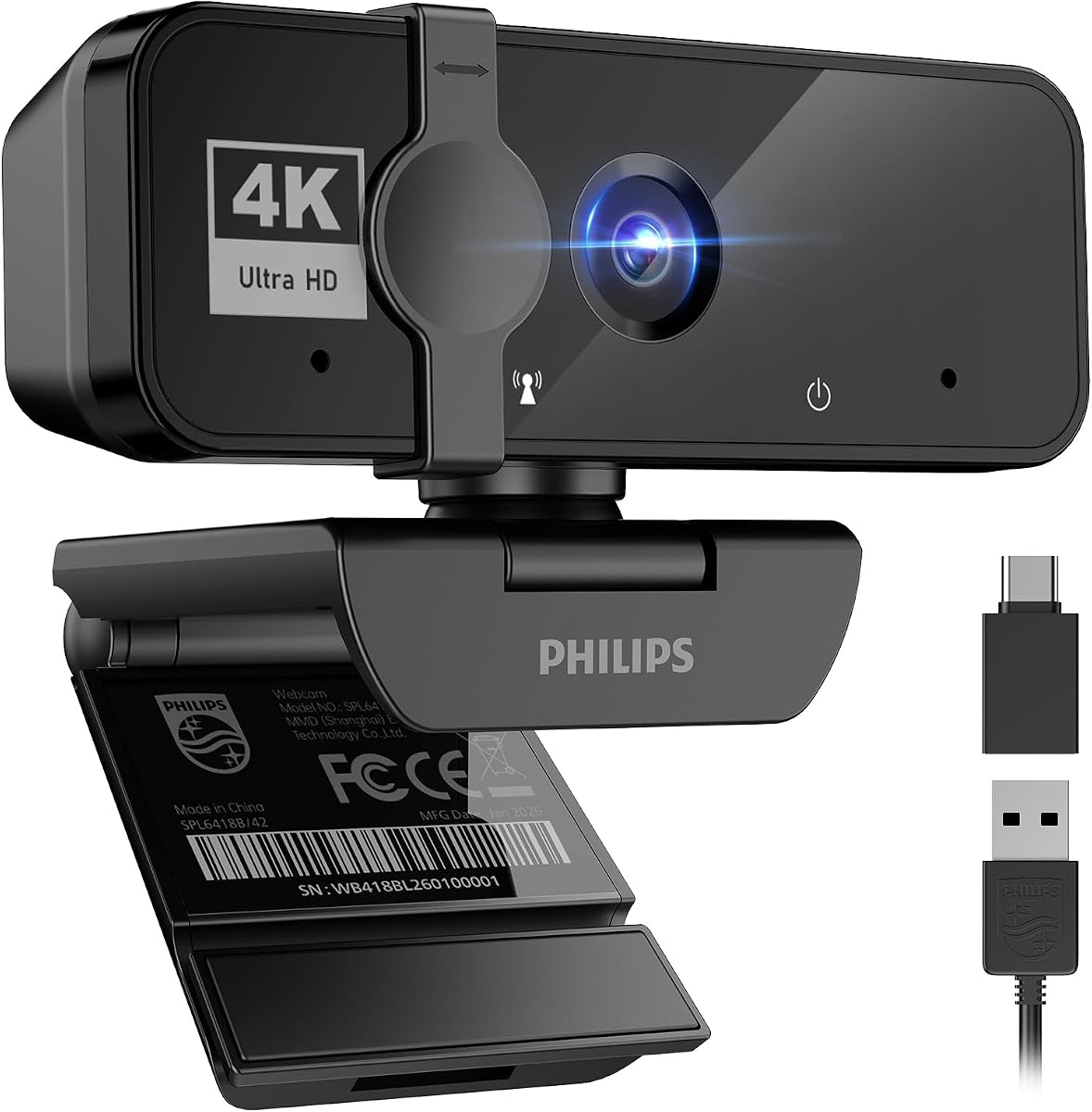
Philips 4K Webcam: Clear Meetings, But Check Lighting Needs
When shopping for a 4K webcam like the Philips model, you're investing in sharper video for professional meetings and streaming. But beyond resolution, you need to consider autofocus performance, low-light handling, and microphone quality—features that vary widely even among 4K cameras. This guide helps you evaluate the Philips 4K webcam against your specific setup, whether you're on a Mac mini or a Windows desktop.
Key Considerations Before Buying
- Check if your computer has a built-in camera—if not (like many Mac mini or desktop users), a dedicated webcam is essential, and the Philips 4K fills that gap with high-resolution video.
- Evaluate the webcam's field of view and mounting flexibility. For meetings, a 90-degree or wider angle is ideal for showing you and your workspace, but ensure the clip fits your monitor thickness.
- Consider the microphone quality. Built-in mics are convenient, but if you're in a noisy environment, an external mic might be better—the Philips webcam's mic is adequate for quiet rooms but may pick up background noise.
- Look at the autofocus and low-light performance. 4K resolution is only useful if the camera can focus quickly and produce a clear image in your typical lighting conditions, which is a common pain point.
What Our Analysts Recommend
In a 4K webcam, prioritize a high-quality sensor that performs well in moderate lighting, a reliable autofocus that doesn't hunt, and a privacy shutter for security. Also, check compatibility with your operating system (Windows, macOS, Chrome OS) and popular conferencing software like Zoom, Teams, or Meet. A good webcam should be plug-and-play without requiring driver downloads.
Webcams Market Context
Market Overview
The webcam market has exploded due to remote work, with 4K models becoming more affordable. Many users are upgrading from 1080p to 4K for crisper video, but the difference is only noticeable on large monitors or when cropping. The Philips 4K sits in a competitive mid-range segment, facing rivals from Logitech, Anker, and Razer.
Common Issues
Frequent complaints in this category include poor low-light performance (grainy or dark images), autofocus that frequently refocuses, and microphones that pick up ambient noise. Also, some webcams have a narrow field of view that feels claustrophobic, or a wide field that distorts edges. Many users find that the advertised 4K is not achievable at 60fps, only at 30fps, which can affect smoothness.
Quality Indicators
Look for a webcam with a large sensor (like 1/2.7-inch or bigger) for better light sensitivity, a fixed-focus or fast autofocus lens, and a dual-microphone array for clearer audio. Also, check for adjustable FOV settings and a sturdy mounting system. Reviews that mention specific software settings or firmware updates indicate a more engaged user base and often higher quality.
Review Authenticity Insights
Grade B Interpretation
The Grade B and 10% fake review rate suggest that while most reviews are genuine, a notable minority may be incentivized or biased. This is typical for popular electronics, where sellers sometimes seed reviews to boost ratings. The adjusted rating of 4.40 vs the 4.67 raw score indicates that removing suspicious reviews pulls the score down, but still remains positive.
Trust Recommendation
Given the moderate fake review percentage, you can trust the overall positive sentiment, but should read a spread of reviews—especially 3-star ones—to get a balanced view. Focus on verified purchase reviews and those with specific details, like 'I use it with my Mac mini' or 'in my home office with a ring light.'
Tips for Reading Reviews
For webcams, pay attention to reviews that mention lighting conditions, as they often include photos. Look for comments about autofocus speed and mic clarity. Also, watch for reviews that compare it to other webcams—these are likely from enthusiasts who can provide useful context. Be wary of overly generic praise or reviews that repeat the same phrases.
Expert Perspective
The Philips 4K webcam, based on the analysis, appears to be a reliable choice for users needing a high-resolution camera with a built-in mic. The genuine reviews highlight its plug-and-play nature and clear video, but the 10% fake review rate and grade B suggest that you should verify its performance in your specific environment. The adjusted rating of 4.40 indicates that most real users are satisfied, but not ecstatic—likely due to minor shortcomings in low light or audio.
Purchase Considerations
Before buying, consider your internet bandwidth and monitor size—4K video is only useful if your display can show it. Also, think about whether you need a built-in mic or will use a dedicated one. If you have a Mac mini or a desktop, this webcam is a practical addition, but if you're on a laptop, you might not need it. Check the return policy, as webcam performance can be subjective.
Comparing Alternatives
Shoppers should compare this Philips model with Logitech's Brio or C920 series, which are industry standards, and Anker's PowerConf series. These alternatives offer similar specs but may have better software support or different mounting options. Your choice may come down to brand preference and price point.


