USB 3.2 Micro-B Adapters: Speed and Compatibility Essentials
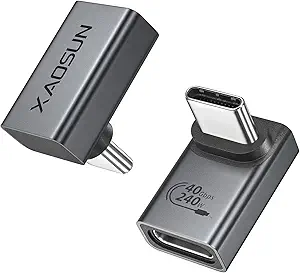
When upgrading to USB 3.2, many devices still rely on the Micro-B connector, especially external hard drives and audio interfaces. This adapter bridges that gap, allowing you to connect USB-A 3.2 ports to Micro-B devices at 10Gbps speeds. Here’s what to consider before buying.
Key Considerations Before Buying
- Check your device's USB generation: This adapter supports USB 3.2 Gen 2 (10Gbps), but if your device is only USB 3.0 (5Gbps), you won't get faster speeds—only backward compatibility.
- Physical fit matters: Micro-B connectors have a specific shape; ensure your device's port is indeed Micro-B, not Micro-A or Mini-B, to avoid a loose or forced connection.
- Durability: The 2-pack is handy, but look for reinforced joints and sturdy casing to withstand frequent plugging/unplugging, especially for external drives that may move around.
What Our Analysts Recommend
Quality adapters should have a snug fit without wobble, shielding to prevent signal interference, and a compact design that doesn't block adjacent ports. Also, verify the connector is gold-plated or corrosion-resistant for long-term reliability.
USB-to-USB Adapters Market Context
Market Overview
The USB-to-USB adapter market is growing as users mix older peripherals with modern computers. While USB-C dominates new devices, legacy Micro-B ports remain common in many external storage and pro-audio gear, driving demand for reliable adapters.
Common Issues
Common complaints include flimsy construction leading to loose connections, data transfer errors due to poor shielding, and mismatched specs—some adapters claim high speeds but only support USB 2.0. Also, some adapters are too large to fit in tight spaces.
Quality Indicators
Look for adapters with a solid metal or thick plastic shell, a secure locking mechanism (no wiggle), and clear labeling of supported USB generations. Reviews that mention sustained performance over time are good signs.
Review Authenticity Insights
Grade B Interpretation
With a Grade B and an estimated 10% fake review rate, this product has a small but notable portion of potentially unreliable reviews. The 4.83 average is slightly inflated; the adjusted 4.60 rating is more trustworthy, indicating genuine satisfaction but with minor flaws.
Trust Recommendation
Given the low fake percentage, you can largely trust the reviews. However, focus on detailed reviews that describe specific use cases (like external HDDs) and note any long-term testing. Ignore overly short or vague five-star ratings.
Tips for Reading Reviews
For adapters, look for reviews that mention speed tests, physical fit, and whether the adapter gets hot during use. Also, check if reviewers used the adapter with devices similar to yours—that's more relevant than general praise.
Expert Perspective
This USB 3.2 Micro-B adapter is a solid choice for bridging legacy devices to modern USB-A ports. The 10Gbps capability is a future-proof feature, and the two-pack offers good value. The authenticity analysis suggests that most reviews are genuine, indicating a reliable product for typical use cases like external drives or backup systems.
Purchase Considerations
Consider your existing cables—if you already have a Micro-B cable, this adapter simply converts the A end, but you might also need a cable if yours is worn. Also, verify that your computer's USB-A port supports 10Gbps; otherwise, you'll only get USB 3.0 speeds. The price for a two-pack is competitive, but compare with single adapters if you only need one.
Comparing Alternatives
Shoppers should compare with USB-C to Micro-B adapters if they're planning to move to USB-C, or consider a cable with a built-in adapter for a cleaner setup.