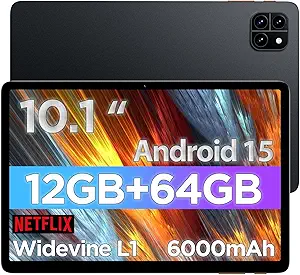
Android 15 Tablet with Keyboard: A Budget Powerhouse for Productivity?
If you're considering the Android 15 Tablet 10 Inch with its included keyboard, mouse, and stylus, you're likely looking for a budget-friendly 2-in-1 device for light productivity and media consumption. This tablet boasts impressive specs on paper, including 24GB of RAM, 256GB of storage (expandable to 2TB), and a massive 8000mAh battery, but it's crucial to understand what these numbers mean for real-world use.
Key Considerations Before Buying
- The 24GB of RAM is likely a combination of physical RAM and virtual expansion; for typical tasks like web browsing, streaming, and note-taking, even 8GB is sufficient, so don't overvalue this spec.
- With Widevine L1 certification, this tablet can stream HD content from services like Netflix and Amazon Prime, a key feature for media lovers that many budget tablets lack.
- The included accessories—keyboard, mouse, stylus, and case—add significant value, but check reviews for build quality and responsiveness, as these can make or break the 2-in-1 experience.
What Our Analysts Recommend
When evaluating tablets in this price range, focus on real-world performance indicators like app loading times, screen brightness (for outdoor use), and battery life under load. Also, verify that the stylus supports palm rejection and pressure sensitivity for note-taking or drawing, as these features are often inconsistent on budget devices.
Tablets Market Context
Market Overview
The budget Android tablet market is crowded with devices that promise high specs at low prices, often targeting users who want a laptop-like experience without the cost. Many of these tablets, including this 2026 model, emphasize AI features like Gemini AI and large batteries to differentiate themselves, but software optimization and build quality remain common pain points.
Common Issues
A frequent issue with budget tablets is inconsistent performance due to underpowered processors or poor thermal management, despite high RAM numbers. Additionally, the included keyboards and styluses often have connectivity or latency problems, and the 5G WiFi support may not deliver the speeds expected if the tablet's antenna design is subpar.
Quality Indicators
To identify a quality budget tablet, look for a clean, near-stock Android experience with promised OS updates, a solid display with good color accuracy and brightness (at least 300 nits), and user reviews that mention specific, positive experiences with the included accessories over time.
Review Authenticity Insights
Grade B Interpretation
With a Grade B authenticity rating and an estimated 15% fake review rate, the product's review pool is mostly genuine but includes a notable minority of unreliable feedback. This means the 4.22 overall rating is likely inflated by 5-star fake reviews, and the adjusted rating of 3.90 is a more realistic reflection of user satisfaction.
Trust Recommendation
Given the 15% fake rate, you can generally trust the majority of reviews, but pay extra attention to 4-star and 3-star reviews for balanced perspectives. Be cautious of overly positive reviews that lack specific details about the tablet's performance with the keyboard or stylus, as these are common red flags.
Tips for Reading Reviews
When reading reviews for this tablet, prioritize those that mention the 8000mAh battery's actual runtime during mixed use, the responsiveness of the stylus for note-taking, and any issues with the keyboard's trackpad or connectivity. Look for verified purchase badges to filter out potentially fake reviews.
Expert Perspective
The Android 15 Tablet 10 Inch offers an enticing package for budget-conscious shoppers, especially with the full suite of accessories and standout features like Widevine L1 and a large battery. However, the inflated RAM figure and the adjusted rating of 3.90 suggest that performance may not match the spec sheet's promises, particularly for multitasking or gaming. The 15% fake review rate also warrants caution, as it indicates some marketing hype may be masking real-world flaws like a sluggish processor or mediocre display.
Purchase Considerations
Before buying, consider whether you truly need the keyboard and stylus—if not, a cheaper tablet without them might offer better value. Also, weigh the importance of software updates; budget Android tablets often receive limited OS upgrades, so this 2026 model may be stuck on Android 15 for its lifespan.
Comparing Alternatives
Shoppers should compare this tablet with similarly priced models from established brands like Samsung's Galaxy Tab A series or Lenovo's Tab line, which often have better build quality and software support, even if they come with fewer accessories.