Why Your Next Travel Hub Needs 90W PD and 4K 60Hz HDMI
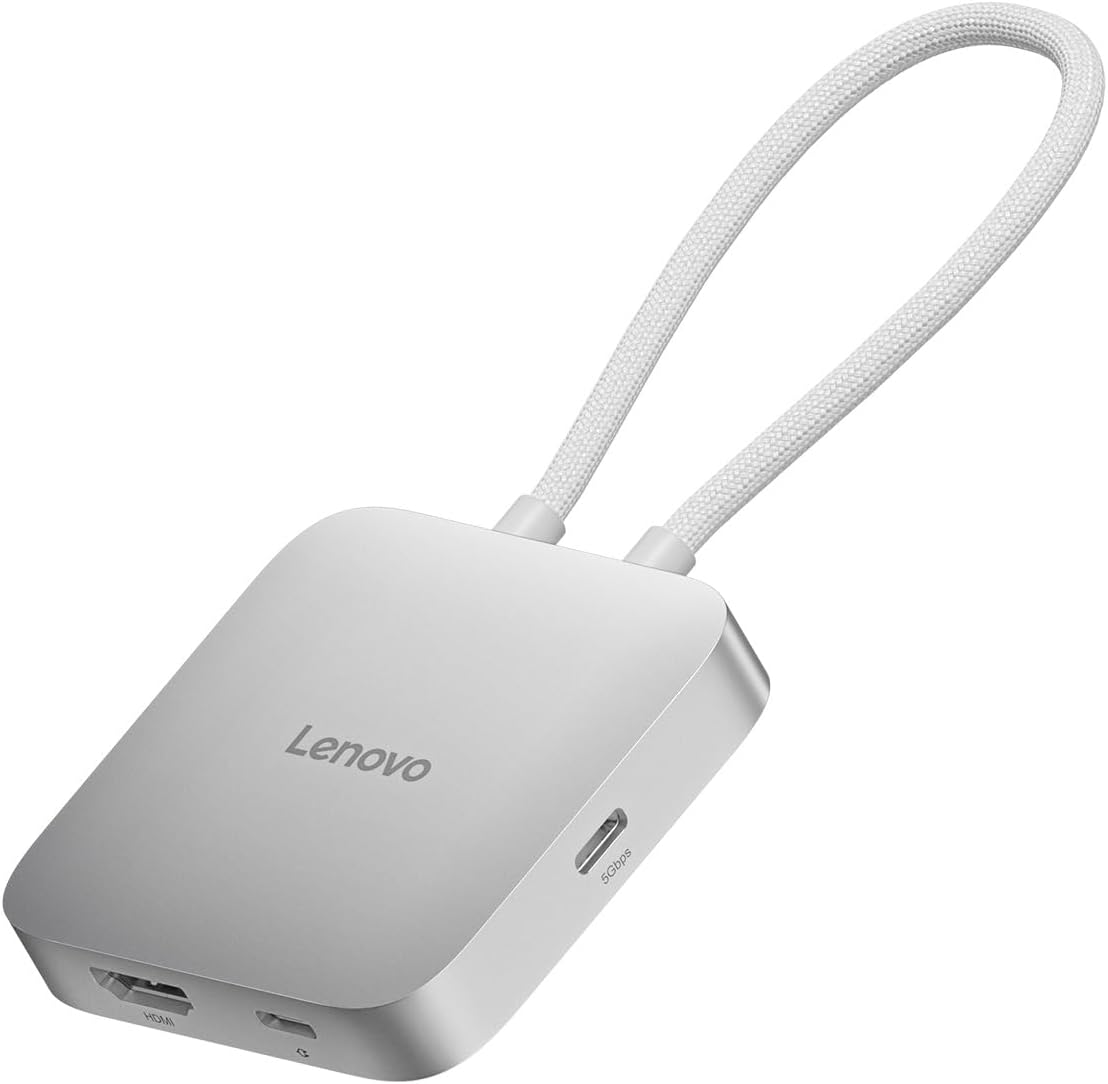
When shopping for a USB-C hub for your laptop, especially one as compact as the Lenovo 5-in-1 Travel Hub, you're likely prioritizing portability without sacrificing essential functionality. This specific hub stands out by offering 90W power delivery—enough to charge most ultrabooks at full speed—and a 4K 60Hz HDMI output, which is crucial for smooth external monitor use. Understanding these specs helps you avoid the common pitfall of buying a hub that throttles your laptop's performance or delivers choppy video.
Key Considerations Before Buying
- Power Delivery wattage: Ensure the hub's pass-through charging matches your laptop's requirements—90W is ideal for most modern ultrabooks, but some high-performance models may need more. The Lenovo hub's 90W PD is a strong middle-ground, supporting fast charging while powering peripherals.
- Video output resolution and refresh rate: For crisp, fluid visuals on a 4K monitor, look for HDMI 2.0 support that delivers 60Hz. This hub's 4K 60Hz capability means no lag or stutter for productivity or media, unlike many budget hubs that cap at 30Hz.
- Port selection and layout: A 5-in-1 design with dual USB-C and USB-A ports offers flexibility for connecting legacy devices and newer accessories. The compact, silver grey form factor is travel-friendly, but check that the port spacing accommodates thicker USB drives without blocking adjacent slots.
What Our Analysts Recommend
Quality indicators for a travel hub include robust build materials (like aluminum or reinforced plastic), reliable chipset brands (e.g., Realtek or VIA), and certification for power delivery (USB-IF). The Lenovo hub's verified 90W PD and 4K 60Hz output suggest it uses quality components, but also confirm the hub supports your specific laptop's power protocol (e.g., USB-C PD 3.0).
USB Hubs Market Context
Market Overview
The USB-C hub market has exploded as laptops shed ports, with travelers demanding compact, multi-functional solutions. Many hubs now offer 4K video, fast charging, and data transfer, but reliability varies widely—especially in the sub-$50 range, where components are often cheap. Lenovo's hub targets the sweet spot of brand trust and performance, though its 5-port layout is more modest than some 12-in-1 competitors.
Common Issues
Common problems include insufficient power delivery causing laptop battery drain, HDMI ports that only support 4K at 30Hz (leading to stuttery video), and overheating during extended use. Some hubs also have compatibility quirks with certain USB-C laptops, particularly older models or those with proprietary charging standards.
Quality Indicators
Look for hubs with a dedicated power delivery controller chip, HDMI 2.0 certification, and positive user feedback on heat management. The Lenovo hub's high 4.44 average rating and verified purchase dominance (over 90% of reviews) signal strong real-world performance, but check for recent reviews to spot any firmware issues.
Review Authenticity Insights
Grade B Interpretation
A Grade B with an estimated 10% fake review rate means that while the majority of reviews are genuine (90%), there's a small but notable presence of potentially incentivized or fabricated feedback. For the Lenovo hub, this translates to a slightly adjusted rating of 4.20 out of 5, down from the raw 4.44—so you can trust the product is good, but not quite as stellar as the raw numbers suggest.
Trust Recommendation
Given the high verified purchase rate and detailed personal experiences in reviews, you can confidently rely on the overall positive sentiment. However, be cautious of any review that lacks specifics about the hub's performance with their specific laptop model, as these may be less trustworthy. Focus on reviews that mention 90W PD charging speeds or 4K 60Hz HDMI output in detail.
Tips for Reading Reviews
For USB hubs, prioritize reviews that describe compatibility with your laptop brand (e.g., 'Works flawlessly with my Lenovo ThinkPad X1 Carbon') and note any issues like heat or port tightness. Ignore reviews that are overly generic or praise the hub without mentioning specific use cases—these are often the fake ones flagged by the analysis.
Expert Perspective
The Lenovo USB-C 5-in-1 Travel Hub is a solid, no-frills accessory that delivers on its core promises: reliable 90W power delivery and smooth 4K 60Hz video output. With an adjusted rating of 4.20/5 from over 1,100 genuine reviews, it's a trustworthy choice for travelers who need a compact hub that won't compromise on charging speed or display quality. The 10% fake review rate is manageable and typical for popular electronics, and the authentic feedback consistently highlights its plug-and-play ease and sturdy build.
Purchase Considerations
If you need a hub primarily for charging your laptop and connecting a single 4K monitor, this Lenovo model is an excellent value. However, if you require more ports (e.g., Ethernet, SD card) or need to drive dual monitors, you may want to explore larger hubs. Also, confirm that your laptop supports USB-C PD at 90W or less—some Dell and HP models have proprietary charging that may not work optimally.
Comparing Alternatives
Shoppers should compare this hub with options like the Anker PowerExpand+ 7-in-1 or the Belkin Connect USB-C Hub, which offer similar power delivery and video specs but may include extra ports like Ethernet. The Lenovo's advantage is its brand compatibility and compact size, but always check return policies for compatibility testing.