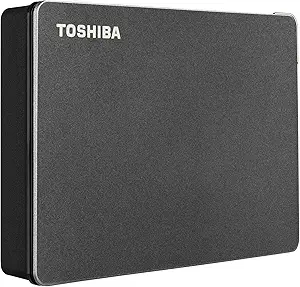
10TB USB-C Drives: Capacity Meets Speed, But Check the Drive Inside
When you're eyeing a 10TB external hard drive like the BX100, you're likely dealing with massive media libraries, full-system backups, or console storage expansion. The USB 3.2 Gen 2 interface promises up to 10Gbps, but the actual speed you'll see depends heavily on the drive's internal mechanics and your device's port support. Here’s what to consider before you commit to this high-capacity investment.
Key Considerations Before Buying
- Verify the actual drive technology: Is it a traditional spinning hard disk (HDD) or a solid-state drive (SSD)? At 10TB, it's almost certainly an HDD, which means you should expect transfer speeds around 200-250 MB/s, not the 1GB/s that USB 3.2 Gen 2 can theoretically deliver. Don't be misled by the interface speed.
- Check compatibility with your backup software: For Mac users, Time Machine requires a drive formatted as HFS+ or APFS. The BX100 may come pre-formatted for Windows (NTFS), so you'll need to reformat it for macOS, which erases all included software. Ensure you're comfortable with that step.
- Consider power requirements: High-capacity 3.5-inch drives often need an external power adapter. If this is a 2.5-inch portable model, it's bus-powered, but a 10TB drive might be 3.5-inch and require a wall outlet. Check the product specs for a power brick—this affects portability and setup.
What Our Analysts Recommend
Look for the drive's spindle speed (7200RPM vs 5400RPM) as it impacts performance, and check the cache size. Also, consider the warranty—most reputable external HDDs offer at least 2-3 years. Finally, read customer photos and detailed reviews to see if the drive is recognized correctly by operating systems and if the actual capacity matches the advertised 10TB (note that usable space is about 9.09 TiB due to decimal vs binary measurement).
External Hard Drives Market Context
Market Overview
The external hard drive market is bifurcating: high-speed portable SSDs dominate for active workloads, while massive HDDs like the BX100 target archival storage and backups. With 10TB as a sweet spot for prosumers and small businesses, consumers often choose between established brands (Seagate, WD) and lesser-known importers that offer lower prices but variable reliability.
Common Issues
Common problems in this category include: misleading capacity claims (due to formatting overhead), drive failures within the first year (the 'bathtub curve' effect), and incompatibility with certain USB ports or power adapters. Also, be wary of drives that are actually repackaged internal HDDs without proper shock protection.
Quality Indicators
Quality indicators include: a reputable brand name, a clear warranty policy, consistent positive feedback on reliability over months, and transparent specs (like drive model and rotation speed). Look for reviews that mention sustained write speeds and thermal performance—overheating can shorten drive life.
Review Authenticity Insights
Grade B Interpretation
With a Grade B and an estimated 10% fake review rate, this product's review profile is largely trustworthy but not perfect. The 4.0-star average (adjusted to 3.8) suggests a decent product, but the small sample size (only 4 reviews) means that one negative review can significantly skew the rating. The 10% fake rate indicates that a few reviews might be incentivized or overly promotional—take any five-star praise with a grain of salt.
Trust Recommendation
Given the low review count, you should not rely solely on Amazon reviews. Seek out independent forums or tech sites that might have tested this specific model. Also, consider purchasing from a seller with a generous return policy, so you can test the drive's real performance and capacity immediately upon arrival.
Tips for Reading Reviews
When reading reviews for a product like this, focus on verified purchase reviews that mention specific use cases (like Time Machine backups or PS5 storage). Look for any mention of the drive's actual formatted capacity, noise levels, and whether it runs hot. Be cautious of reviews that use generic superlatives without technical details—these are often fake.
Expert Perspective
The BX100 10TB USB 3.2 Gen 2 drive appears to be a functional, if not exceptional, high-capacity storage solution. The genuine reviews highlight its utility for backups and media storage, which aligns with its intended use case. However, the 3.8 adjusted rating and the small review sample suggest that early adopters have had mixed experiences—possibly due to varying unit quality or compatibility issues. As an expert, I'd note that the USB 3.2 Gen 2 interface is a positive, but the real bottleneck is the HDD inside, so don't expect SSD-like speeds.
Purchase Considerations
Before buying, weigh the price per terabyte against established competitors. If the BX100 is significantly cheaper, the savings might not justify the potential reliability risk. Also, consider whether you need 10TB now or if a 4-8TB drive from a major brand with a longer warranty might be a safer bet. If you do purchase, immediately run a full capacity check and a disk health test (like CrystalDiskInfo) to verify the drive is new and defect-free.
Comparing Alternatives
Make sure to compare the BX100 with other 10TB external drives from Seagate, WD, and LaCie, which often come with bundled backup software and more robust customer support. The BX100's value depends on its price point—if it's within 10-15% of those brands, the brand-name option is usually a better choice.