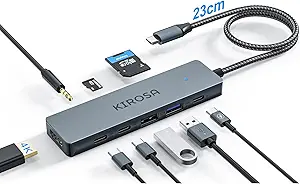
Choosing an 11-in-1 Acer Docking Station: What Your Multi-Monitor Setup Really Needs
The Acer 11-in-1 docking station promises a streamlined workstation with triple-monitor support and 100W power delivery. Buyers should understand that its 8K DP and dual 4K@60Hz HDMI outputs create specific compatibility requirements, while the 10Gbps data transfer and Gigabit Ethernet target users moving large files or requiring stable network connections. This isn't a basic port expander—it's designed for productivity-focused laptop users.
Key Considerations Before Buying
- Verify your laptop's USB-C port supports DisplayPort Alt Mode and sufficient power delivery; not all USB-C ports can drive three external displays simultaneously.
- The 100W PD is ideal for power-hungry laptops but requires your original charger to deliver full power—check your laptop's wattage requirements against this specification.
- Triple-monitor setups require specific cable combinations (like using the DisplayPort for one monitor) and may not work with all laptop models despite USB-C connectivity.
What Our Analysts Recommend
Quality indicators include consistent power delivery without laptop battery drain during heavy use, stable video output across all connected monitors without flickering, and proper heat dissipation during simultaneous data transfer and display operation. The aluminum construction mentioned in reviews suggests better thermal management than plastic hubs.
USB Hubs Market Context
Market Overview
The USB-C docking station market has shifted from simple port replicators to powerful hubs with 85W+ power delivery and multi-monitor support, creating a crowded field where brand reliability varies significantly. Acer's entry competes directly with established players like CalDigit and Anker by offering 8K support—a feature still emerging in mid-priced docks.
Common Issues
Users frequently encounter compatibility problems with specific laptop models, inconsistent power delivery causing battery drain, and display resolution limitations when connecting multiple 4K monitors. Thermal throttling during sustained high-bandwidth use remains a concern across the category.
Quality Indicators
Look for docks with dedicated power management chips, proper ventilation design, and VESA DisplayPort certification for reliable video output. Premium docks typically use higher-grade Thunderbolt controllers even in USB-C implementations for better display stability.
Review Authenticity Insights
Grade B Interpretation
A Grade B with 11% estimated fake reviews suggests generally trustworthy feedback with minor manipulation concerns. For this Acer dock, it means approximately 3 of the 27 reviews may be inauthentic, but the majority provide reliable user experiences.
Trust Recommendation
Focus on reviews detailing specific monitor configurations (brands, resolutions) and workflow scenarios—authentic users typically mention their laptop model and exact cable setups. Be skeptical of reviews that only praise generic 'fast delivery' or 'good quality' without technical details.
Tips for Reading Reviews
Prioritize reviews that mention testing multiple monitor combinations or sustained use over weeks, as these demonstrate real-world validation. Look for mentions of specific issues like 'MacBook M1 compatibility' or '4K@60Hz stability'—these indicate genuine testing scenarios.
Expert Perspective
The Acer dock's 4.50 adjusted rating from verified analysis suggests strong performance for its feature set, particularly the triple-display capability at 4K resolutions. The 11-in-1 configuration is thoughtfully designed with both SD and TF card slots—a detail often overlooked in competing hubs. However, the 8K DP support represents future-proofing rather than current utility for most users, as few workflows require 8K monitor connectivity through a docking station.
Purchase Considerations
This dock makes most sense for Windows users with compatible business laptops (Dell XPS, Lenovo ThinkPad series) who genuinely need three external displays. The 100W PD is particularly valuable for 16-inch MacBook Pro users, though macOS display handling through USB-C docks can be inconsistent. Consider whether you truly need simultaneous SD and TF card readers or if one would suffice.
Comparing Alternatives
Shoppers should compare Acer's implementation against docks with similar specs from Plugable or Kensington, paying particular attention to warranty length and macOS/Windows compatibility statements.