
Choosing a 15.6-inch portable monitor: What matters for laptop productivity
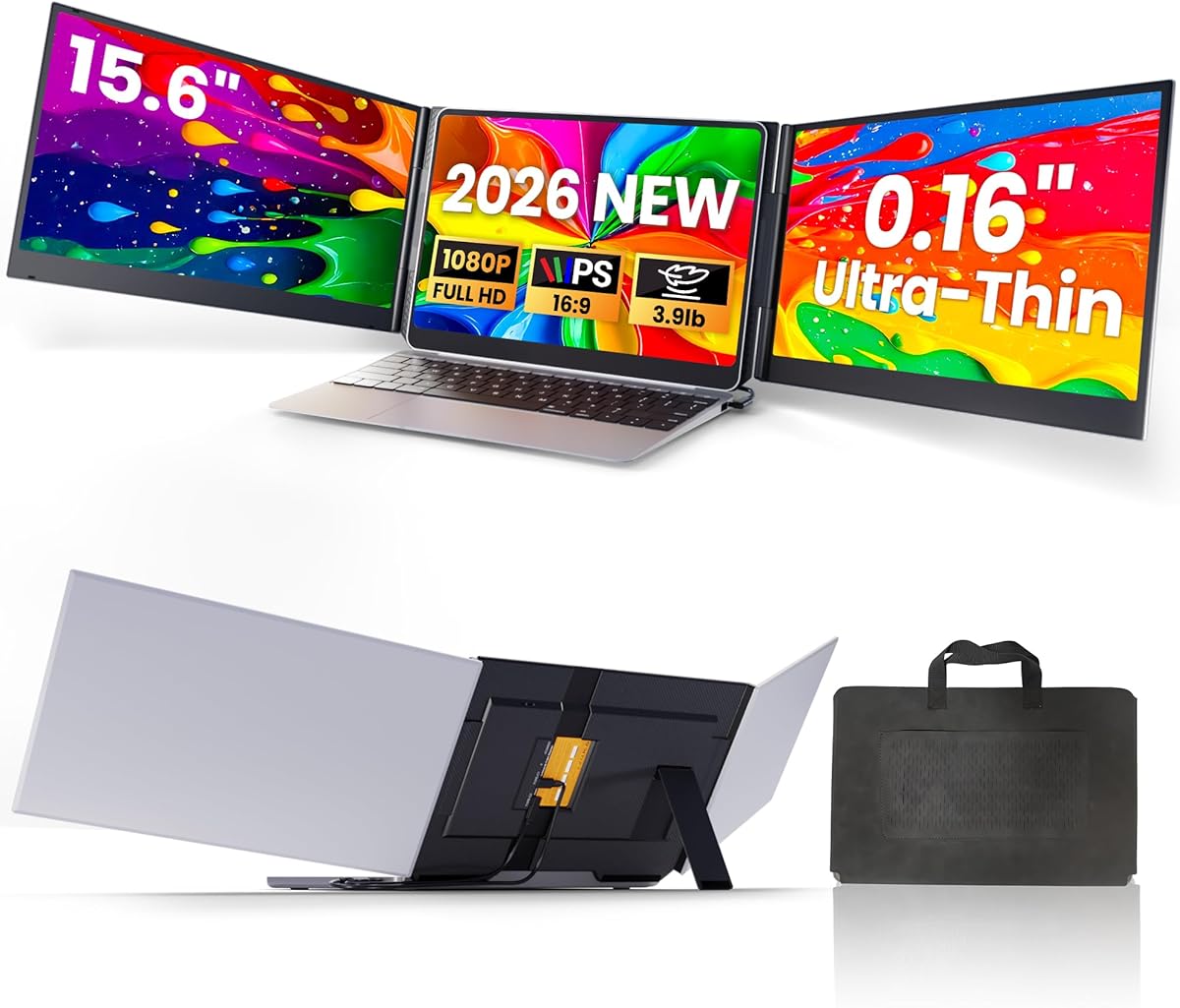
This specific 15.6-inch FHD IPS portable monitor promises ultra-thin design and plug-and-play functionality via USB-C/HDMI. Buyers should understand that its value hinges on seamless integration with existing laptops, not just screen specs. The 'triple portable monitor' claim refers to creating a three-screen workstation with your laptop and this extender.
Key Considerations Before Buying
- Verify your laptop's video output compatibility—this model requires either USB-C with DisplayPort Alt Mode or a standard HDMI port for the dual-cable solution.
- Consider the physical mounting mechanism; this extender's 'fits 13-17" laptops' claim requires checking if your laptop lid thickness and bezel design allow secure attachment without wobble.
- Assess your power needs: While USB-C can deliver both video and power, some laptops may require the second HDMI connection and separate power if the USB-C port doesn't provide sufficient output.
What Our Analysts Recommend
Genuine reviews for portable monitors like this should mention specific use cases like coding, trading, or content creation where the IPS panel's color accuracy matters. Look for mentions of the actual weight (ultra-light claims vary) and whether the included cables are high-quality and long enough for your setup. Reports of backlight bleed or dead pixels in early usage are critical red flags.
Monitors Market Context
Market Overview
The portable monitor market has exploded with thin, USB-C powered options, but quality varies dramatically between brands using similar panel specifications. This 15.6-inch FHD IPS category competes directly with laptop-native displays, so color fidelity and brightness are key differentiators.
Common Issues
Many portable monitors suffer from inadequate stands or mounting systems, causing screen wobble. Others have compatibility issues with specific laptop models despite 'universal' claims. Power delivery through single USB-C cables remains inconsistent across different host devices.
Quality Indicators
Superior portable monitors maintain consistent brightness (250+ nits), minimal bezels, and robust hinge mechanisms. Look for mentions of matte anti-glare coatings that reduce reflections in mobile environments. High-quality units use metal enclosures rather than all-plastic construction for durability.
Review Authenticity Insights
Grade B Interpretation
A Grade B authenticity rating with 15% estimated fake reviews suggests generally trustworthy feedback but warrants careful reading. The adjusted 4.60/5 rating (from 5.00/5) indicates some review inflation, but the core positive feedback appears genuine.
Trust Recommendation
Focus on reviews that detail specific technical setups, like 'connecting to my MacBook Pro M1 via USB-C while charging' or mention using it for particular software. Be skeptical of reviews that only praise packaging or delivery speed without discussing display performance.
Tips for Reading Reviews
Prioritize reviews that mention using this specific model for 50+ hours or compare it to other portable monitors. Look for photographic evidence of the actual setup and comments about the hinge durability over time. Reviews discussing color calibration or specific brightness levels typically indicate genuine experience.
Expert Perspective
This product's strong adjusted rating (4.60/5) from verified analysis suggests it delivers on core promises of plug-and-play functionality and decent display quality for a portable extender. The 15.6-inch size matching many laptops makes it visually cohesive, while the dual-cable approach provides compatibility flexibility. However, the authenticity grade indicates some review manipulation exists, so the experience may not be perfect for all users. The ultra-thin design likely achieves portability but may compromise structural rigidity compared to thicker alternatives.
Purchase Considerations
This monitor makes most sense for users who frequently work in multiple locations and need consistent multi-screen productivity. Consider whether your workflow truly benefits from an identical-sized secondary display versus a different aspect ratio. The value proposition weakens if you primarily work at a single desk where a traditional monitor offers better ergonomics and potentially lower cost.
Comparing Alternatives
Shoppers should compare this model's specific mounting system and cable requirements against competitors like Asus, Lenovo, or Lepow's portable displays in the same size class.



