
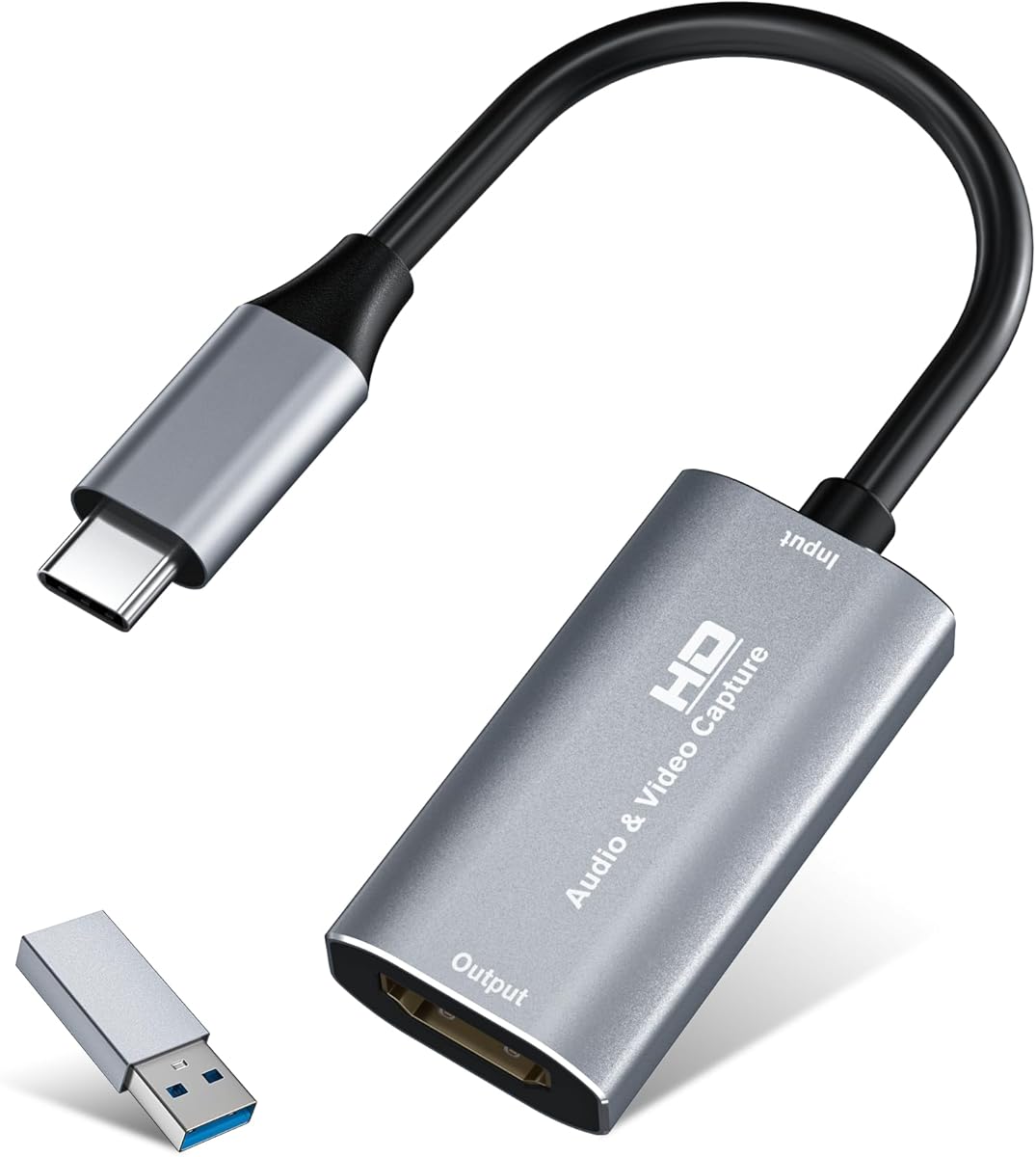
Choosing a USB 3.0 HDMI Capture Card for Streaming and Console Gaming
This specific 4K USB3.0 HDMI to USB-C capture card is designed for gamers and streamers who need to connect consoles like the Switch, Xbox, or PS4 to a computer. Buyers should understand its dual-resolution capability: it can pass through a 4K signal to a monitor while capturing at 1080p60, a common feature for balancing quality and performance.
Key Considerations Before Buying
- Verify your computer has a true USB 3.0 (or USB 3.1/3.2 Gen 1) port for the required bandwidth; USB 2.0 will cause severe lag or failure, despite the USB-C connector.
- Check for specific software compatibility, especially with OBS, Zoom, and your operating system (Windows vs. Mac OS), as driver support can vary significantly.
- Consider your audio workflow—this device captures HDMI-embedded audio, so ensure it meets your needs for game audio and microphone mixing without extra hardware.
What Our Analysts Recommend
For this category, a quality indicator is robust plug-and-play functionality without requiring external power. Look for consistent mention of stable 1080p60 capture with low latency, as promised by this model's specifications. The metal (silver) housing, as noted in the title, can also suggest better heat dissipation than all-plastic units.
External TV Tuners Market Context
Market Overview
The market for external HDMI capture cards is saturated with devices claiming 4K pass-through, but true performance hinges on the USB interface and chipset quality. USB 3.0-based cards, like this one, represent the mainstream standard for reliable 1080p60 capture, sitting above budget USB 2.0 options but below professional PCIe or Thunderbolt solutions.
Common Issues
Common problems include driver conflicts on Windows, audio-video sync (lip-sync) issues in the captured stream, and overheating during long gaming sessions which can cause signal dropouts. Incompatibility with certain console HDCP-protected content is also a frequent hurdle users must bypass.
Quality Indicators
Quality is indicated by minimal reported latency ('lag'), consistent performance without signal drops over hours of use, and clear, detailed user manuals for setup. Reviews that mention reliable performance in OBS without constant tweaking of settings are a strong positive signal.
Review Authenticity Insights
Grade B Interpretation
A Grade B with an estimated 15% fake review rate suggests a generally trustworthy review pool with a typical level of promotional noise for this electronics category. The adjusted rating of 4.10/5 is likely a more accurate reflection of real user experience than the raw 4.44/5.
Trust Recommendation
Focus on the verified purchase reviews that discuss specific use cases, like capturing Switch gameplay or streaming from a PS4. Be slightly more skeptical of overly vague 5-star reviews and prioritize those that mention both pros and minor cons, as they align with the genuine feedback pattern.
Tips for Reading Reviews
For technical hardware like this, pay close attention to reviews that detail the setup process, specific software used (e.g., OBS Studio version), and any troubleshooting performed. Reviews mentioning long-term use (e.g., 'after 2 months') are particularly valuable for assessing durability.
Expert Perspective
The data indicates this is a competent mid-tier capture card. The strong adjusted rating of 4.10/5 from verified reviews suggests it reliably delivers on its core promise of 1080p60 capture for mainstream consoles and streaming. The 'B' authenticity grade is standard for this competitive, review-driven segment and doesn't raise major red flags. Its broad compatibility list (Switch, Xbox, PS4, OBS, Zoom) is a key selling point for multi-platform users.
Purchase Considerations
This product is a sensible choice for streamers and content creators needing a simple, portable USB solution. However, weigh the 15% fake review estimate by critically examining the top-rated reviews for substance. Ensure your primary need is 1080p60 capture, not internal 4K recording, as the 4K feature is pass-through only.
Comparing Alternatives
Shoppers should compare this model's performance and driver support against similar USB 3.0 capture cards from brands like Elgato and AVerMedia, which may offer more polished software at a higher price point.


