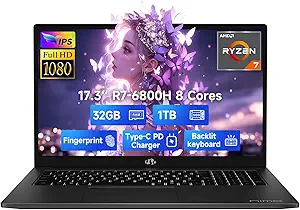
AE86 15.6" Laptop: Budget Power or Compromise?
When shopping for an ultra-budget laptop like the AE86 with its Celeron N4000 processor, 8GB RAM, and 256GB SSD, it's crucial to set realistic expectations. This machine is designed for light productivity, web browsing, and media consumption, not for heavy multitasking or gaming. Understanding the balance between cost and capability is key to a satisfying purchase.
Key Considerations Before Buying
- The Celeron N4000 is a dual-core processor with a base clock of 1.1GHz (up to 2.6GHz burst). It handles everyday tasks like word processing, spreadsheets, and video streaming smoothly, but it will struggle with heavy multitasking or photo/video editing. Adjust your workflow accordingly.
- With 8GB of RAM and a 256GB SSD, this configuration is a sweet spot for budget laptops. The SSD ensures fast boot times and app loading, while 8GB RAM allows for a reasonable number of open tabs without major slowdowns. However, the eMMC storage on some budget models can be slower than a standard SATA SSD—check the specifics.
- The 15.6-inch Full HD (1920x1080) display is a standout feature at this price point, offering sharp text and good color reproduction for media consumption. However, brightness and viewing angles may be limited, so consider your typical lighting conditions.
What Our Analysts Recommend
In this category, verify the processor generation (N4000 vs. N4020 vs. N4120) and the type of storage (SSD vs. eMMC). Also, check the number of USB ports and the presence of a Mini HDMI—this indicates the laptop's connectivity limits. Finally, look for user photos that show the build quality and the actual screen bezel thickness, as these often differ from marketing images.
Traditional Laptops Market Context
Market Overview
The market for entry-level Windows laptops is crowded with options from established brands like Acer, Lenovo, and HP, as well as lesser-known brands like AE86. These machines typically range from $200 to $400 and are popular for students and budget-conscious consumers. The key differentiators are build quality, display quality, and customer support.
Common Issues
Common issues in this category include poor battery life, flimsy hinges, and limited upgradeability. Additionally, many budget laptops come with Windows 10 S mode, which restricts software installation to the Microsoft Store unless you switch out of it—a step that can confuse less tech-savvy users. Another frequent complaint is the lack of a backlit keyboard, which can be a dealbreaker for some.
Quality Indicators
Look for laptops with at least 8GB of RAM and an SSD (even if it's SATA) to ensure a responsive experience. A Full HD display is a must for comfortable viewing, and a metal or reinforced plastic chassis indicates better durability. Also, check for reviews that mention the laptop's cooling and fan noise, as these are common pain points in thin-and-light designs.
Review Authenticity Insights
Grade B Interpretation
The Grade B rating, with an estimated 10% fake reviews, suggests that the majority of the 30 reviews are authentic. This is a positive sign, but it means you should still be cautious. The adjusted rating of 4.20 out of 5 indicates that removing suspicious reviews only slightly lowers the score, so the product generally performs as expected.
Trust Recommendation
Given the relatively small number of reviews, it's wise to read through the detailed ones, especially those that mention specific performance metrics or compare the laptop to others. Look for reviews with photos or videos, as they are harder to fake. Since the fake percentage is low, you can trust the overall sentiment, but always check the most recent reviews for any emerging issues.
Tips for Reading Reviews
When reading reviews for budget laptops, pay attention to comments about battery life under real-world use, the actual fan noise, and the quality of the keyboard and touchpad. Also, note any reviews that mention the laptop arriving with a damaged box or missing accessories, as these can be signs of poor quality control. Cross-reference the negative reviews to see if they share common complaints.
Expert Perspective
The AE86 15.6" Laptop appears to be a solid entry-level option, particularly for its price point. The combination of 8GB RAM, a 256GB SSD, and a Full HD display is excellent for basic productivity and media consumption. The Celeron N4000, while not powerful, is adequate for typical school and office tasks. With a 4.20 adjusted rating and a low fake review percentage, it seems to deliver on its promises, though it's not without compromises in build quality and performance ceiling.
Purchase Considerations
Before purchasing, consider your specific needs: if you only need a device for browsing, email, and document editing, this laptop will likely satisfy you. However, if you plan to run multiple heavy applications simultaneously or play even light games, you should look for a laptop with at least an Intel Core i3 or AMD Ryzen 3 processor. Also, factor in the lack of a USB-C charging port and the Mini HDMI output, which may require an adapter for external monitors.
Comparing Alternatives
Shoppers should compare this model with similar offerings from Acer Aspire 3, Lenovo IdeaPad 1, and HP 15 series, which often feature similar specs but may have different build quality and battery life. Reading comparisons and watching video reviews can help you decide if the AE86's price advantage is worth any potential trade-offs.