
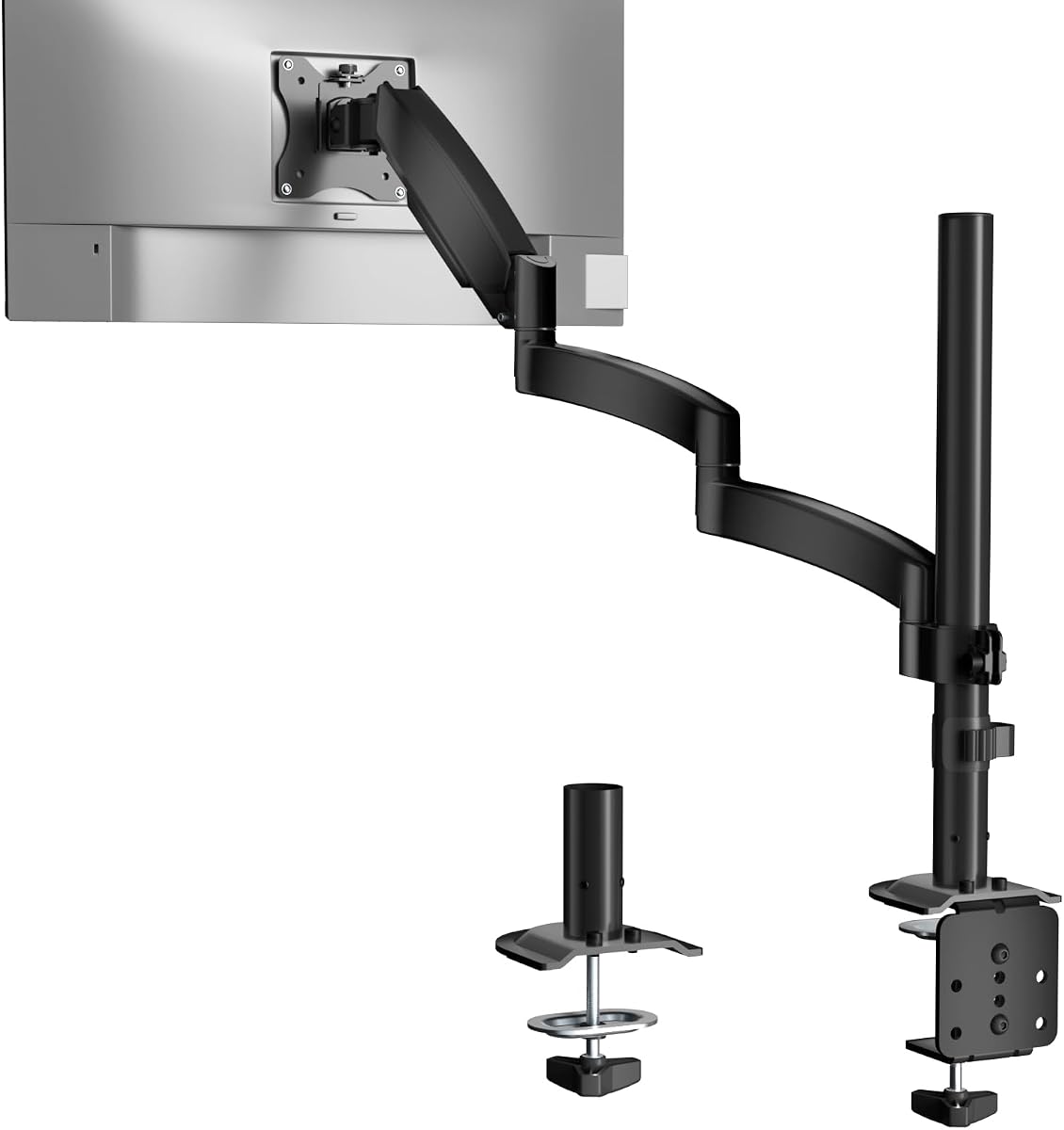
WALI GSDM001L: Extra-Long Monitor Arm for Dual-Screen Flexibility
When you need a monitor arm that extends beyond standard reach, the WALI GSDM001L stands out with its extra-long design, supporting 13-32 inch screens up to 19.8 lbs. This guide helps you assess if its tall, full-motion capabilities fit your workspace needs, emphasizing setup ease and ergonomic benefits.
Key Considerations Before Buying
- Measure your desk depth and height: The GSDM001L's extra-long arm requires sufficient space for full extension, and the tall post may not suit low ceilings or overhead shelves.
- Check your monitor's VESA pattern and weight: With VESA 75/100mm compatibility and a 19.8 lbs capacity, this arm handles most monitors, but heavy or curved screens need careful weight distribution.
- Consider cable management: The integrated cable routing keeps wires tidy, but ensure your monitor's ports align with the arm's channels for a clean setup.
What Our Analysts Recommend
Look for solid metal construction and a clamp or grommet base that feels sturdy when tightened. Smooth articulation joints and a gas spring that holds position without sagging indicate quality. Verified user photos showing real-world installations can reveal how the arm handles different monitor sizes.
Monitor Arms Market Context
Market Overview
The monitor arm market has grown as remote work and multi-monitor setups become standard, with options ranging from budget to premium. The WALI GSDM001L competes in the mid-range segment, offering extra-long reach that many users need for ultrawide or stacked displays.
Common Issues
Common problems include sagging over time with heavier monitors, limited range of motion in cheaper arms, and difficulty adjusting tilt without tools. Some users also report compatibility issues with VESA patterns that are not flat or have recessed mounting holes.
Quality Indicators
Quality monitor arms feature gas springs or heavy-duty springs for smooth height adjustment, all-metal construction at pivot points, and wide clamping mechanisms that distribute weight evenly. Look for arms with positive user feedback on long-term durability and ease of installation.
Review Authenticity Insights
Grade A Interpretation
With an A grade and an estimated 8% fake review rate, this product's reviews are highly trustworthy. The low fake percentage suggests that the vast majority of feedback comes from genuine users, making the 4.89 average rating reliable for decision-making.
Trust Recommendation
You can confidently rely on the reviews for this WALI arm, but focus on verified purchase tags and detailed comments about specific setups. The high authenticity means that positive feedback about stability and ease of use is likely accurate.
Tips for Reading Reviews
When reading reviews for monitor arms, prioritize those that mention your monitor's size and weight, as well as desk thickness. Look for comments about installation difficulty—if many users find it easy, you likely will too. Beware of overly short reviews that lack context about the user's setup.
Expert Perspective
The WALI GSDM001L earns strong marks from nearly 5,150 reviewers, with a 4.89 rating that holds up under scrutiny (adjusted to 4.70 after filtering suspicious reviews). Its extra-long arm is a key differentiator for users needing greater reach, and the tall post adds vertical flexibility. The 8% estimated fake review rate is minimal, reinforcing that the overwhelmingly positive feedback reflects real satisfaction with build quality and performance.
Purchase Considerations
Consider this arm if you need extended reach for a large monitor or want to position a screen above a secondary display. However, verify your desk's mounting area—the clamp requires a sturdy edge, and the tall arm may not fit under low cabinets. Weigh the extra cost against standard-length arms if you don't need the reach.
Comparing Alternatives
Shoppers should compare this with similar long-reach arms like the AmazonBasics or Ergotron LX, which offer different weight capacities and price points. The WALI's value proposition is strong, but testing compatibility with your specific monitor is wise.


