
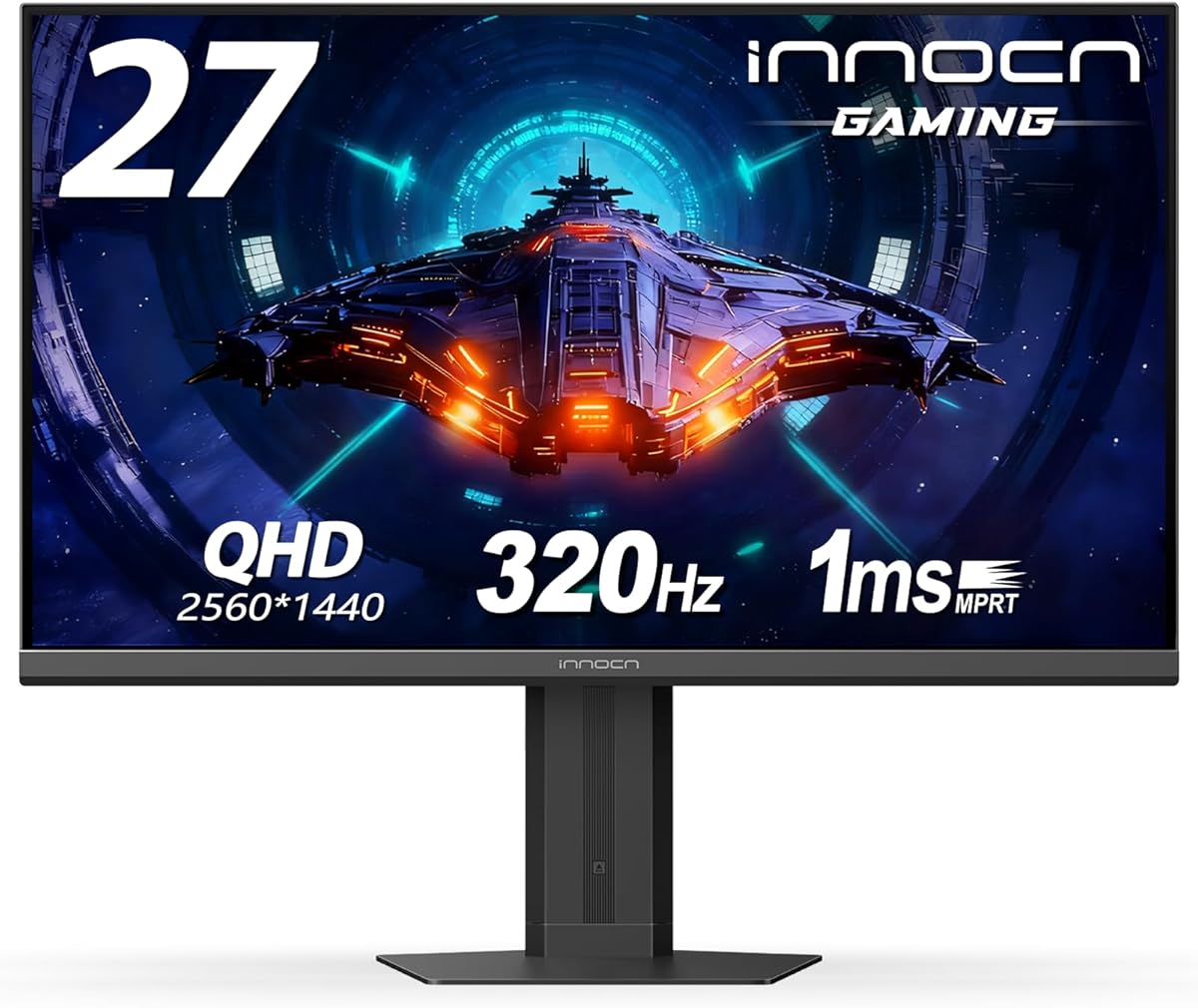
Balancing 240Hz Refresh Rate with 2K Resolution in a Mid-Range Gaming Monitor
The INNOCN 27G2T targets gamers seeking high refresh rates without sacrificing pixel density, offering both 240Hz and a 320Hz overclock mode at 2560x1440 resolution. This combination places it in a competitive sweet spot between 1080p high-refresh and 4K 144Hz displays. Buyers should understand how its IPS panel, HDR 400 certification, and connectivity options like HDMI 2.1 align with their specific gaming or productivity needs.
Key Considerations Before Buying
- The 240Hz native refresh rate (with 320Hz overclock) provides exceptional motion clarity for competitive gaming, but requires a powerful GPU to fully utilize at 1440p resolution.
- HDR 400 certification indicates basic high dynamic range support with 400 nits brightness, offering improved contrast over SDR but falling short of premium HDR experiences found in monitors with local dimming.
- The inclusion of both HDMI 2.1 and DisplayPort 1.4 ensures compatibility with next-gen consoles and high-end PCs, allowing full 1440p 240Hz operation without compression.
What Our Analysts Recommend
Examine reviews mentioning the overclock function's stability and whether the 320Hz mode introduces artifacts or requires reduced color settings. Quality indicators include consistent backlight uniformity across the IPS panel and reliable performance of the height/pivot adjustment mechanism, which should operate smoothly without wobble at maximum extension.
Monitors Market Context
Market Overview
The 27-inch 1440p high-refresh monitor segment has become fiercely competitive, with brands like INNOCN challenging established players by offering premium specifications at aggressive price points. This market shift has made features like 240Hz refresh rates and HDMI 2.1 increasingly accessible to mainstream gamers rather than remaining exclusive to premium products.
Common Issues
Many monitors in this category struggle with IPS glow and backlight bleed, particularly at price points that compromise on panel quality control. Some manufacturers also overstate HDR capabilities, with HDR 400 implementations often providing minimal visual improvement over SDR content despite the certification.
Quality Indicators
Look for consistent pixel response times across the refresh range, minimal overshoot in faster modes, and accurate factory color calibration. Premium stands with smooth, tool-less adjustment mechanisms typically indicate better overall build quality, as these components represent significant manufacturing costs.
Review Authenticity Insights
Grade B Interpretation
A Grade B authenticity rating with 15% estimated fake reviews suggests generally reliable feedback, though shoppers should remain cautious of overly enthusiastic 5-star reviews that lack technical specifics. The adjusted 4.00/5 rating (down from 4.33/5) after removing suspicious reviews represents a more accurate assessment of genuine owner experiences.
Trust Recommendation
Focus on reviews that discuss specific gaming scenarios, panel uniformity observations, or ergonomic adjustments rather than generic praise about 'great picture.' Verified purchase status adds credibility, but prioritize reviews that mention using the monitor for at least several weeks to assess long-term reliability.
Tips for Reading Reviews
Pay particular attention to reviews mentioning the 320Hz overclock function's performance and any trade-offs required to achieve it. Look for discussions about color accuracy out of the box and whether the Eyes Care features actually reduce eye strain during extended sessions, as these details indicate hands-on experience.
Expert Perspective
The INNOCN 27G2T presents a compelling value proposition for gamers prioritizing high refresh rates at 1440p resolution, particularly given its inclusion of HDMI 2.1 which remains uncommon in this price bracket. The 4.00 adjusted rating from authentic reviews suggests most buyers are satisfied with the performance-to-price ratio, though the 15% fake review rate warrants careful evaluation of specific claims. Its position as a feature-rich display from a challenger brand means potential buyers should weigh the attractive specifications against possible variability in quality control compared to established monitor manufacturers.
Purchase Considerations
Consider whether your system can consistently drive 1440p at high frame rates to justify the 240Hz panel, and verify that your use case benefits from the overclock to 320Hz. The adjustable stand and VESA compatibility add long-term value if you plan to use monitor arms or need ergonomic flexibility, which isn't always guaranteed at this price point.
Comparing Alternatives
Shoppers should compare the 27G2T against similarly priced offerings from brands like Gigabyte, MSI, and AOC that offer comparable 1440p high-refresh specifications, paying particular attention to warranty terms and color accuracy claims.






