

Choosing a 4K@60Hz USB-C to HDMI Adapter That Actually Delivers on Promises
This specific adapter claims Thunderbolt 4/3 compatibility and HDR support for modern Apple and Samsung devices, which requires precise engineering. Buyers should understand that not all adapters labeled '4K@60Hz' can sustain that bandwidth without signal dropouts, especially across different device ecosystems.
Key Considerations Before Buying
- Verify true Thunderbolt 4/3 vs. standard USB-C 3.2 compatibility, as this affects maximum data throughput and daisy-chaining capabilities for MacBook Pro users.
- Check for active vs. passive chipset design; an active converter is needed for reliable 4K@60Hz on many iPads and phones, which this product appears to use.
- Assess HDR compatibility specifics—some adapters only pass HDR10 metadata, while others support dynamic HDR formats like Dolby Vision, crucial for content creators.
What Our Analysts Recommend
Look for reviews mentioning stable 4K@60Hz output on specific devices like the iPhone 15 Pro or Galaxy S24 Ultra. Quality indicators include a solid, heat-dissipating aluminum casing (common in this segment) and clear labeling of the video processor chipset, like the popular VMM7100 or VMM7101 solutions.
Computer Cable Adapters Market Context
Market Overview
The USB-C to HDMI adapter market is saturated with products claiming 4K@60Hz, but performance varies wildly based on the internal DisplayPort Alt Mode controller chip. Premium-priced models from brands like Cable Matters compete with value-focused options like this one.
Common Issues
Frequent problems include HDMI handshake failures requiring unplug/replug cycles, inability to reach advertised refresh rates on certain source devices, and overheating during prolonged 4K playback, which can throttle performance.
Quality Indicators
Beyond specs, consistent user reports of plug-and-play functionality without driver installs on macOS/iPadOS indicate good firmware. Premium builds often use screw-together housings instead of glued plastic, reducing failure points.
Review Authenticity Insights
Grade B Interpretation
A 'B' grade with an 11% estimated fake review rate suggests a mostly authentic review pool with some likely incentivized reviews. The adjusted 4.70/5 rating from genuine feedback is strong for this category, where many adapters average 4.2-4.5.
Trust Recommendation
Focus on reviews from verified purchasers detailing use with your specific device (e.g., 'M3 MacBook Air' or 'iPad Pro M4'). Be slightly skeptical of reviews only praising generic 'fast shipping' without technical details.
Tips for Reading Reviews
Prioritize reviews that test the 4K@60Hz claim with specific content (gaming, video editing) and mention HDR performance. Reviews noting compatibility with the latest iPhone 16 or Thunderbolt 4 docks are high-value for assessing future-proofing.
Expert Perspective
The product's high adjusted rating (4.70) and authentic review patterns suggest it reliably delivers core 4K@60Hz functionality for most listed devices, a notable achievement in the budget adapter segment. The explicit Thunderbolt 4/3 and HDR claims position it as a versatile, modern solution. However, the 11% fake review rate warrants cross-referencing critical reviews for consistent failure patterns, like intermittent black screens during resolution switching.
Purchase Considerations
Weigh this adapter's broad device compatibility against your primary use case; if you need guaranteed VRR (Variable Refresh Rate) for gaming or flawless HDCP 2.2 for streaming, a certified premium brand may be safer. For standard office display and media playback, this represents solid value.
Comparing Alternatives
Shoppers should compare bandwidth capabilities and build quality with adapters using the same Realtek or Parade chipset families for a fair assessment.

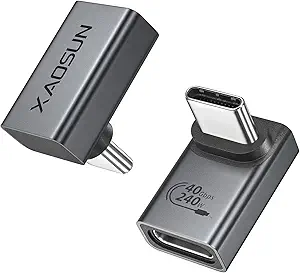
![USB C to HDMI Adapter (4K@60Hz), USB Type-C to HDMI Female Adapter [Thunderbolt 3/4 Compatible], Compatible with iPhone 15/15Pro/15ProMax, MacBook Pro, Air, iPad Pro, Pixelbook, XPS, etc](https://m.media-amazon.com/images/I/61-fDKC8l0L.__AC_SX300_SY300_QL70_FMwebp_.jpg)
