
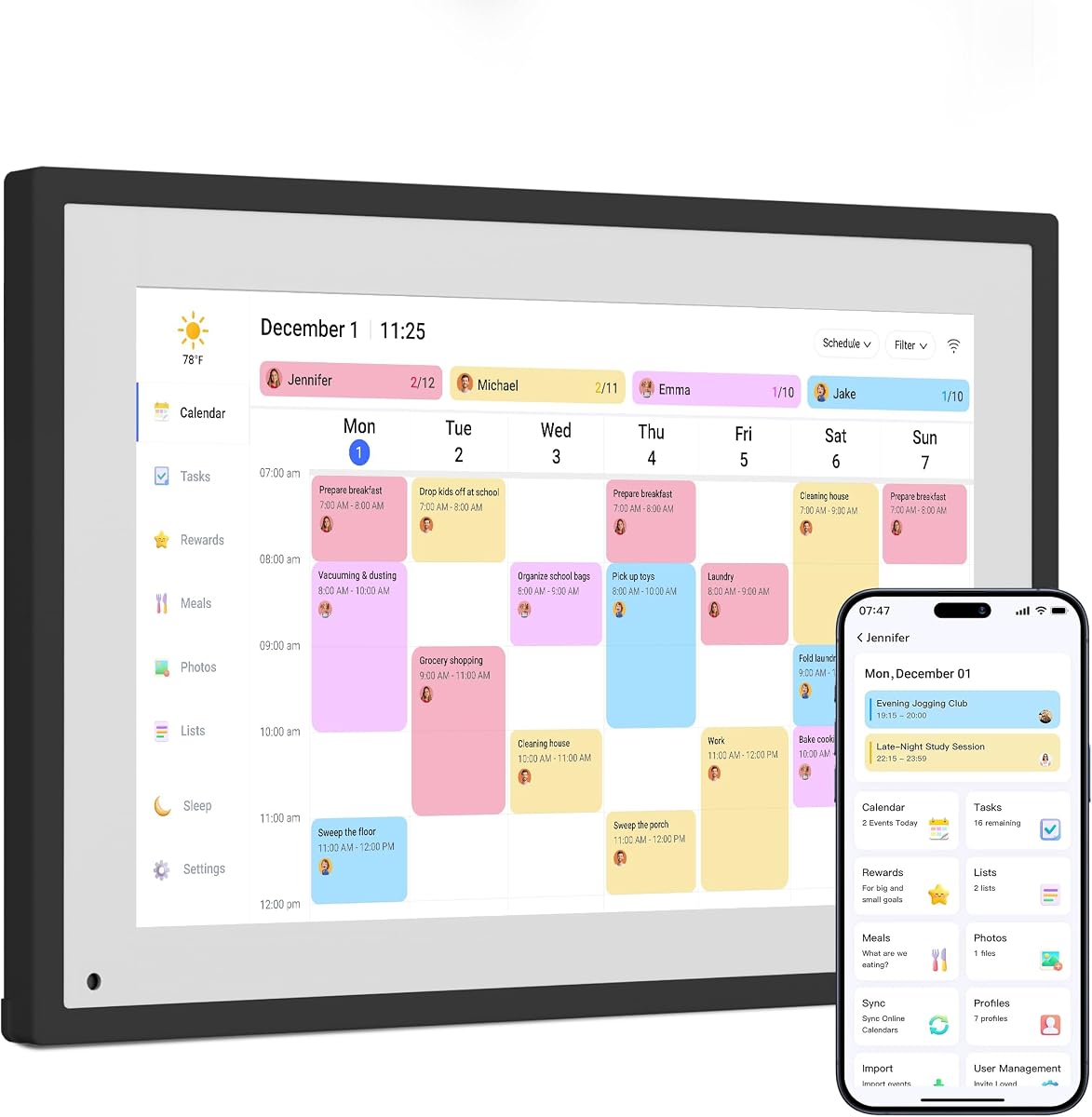
Dragon Touch 10.1" Calendar: Smart Family Hub or Gimmick?
The Dragon Touch 10.1-inch Digital Calendar & Chore Chart blurs the line between a digital picture frame and a family organizer. Before buying, understand that this device aims to replace paper calendars and chore lists with a touchscreen interface, but its success depends on how well it integrates into your daily routine and family tech comfort level.
Key Considerations Before Buying
- Screen quality and responsiveness: For a touchscreen calendar, the display must be bright, responsive, and easy to read from a distance. Check for resolution (typically 1280x800 on 10.1-inch models) and whether the touch interface is capacitive or resistive, as capacitive offers smoother swiping.
- Software and syncing capabilities: This category relies on robust app integration. Ensure the Dragon Touch supports syncing with popular calendar apps like Google Calendar or iCal, and that adding chores or events is intuitive. Poor software can render the device a static picture frame.
- Setup and maintenance complexity: Consider whether the device requires constant charging or is wall-powered, and how easy it is to update schedules. A family planner that requires technical troubleshooting defeats its purpose.
What Our Analysts Recommend
Look for a model with a high-contrast, anti-glare screen to reduce reflections in bright kitchens or living rooms. Check user feedback on touch accuracy and lag, as these directly impact daily usability. Also, verify that the device supports multiple user profiles for family members and offers cloud backup to prevent data loss.
Digital Picture Frames Market Context
Market Overview
The digital picture frame market has evolved from simple slideshow devices to smart home hubs, with the Dragon Touch representing a niche hybrid. While traditional frames focus on photo display, this product adds calendar and chore functionality, competing with dedicated smart displays like Amazon Echo Show and Google Nest Hub.
Common Issues
Common complaints in this hybrid category include sluggish touch response, limited app support, and poor battery life if not plugged in. Users often report that the calendar syncing is inconsistent or that the chore chart interface feels clunky compared to mobile apps. Software updates can be infrequent, leaving bugs unresolved.
Quality Indicators
High-quality models feature responsive capacitive touchscreens, seamless cloud syncing, and customizable layouts. Durable construction with a sturdy stand and a screen that remains readable in ambient light are key. Positive reviews that mention consistent performance over months of daily use are a strong signal of reliability.
Review Authenticity Insights
Grade B Interpretation
A Grade B authenticity rating and an estimated 10% fake review rate indicate that the vast majority of the 9,669 reviews are genuine, but a small contingent of fabricated feedback exists. This is typical for popular electronics, where incentivized or overly positive reviews can skew perceptions. The adjusted rating of 3.90/5 likely reflects a more accurate user experience than the 4.11/5 average.
Trust Recommendation
Trust the overall sentiment but apply extra scrutiny to 5-star reviews that lack personal details or specific use cases. The high verified purchase rate (nearly all reviews) adds credibility, so focus on reviews that describe real-world experiences with the touchscreen and calendar features over time. Avoid basing decisions solely on the star rating.
Tips for Reading Reviews
When reading reviews for this Dragon Touch model, look for those that mention setup difficulty, screen responsiveness, and syncing with Google Calendar or other services. Filter by 'most recent' to see if any software updates have resolved past issues. Be wary of reviews that sound generic or use overly promotional language, as these may be the 10% of fakes.
Expert Perspective
The Dragon Touch 10.1-inch Digital Calendar & Chore Chart offers a compelling concept for families seeking a centralized digital hub, but its execution shows mixed results based on user feedback. With a 3.90/5 adjusted rating, it performs adequately for basic calendar and chore tracking but may frustrate users expecting seamless integration or high responsiveness. The product's value hinges on your tolerance for occasional software quirks and willingness to rely on a dedicated device rather than a smartphone app.
Purchase Considerations
Consider this purchase if you want a dedicated, always-visible family planner that doubles as a digital picture frame, and you don't mind a slightly lower touchscreen quality than premium smart displays. However, if you need perfect syncing with complex calendar systems or a highly responsive interface, explore alternatives like the Amazon Echo Show or a tablet with a calendar app.
Comparing Alternatives
Shoppers should compare the Dragon Touch with dedicated smart displays (e.g., Echo Show 8 or Google Nest Hub) that offer similar calendar functions plus voice control and broader app support, though at a higher price point.


