
Choosing an UltraWide Monitor: Balancing Immersion, Pixel Density, and Connectivity
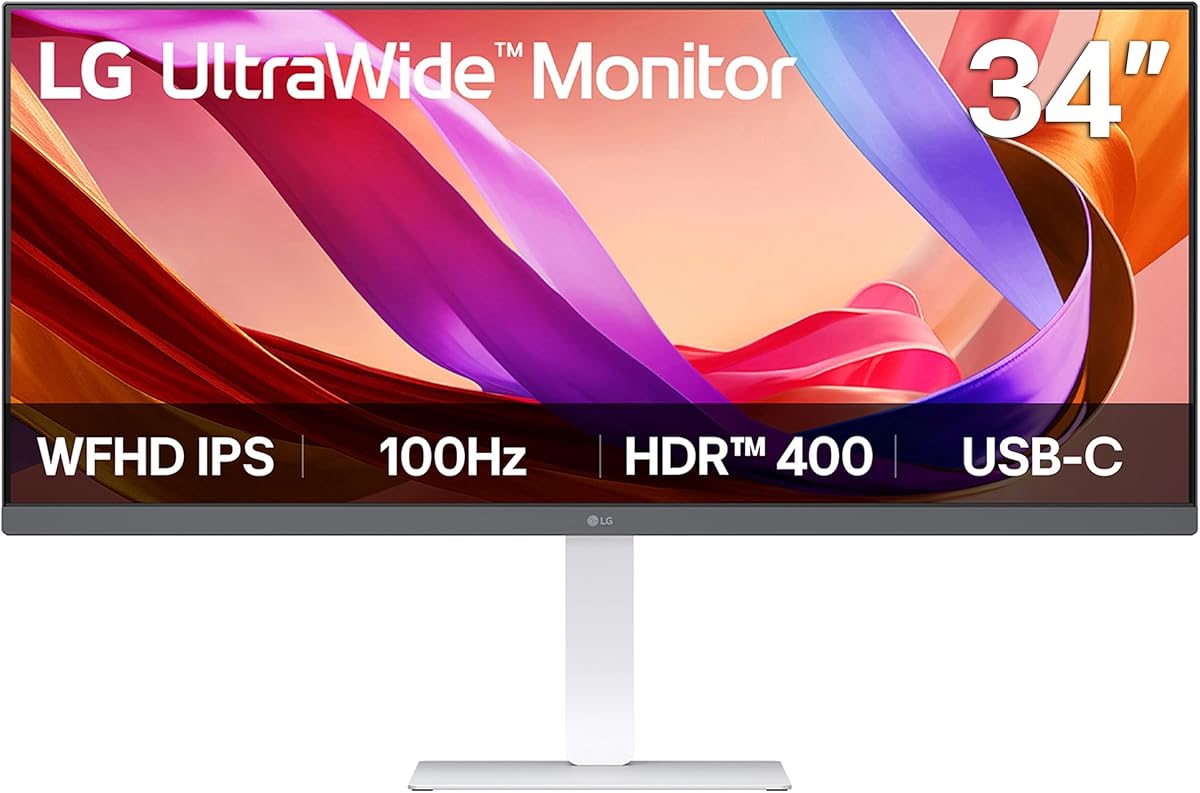
The LG 34U530A-W represents a specific class of monitor: the 34-inch UltraWide with a 2560x1080 (WFHD) resolution. Buyers should understand that this format trades off some pixel sharpness for an expansive, immersive workspace ideal for multitasking and certain games. The inclusion of a 100Hz refresh rate, USB-C, and VESA DisplayHDR 400 certification adds modern features to this productivity-focused panel.
Key Considerations Before Buying
- Pixel Density: At 34 inches, the 2560x1080 resolution results in a PPI of about 82. For text clarity and sharpness at typical desk distances, this is lower than a 27-inch 1440p monitor; assess your sensitivity to seeing individual pixels.
- UltraWide Compatibility: While great for productivity and supported by most modern games, some older applications and console gaming may not properly fill the 21:9 aspect ratio, resulting in black bars on the sides.
- HDR Realism: The VESA DisplayHDR 400 certification guarantees a peak brightness of 400 nits but does not require local dimming. Expect a noticeable brightness boost over SDR, but not the dramatic contrast of premium HDR displays.
What Our Analysts Recommend
For a monitor in this class, prioritize reviews mentioning the stand's ergonomics (tilt/height/swivel), the utility of the USB-C port for single-cable laptop docking, and the performance of the IPS panel for color consistency across the wide viewing angles. Specific mentions of the 100Hz smoothness over standard 60Hz are a key quality indicator for this model.
Monitors Market Context
Market Overview
The 34-inch UltraWide market is fiercely competitive, segmented primarily by resolution (1080p vs. 1440p) and refresh rate. This LG model occupies a value-oriented position, offering the immersive form factor and modern I/O (like USB-C) at a lower price point than higher-resolution 1440p Ultrawides, making it a strategic choice for budget-conscious multi-taskers.
Common Issues
Common concerns with 34-inch 1080p panels include perceived lack of sharpness or a 'screen door effect' if sitting too close. Some users also report backlight bleed or IPS glow, which is typical of the IPS technology used for its wide viewing angles but can be distracting in dark rooms.
Quality Indicators
Look for consistent praise of the out-of-box color accuracy, minimal motion blur at 100Hz, and a sturdy, adjustable stand. In this price bracket, a robust port selection including DisplayPort, HDMI, and USB-C is a strong indicator of a well-rounded product designed for modern connectivity.
Review Authenticity Insights
Grade B Interpretation
A 'Grade B' with an 11% estimated fake review rate suggests a generally trustworthy review pool with a minor level of potentially inauthentic promotion. The adjusted rating of 3.90/5 (down from 4.13) is a more reliable indicator of genuine user satisfaction, pointing to a good but not flawless product.
Trust Recommendation
Focus on the verified purchase reviews, which constitute the majority here. Pay particular attention to 3- and 4-star reviews, as they often provide the most balanced critiques of specific features like the HDR implementation or the text clarity at this resolution, helping to set realistic expectations.
Tips for Reading Reviews
For monitors, prioritize reviews that detail specific use cases (e.g., 'for coding,' 'for video editing,' 'for sim racing'). Look for mentions of real-world testing with the USB-C connection and comments on the stand's stability and range of adjustment, as these are practical, experience-based insights.
Expert Perspective
The LG 34U530A-W is a compelling package for users prioritizing screen real estate and modern connectivity over maximum pixel density. Its 3.90 adjusted rating from verified buyers indicates it delivers on its core promises: a spacious IPS desktop, smooth 100Hz performance, and versatile ports. The white finish and fully adjustable stand add aesthetic and ergonomic value not always found in this segment. The primary compromise is the WFHD resolution on a 34-inch canvas, which is a deliberate trade-off for its price point.
Purchase Considerations
This monitor is an excellent fit for productivity users, casual gamers seeking immersion, and anyone wanting to dock a laptop via USB-C. It's a less ideal choice for professional photo/video editors requiring high PPI for detail work or enthusiasts seeking true high-contrast HDR. Measure your viewing distance to ensure the pixel density is acceptable for your eyes.
Comparing Alternatives
Shoppers should compare this directly with other 34-inch 1080p/100Hz Ultrawides, as well as 34-inch 1440p models, to evaluate the sharpness versus price trade-off that defines this category.






