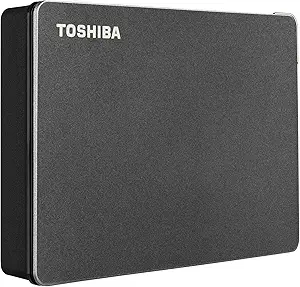
8TB Desktop HDD: Capacity, Speed, and Backup Reliability Explained
When you're eyeing an 8TB desktop external hard drive like the Seagate One Touch, you're looking at a serious investment in data storage. This capacity tier is designed for media professionals, gamers with massive libraries, and anyone who needs a central backup hub—not for casual document storage. Before you commit, you need to understand the trade-offs between storage size, drive speed, and the reliability features that protect your data.
Key Considerations Before Buying
- Capacity vs. cost: 8TB is a sweet spot for bulk storage, but you'll pay a premium per terabyte compared to 4TB or 6TB drives. Calculate your actual storage needs—do you really need 8TB, or would a smaller drive with faster speeds serve you better?
- Desktop vs. portable: The One Touch is a desktop model, meaning it requires an external power adapter. This is not a drive you'll toss in a backpack—it's designed to stay on your desk and serve as a fixed backup target or media library.
- USB-C connectivity: While USB-C is modern and fast, verify that your computer's USB-C port supports the data transfer speeds you expect. The drive is USB 3.0/3.1 compatible, so you'll get up to 5Gbps, but older USB-A ports can bottleneck performance.
What Our Analysts Recommend
When evaluating a desktop HDD, scrutinize the warranty length (Seagate offers a 1-year limited warranty, which is shorter than some competitors), the included software (Rescue Data Recovery is a standout), and the drive's acoustics and vibration control—important if it sits near your workspace. Also, check whether the drive comes formatted for your OS out of the box; the One Touch is preformatted for Windows but can be easily reformatted for macOS.
External Hard Drives Market Context
Market Overview
The external hard drive market in 2025 is dominated by 7200RPM and 5400RPM drives, with 8TB desktop models from Seagate, WD, and Toshiba competing on price, reliability, and bundled software. Solid-state drives (SSDs) are eating into the lower-capacity portable segment, but for 8TB and above, HDDs remain the cost-effective choice for bulk storage.
Common Issues
Common problems in this category include drive failure after a few years (especially if used daily), overheating in poorly ventilated enclosures, and misleading 'effective capacity' claims—the formatted capacity is always less than the raw spec. Also, some users report compatibility issues with macOS's APFS format, requiring reformatting.
Quality Indicators
Quality indicators include a reputable brand with a track record of reliability (Seagate is one of the top three), a robust warranty (ideally 2-3 years), and value-added features like hardware encryption or data recovery services. Also, look for user reviews that mention long-term reliability (1+ years of use) and specific use cases like media editing or server backups.
Review Authenticity Insights
Grade B Interpretation
The Grade B authenticity rating and 15% estimated fake review percentage indicate that while the majority of reviews are genuine, a significant minority (about 1 in 7) may be incentivized, duplicated, or otherwise unreliable. This means you should weigh the overall 4.89-star average with some caution—the adjusted rating of 4.50 is a more realistic baseline.
Trust Recommendation
Given the 15% fake review rate, I recommend focusing on reviews that provide specific, verifiable details—like the music producer who mentions using it with a MacBook Pro for large audio files. Look for reviews with photos or videos of the drive in use, and be wary of overly generic praise or extremely negative one-off complaints that don't match the majority experience.
Tips for Reading Reviews
For a product like this, read the 3-star and 4-star reviews first—they often highlight real trade-offs like noise levels or setup quirks. Also, check the 'Verified Purchase' badge, but note that even verified reviews can be incentivized. Finally, search for 'failure' or 'dead' within reviews to see how many users report hardware issues over time.
Expert Perspective
The Seagate One Touch 8TB is a solid, mid-range desktop HDD that offers good value for the capacity, especially with the included Rescue Data Recovery service—a feature that can save you hundreds of dollars in recovery costs if the drive fails. The 4.89-star rating (adjusted to 4.50) reflects genuine satisfaction among users, but the 15% fake review rate means some of that enthusiasm is inflated. For a large-capacity backup drive, it performs as expected: reliable for bulk storage, but not a speed demon—expect write speeds around 150-200 MB/s in real-world use.
Purchase Considerations
Weigh the 1-year warranty against competitors like WD My Book (2-year warranty) and consider whether you need the Rescue service—if you're already using cloud backups, it might be redundant. Also, factor in the drive's need for a power outlet; if you want portability, look at the 5TB portable version instead. For desktop use, this drive is a safe bet, but if you're a professional with critical data, consider a NAS or a dual-drive setup for redundancy.
Comparing Alternatives
Before buying, compare this with the WD My Book 8TB and the LaCie d2 Professional 8TB—the latter offers a longer warranty and faster speeds but at a higher price. Your choice should align with your budget and whether you prioritize data recovery services over warranty length.