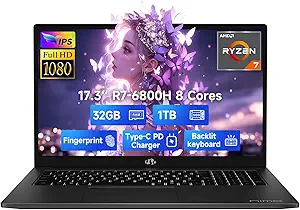
Acer Aspire 16 AI Laptop: Snapdragon X, 120Hz Display, and 45 TOPS NPU Explained
When shopping for a new Windows laptop, the Acer Aspire 16 AI stands out with its Snapdragon X processor and dedicated NPU rated at 45 TOPS, promising on-device AI capabilities. This guide helps you evaluate whether its 16-inch WUXGA 120Hz display, 16GB LPDDR5X RAM, and Wi-Fi 7 connectivity meet your needs for productivity, media consumption, or even light gaming.
Key Considerations Before Buying
- The Snapdragon X processor is ARM-based, meaning software compatibility is generally excellent for everyday apps, but some legacy x86 applications or certain games may not run natively. Check that your essential software—especially niche utilities or older game titles—is compatible before committing.
- With a 120Hz refresh rate and 100% sRGB coverage, this display is a clear step up for photo editing or smooth scrolling, but it's not a touchscreen. If you rely on touch input or pen support, consider whether a traditional clamshell without touch will hamper your workflow.
- The NPU's 45 TOPS is designed for AI tasks like background blur or real-time captions, but current software exploits this sparingly. Most users won't notice a difference today, but future Windows AI features may leverage it, so it's a forward-looking investment rather than an immediate must-have.
What Our Analysts Recommend
In this category, prioritize build quality and thermal management, as thin laptops with high-refresh displays can run warm. Also verify the storage type—here it's a fast PCIe Gen 4 SSD, which is essential for quick boot times and file transfers. Finally, check port selection: ensure it has enough USB-A and USB-C ports for your peripherals, as dongles can be a nuisance.
Traditional Laptops Market Context
Market Overview
The traditional laptop market is increasingly bifurcating between Intel/AMD x86 models and ARM-based alternatives like this Snapdragon X Acer. With AI PCs gaining traction, manufacturers are emphasizing NPU performance and battery efficiency, but real-world software support remains a key differentiator. Consumers are also prioritizing high-refresh displays and Wi-Fi 7 as new baseline features.
Common Issues
A frequent complaint across laptops in this class is inconsistent battery life—manufacturers quote optimistic figures that don't match real-world usage, especially with high-refresh screens active. Another issue is the lack of upgradeability; with RAM soldered and only one SSD slot, you're locked into the initial config. Finally, ARM laptops sometimes face driver or app compatibility hiccups that can frustrate non-technical users.
Quality Indicators
Look for laptops with at least 16GB of RAM and a 512GB or larger PCIe Gen 4 SSD, as these are the current sweet spots for performance. A 100% sRGB display is a positive sign for color accuracy, and a 120Hz refresh rate indicates a premium panel. Also, check for Wi-Fi 6E or Wi-Fi 7 support to future-proof your connectivity, and verify the laptop's thermal solution via reviews to avoid throttling.
Review Authenticity Insights
Grade B Interpretation
With a Grade B and an estimated 10% fake review rate, most of the 37 reviews are genuine, giving you a reliable snapshot of user experiences. The adjusted rating of 3.90/5 suggests that while the product is generally well-received, there are some legitimate concerns—likely around battery or display issues—that you should investigate. This is a solid foundation for making a purchase decision, but don't ignore the negative reviews.
Trust Recommendation
Since the fake rate is low, you can trust the verified purchase reviews, but still read them critically. Look for patterns in complaints about specific features like the missing touchscreen or any setup difficulties, as these are likely real-world trade-offs. If you're risk-averse, consider waiting for more reviews to accumulate, as 37 is a relatively small sample size.
Tips for Reading Reviews
When reading reviews for this laptop, focus on those that mention battery life in hours, display brightness, and any software issues with the Snapdragon X. Also, note whether reviewers discuss the AI features—if they don't, it's likely because they're not noticeable in daily use. Pay attention to reviews that include photos or detailed usage scenarios, as they tend to be more authentic.
Expert Perspective
The Acer Aspire 16 AI is a forward-looking laptop that leverages the Snapdragon X to offer excellent battery efficiency and a high-refresh display, but its real-world appeal hinges on software compatibility and the utility of its NPU. The 45 TOPS NPU is impressive on paper, yet current Windows AI features are limited, so you're paying a premium for future potential. The 3.90 adjusted rating reflects that while most users are satisfied, there are notable drawbacks like the lack of a touchscreen and possibly underwhelming battery life under load.
Purchase Considerations
Weigh your need for portability and battery life against the potential for compatibility issues with legacy software. If you're a student or professional using cloud-based tools and modern apps, this laptop could be an excellent fit. However, if you rely on specific x86-only programs or want a touchscreen for creativity, you might be better served by an Intel/AMD alternative.
Comparing Alternatives
Shoppers should compare this Acer with similarly priced Intel Core Ultra or AMD Ryzen AI laptops, which offer broader software compatibility and often include touchscreen options. Also consider the Lenovo ThinkPad or Dell XPS lines for comparison in build quality and support.