
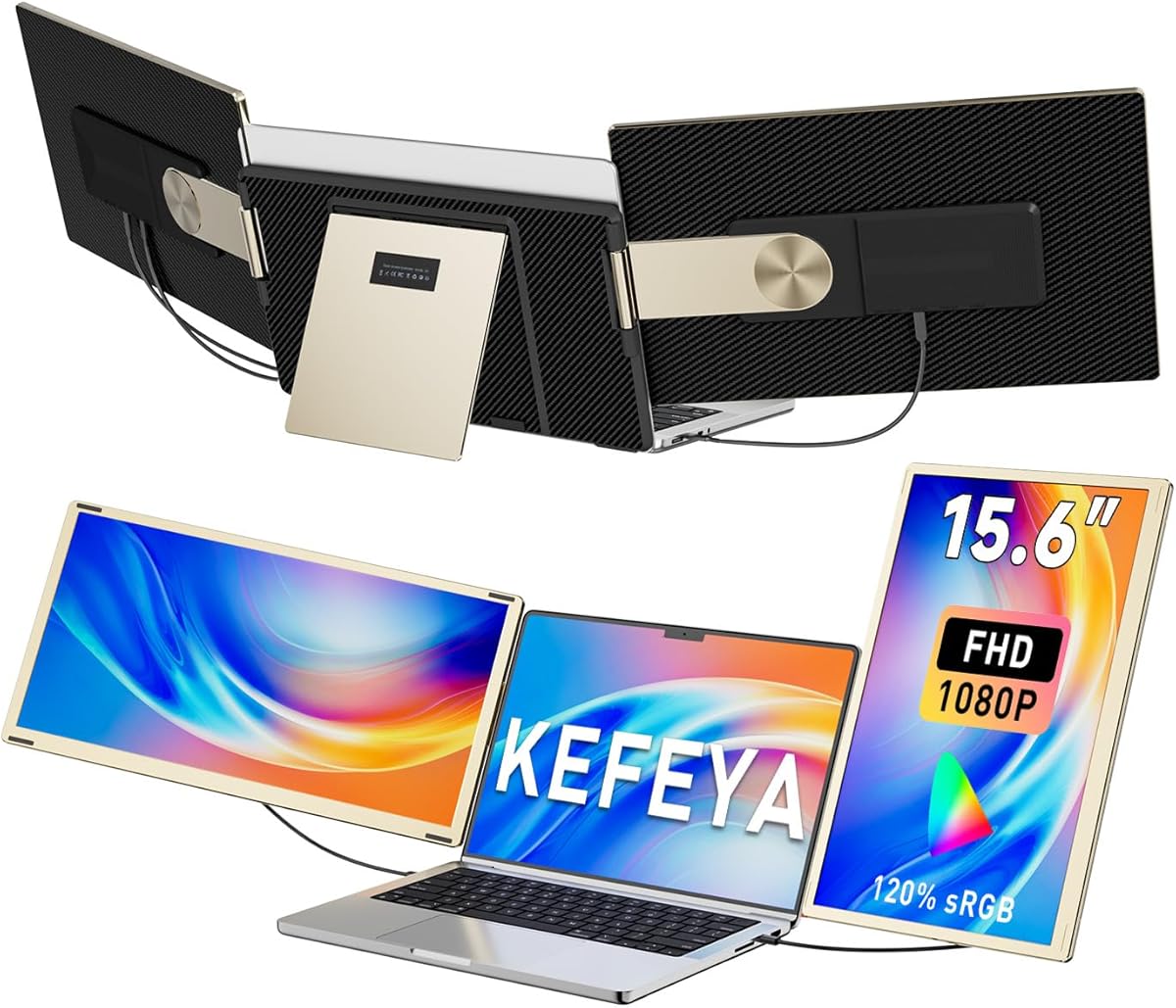
Maximize Your Laptop Setup: The KEFEYA 15.6-Inch Portable Triple Monitor
If you're a mobile professional or digital nomad seeking to boost productivity without a bulky desktop setup, the KEFEYA Laptop Screen Extender offers a compelling solution. This 15.6-inch FHD 1080P portable monitor attaches directly to laptops between 13 and 17.3 inches, providing two additional screens with a 235-degree rotation for flexible viewing. Before buying, consider how its 120% sRGB color coverage and plug-and-play compatibility with Windows, Mac, and Chrome OS fit into your workflow.
Key Considerations Before Buying
- Ensure your laptop's USB-C or USB-A ports support video output; the KEFEYA extender relies on a single USB-C connection for both power and display, so older laptops may need a separate power source.
- Consider the physical weight and hinge tension: at around 2.2 pounds, this detachable monitor adds noticeable bulk to your laptop bag, and the 235-degree rotation hinge should be tested for stability on uneven surfaces like a plane tray table.
- Check your operating system's native support for multi-monitor setups: while the extender is plug-and-play for Windows 10/11 and macOS, Linux users may require manual driver configuration, and Chrome OS supports it only with compatible hardware.
What Our Analysts Recommend
For a portable monitor extender, prioritize color accuracy (120% sRGB is excellent for photo editing) and refresh rate (60Hz is standard here). Build quality is key—look for an aluminum or reinforced plastic chassis to withstand daily travel, and ensure the detachable mechanism feels secure without wobbling during use.
Monitors Market Context
Market Overview
The portable monitor market has exploded in 2025, driven by remote work and hybrid office trends. Screen extenders like the KEFEYA fill a niche for users who need triple-screen productivity on the go, competing with brands like Mobile Pixels and ASUS ZenScreen. Prices range from $200 to $500, with features like touchscreens and high refresh rates becoming more common.
Common Issues
Many portable monitors suffer from dim displays (under 250 nits) and flimsy hinges that loosen over time. Compatibility issues with USB-C bandwidth can cause flickering or reduced resolution, especially on older laptops that don't support DisplayPort over USB-C. Additionally, some extenders require external power, negating their portability advantage.
Quality Indicators
High-quality portable monitors boast at least 300 nits brightness, full sRGB coverage (100% or higher), and a sturdy hinge tested for 10,000+ rotations. Look for certifications like TÜV Rheinland for eye comfort and a warranty of at least one year. Verified reviews praising specific use cases (e.g., coding, design) are stronger signals than generic five-star ratings.
Review Authenticity Insights
Grade B Interpretation
With a Grade B and an estimated 10% fake review rate, the KEFEYA extender's feedback is largely trustworthy but warrants caution. The 4.89 Amazon rating likely inflates the true score to around 4.60, as some reviews may be incentivized. The 10% fakes are typical for a popular product in this price range, often from unverified or overly promotional posts.
Trust Recommendation
Focus on verified purchase reviews that describe real-world usage, such as specific laptop models tested or travel scenarios. Ignore reviews that lack detail or use generic phrases like 'amazing product' without context. Cross-reference negative feedback on platforms like Reddit for balanced perspectives.
Tips for Reading Reviews
When scanning reviews for portable monitors, prioritize those that mention brightness levels, hinge durability after months of use, and compatibility with your specific laptop model. Beware of reviews posted within days of launch, as they may not reflect long-term reliability. Look for photos of the setup to verify the extender's fit on a 13-inch versus 17-inch laptop.
Expert Perspective
The KEFEYA Laptop Screen Extender 15.6-inch delivers strong value for its price, with 120% sRGB color gamut and 235-degree rotation that surpass many competitors in the sub-$300 range. The 4.60 adjusted rating suggests genuine user satisfaction, particularly among Windows users who appreciate plug-and-play simplicity. However, the 10% fake review rate and potential hinge wear over time are valid concerns for frequent travelers. For most professionals, this extender offers a solid productivity boost without breaking the bank.
Purchase Considerations
Weigh your need for portability against the added weight and setup time—if you move between desks daily, a single large monitor might be more practical. The KEFEYA shines for users who need three screens during flights, in coffee shops, or in shared workspaces. Ensure your laptop supports dual external displays via USB-C, or you may need an adapter.
Comparing Alternatives
Shoppers should compare the KEFEYA with the Mobile Pixels Trio Max (similar triple-screen design) and the ASUS ZenScreen MB16QHG (higher brightness and 120Hz) to see which fits their budget and performance needs.






