Logitech Signature M520: Wired Precision and Business Ergonomics
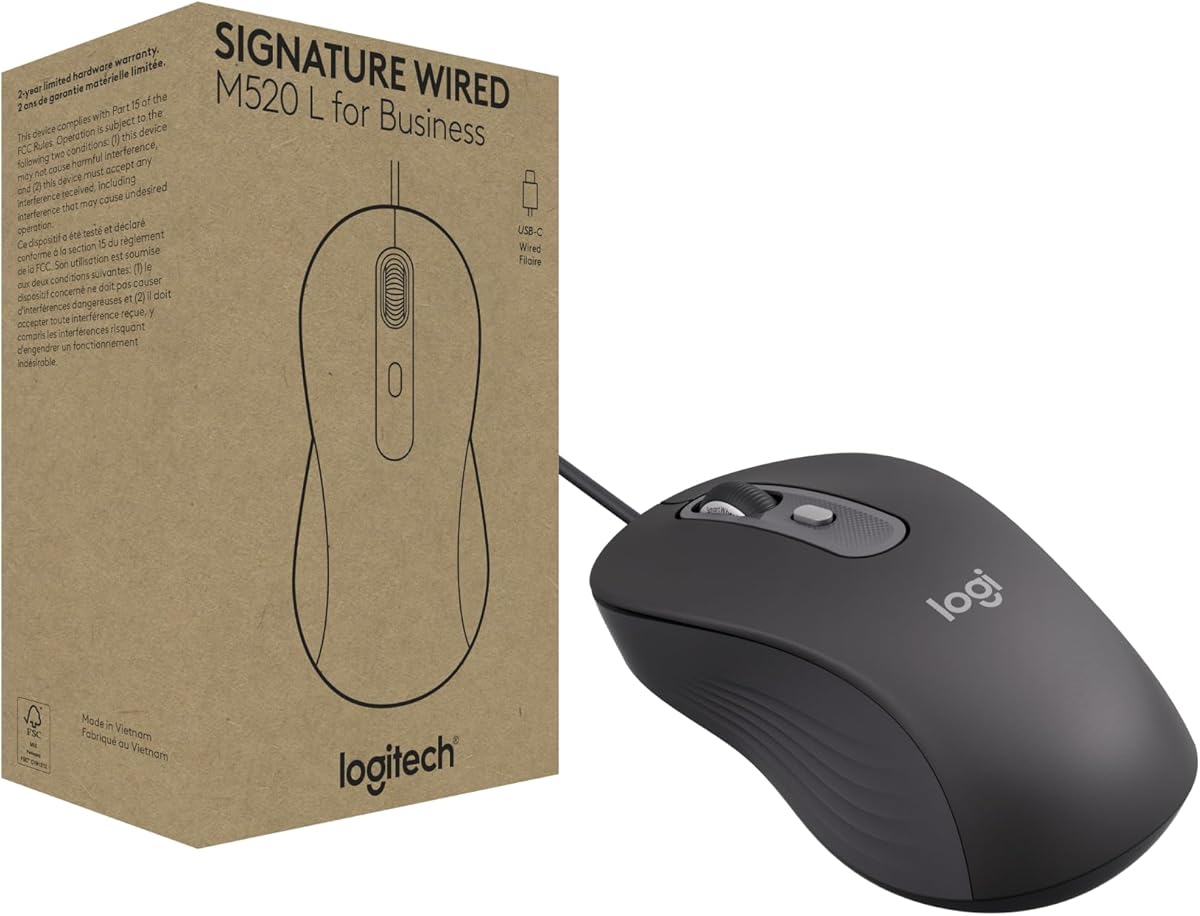
When it comes to wired mice for business use, the Logitech Signature M520 stands out for its reliable optical tracking and comfortable, ambidextrous design. This guide will help you decide if this mouse fits your workspace needs, focusing on its specific features like the 1000 DPI sensor and plug-and-play USB connectivity.
Key Considerations Before Buying
- Consider the wired vs. wireless trade-off: the M520's wired connection eliminates battery anxiety and latency, making it ideal for stationary workstations where cable management is manageable.
- Evaluate the ergonomic shape: the M520 features a symmetrical, contoured body that suits both left- and right-handed users, but if you have larger hands, you might want to check the dimensions to ensure a comfortable grip.
- Look at the DPI resolution: with a fixed 1000 DPI optical sensor, this mouse is precise for everyday office tasks but may not satisfy gamers or designers who require higher sensitivity settings.
What Our Analysts Recommend
In a business mouse, prioritize build quality and switch durability. Look for models with a solid feel, responsive buttons, and a scroll wheel that offers tactile feedback. The M520's optical sensor should track smoothly on various surfaces, and the cable should be long enough (typically 4-5 feet) to reach your computer without strain.
Mice Market Context
Market Overview
The wired mouse market remains robust for office environments, offering cost-effective and dependable input devices. While wireless options dominate consumer sales, many businesses still prefer wired for security and simplicity. The M520 competes in this space, balancing affordability with Logitech's reputation for reliability.
Common Issues
Common issues with wired mice include cable fraying, connector strain, and sensor tracking problems on glossy surfaces. Users also report that some mice have overly stiff cables that hinder movement, or scroll wheels that become noisy or unresponsive over time. The M520's reviews suggest that it avoids many of these pitfalls, but it's wise to inspect the cable and wheel for immediate defects.
Quality Indicators
Quality indicators in this category include the manufacturer's warranty, the type of optical sensor (e.g., laser vs. LED), and the materials used. A robust braided cable, high-quality switches rated for millions of clicks, and a sensor with good lift-off distance are signs of a well-made mouse. Logitech's reputation and the M520's positive review count are also positive signals.
Review Authenticity Insights
Grade B Interpretation
The B grade and an estimated 12% fake review rate indicate that while the majority of reviews are genuine, a notable minority may be incentivized or inauthentic. This is typical for popular products, but it means you should not rely solely on the overall rating. The adjusted rating of 4.20/5 is a more realistic reflection of user satisfaction, suggesting a good but not flawless product.
Trust Recommendation
Given the 12% fake review rate, we recommend reading a mix of positive and negative reviews to get a balanced view. Pay close attention to detailed reviews that mention specific use cases, as these are more likely to be authentic. Also, consider the number of reviews (276) and the consistency of feedback; if most users mention the same pros and cons, the product is likely to meet expectations.
Tips for Reading Reviews
When reading reviews for a mouse, focus on comments about ergonomics, button feel, and tracking performance. Look for reviewers who describe their hand size and usage patterns, as this helps you determine if the mouse will suit you. Be wary of overly generic praise or reviews that lack specific details, as these are often the fake ones.
Expert Perspective
The Logitech Signature M520 is a solid wired mouse for business use, offering reliable performance and a comfortable design at an affordable price. The authenticity analysis suggests that the product generally lives up to its 4.4-star rating, with genuine users praising its plug-and-play setup and smooth tracking. However, the 12% fake review rate and the adjusted rating of 4.20 indicate that it's not exceptional, and some users may find the fixed DPI limiting. Overall, it's a dependable choice for everyday office tasks, but not a standout performer.
Purchase Considerations
Before purchasing, consider your specific needs: if you require adjustable DPI or programmable buttons, you might want to look at other models. The M520 is best suited for users who value simplicity and reliability over advanced features. Also, check the cable length and connector type (USB-A) to ensure compatibility with your computer, especially if you use a laptop with limited ports.
Comparing Alternatives
Shoppers should compare the M520 with other wired business mice like the Dell MS116 or the HP X500, which offer similar features but may differ in shape and button feel. Reading comparisons can help you decide which mouse aligns best with your hand size and usage habits.