
Choosing a Third-Party Magic Keyboard Alternative: What iPad Users Need to Know
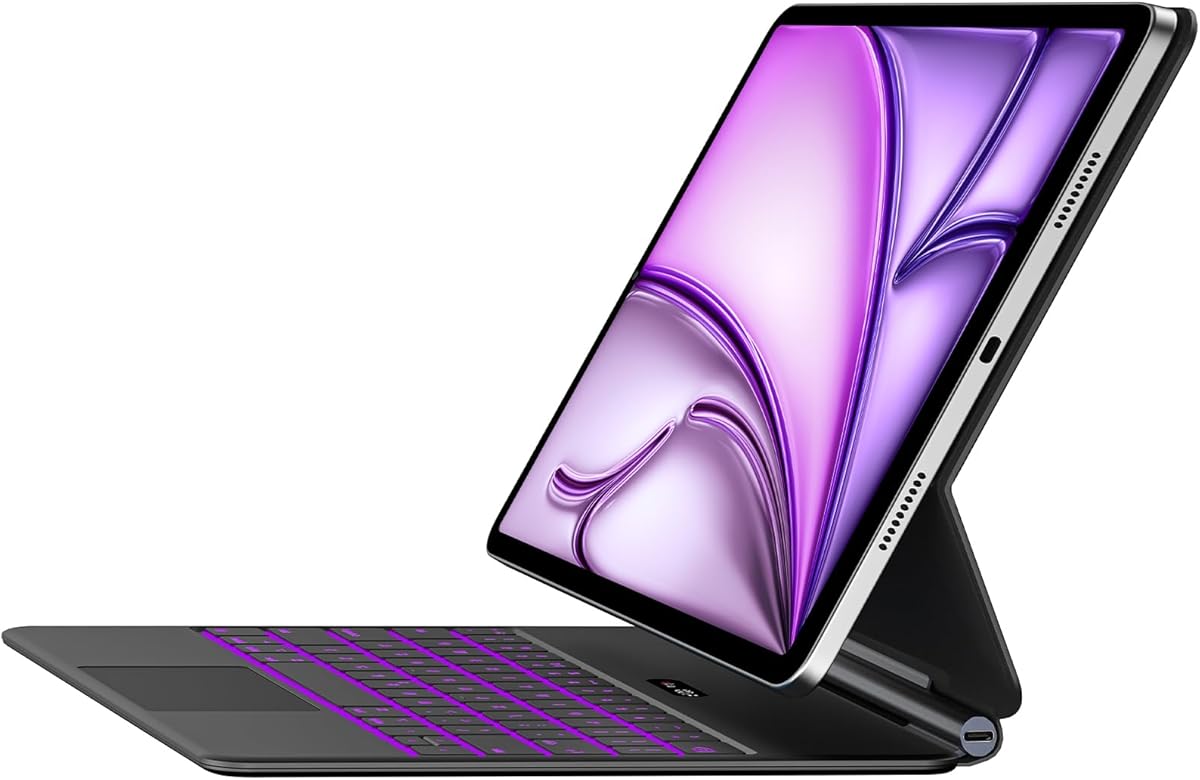
This Magic Keyboard alternative targets iPad Air 13-inch and iPad Pro 12.9-inch users seeking Apple-like functionality at a lower price point. Buyers should understand this is a third-party accessory offering a slim case, multi-touch trackpad, and 7-color backlighting—features that directly compete with Apple's premium offering but come with different build and performance considerations.
Key Considerations Before Buying
- Compatibility is critical: This case specifically supports iPad Air 13-inch models from M2 (2024) forward and iPad Pro 12.9-inch from the 3rd generation onward—verify your exact model before purchasing.
- The 7-color backlit keyboard and multi-touch trackpad are key selling points; assess whether you need customizable lighting or if a standard backlight suffices for your typing environment.
- Consider the 'slim case' design: third-party keyboard cases often prioritize thinness over protection, so evaluate your need for drop protection versus a streamlined profile.
What Our Analysts Recommend
Quality indicators include precise cutouts for cameras and ports, stable hinge mechanisms that hold the iPad securely at multiple angles, and keyboard key travel that mimics a laptop experience. Pay particular attention to reviews mentioning trackpad responsiveness and Bluetooth connectivity stability, as these are common failure points in third-party alternatives.
Keyboard Cases Market Context
Market Overview
The iPad keyboard case market is bifurcated between Apple's first-party Magic Keyboard and numerous third-party alternatives offering similar features at 30-70% lower price points. This product sits in the competitive mid-tier segment, attempting to balance premium features like backlighting and trackpads with cost-effective manufacturing.
Common Issues
Third-party keyboard cases frequently struggle with inconsistent trackpad precision, Bluetooth pairing reliability, and hinge durability over time. Many users report backlighting that drains battery faster than advertised or keys that develop unresponsiveness after several months of use.
Quality Indicators
Look for cases with reinforced hinge points, POGO pin connectors (if offered) for more reliable power/connection, and keyboards using scissor-switch mechanisms rather than cheaper rubber dome designs. Premium third-party cases often include pass-through charging and multiple viewing angles beyond the standard two positions.
Review Authenticity Insights
Grade B Interpretation
A Grade B authenticity rating with 11% estimated fake reviews indicates generally trustworthy feedback, but suggests some review manipulation exists. The 4.10 adjusted rating (down from 4.33) reveals that authentic user experiences are slightly less enthusiastic than the overall average suggests.
Trust Recommendation
Focus on verified purchase reviews that mention specific iPad models and usage scenarios—these are most likely genuine. Be particularly skeptical of reviews that don't mention trackpad performance or keyboard feel, as these are critical differentiators for this product category.
Tips for Reading Reviews
Prioritize reviews that discuss long-term use (3+ months), as hinge durability and key reliability become apparent over time. Look for mentions of specific iPad models matching yours, as fit and function can vary between iPad Air 13-inch and iPad Pro 12.9-inch generations despite claimed compatibility.
Expert Perspective
This product represents a calculated compromise: it delivers Apple Magic Keyboard aesthetics and core functionality (backlit keys, trackpad, slim design) at a reduced price, but likely with trade-offs in materials, precision engineering, and long-term reliability. The 4.10 adjusted rating from authentic reviews suggests most users find it satisfactory for the price, particularly those who value the 7-color backlighting feature not available from Apple. The specific compatibility with multiple iPad generations indicates thoughtful design, though this broad support sometimes leads to fit issues mentioned in critical reviews.
Purchase Considerations
Weigh whether the cost savings justify potential compromises in trackpad precision and build quality compared to Apple's offering. If you primarily need occasional typing with basic cursor control, this case may suffice; for professional use requiring flawless trackpad response and keyboard feel, the investment in Apple's first-party accessory might be warranted.
Comparing Alternatives
Shoppers should compare this against other third-party options from brands like Logitech and Zagg that offer different balance points between protection, keyboard quality, and price.


