
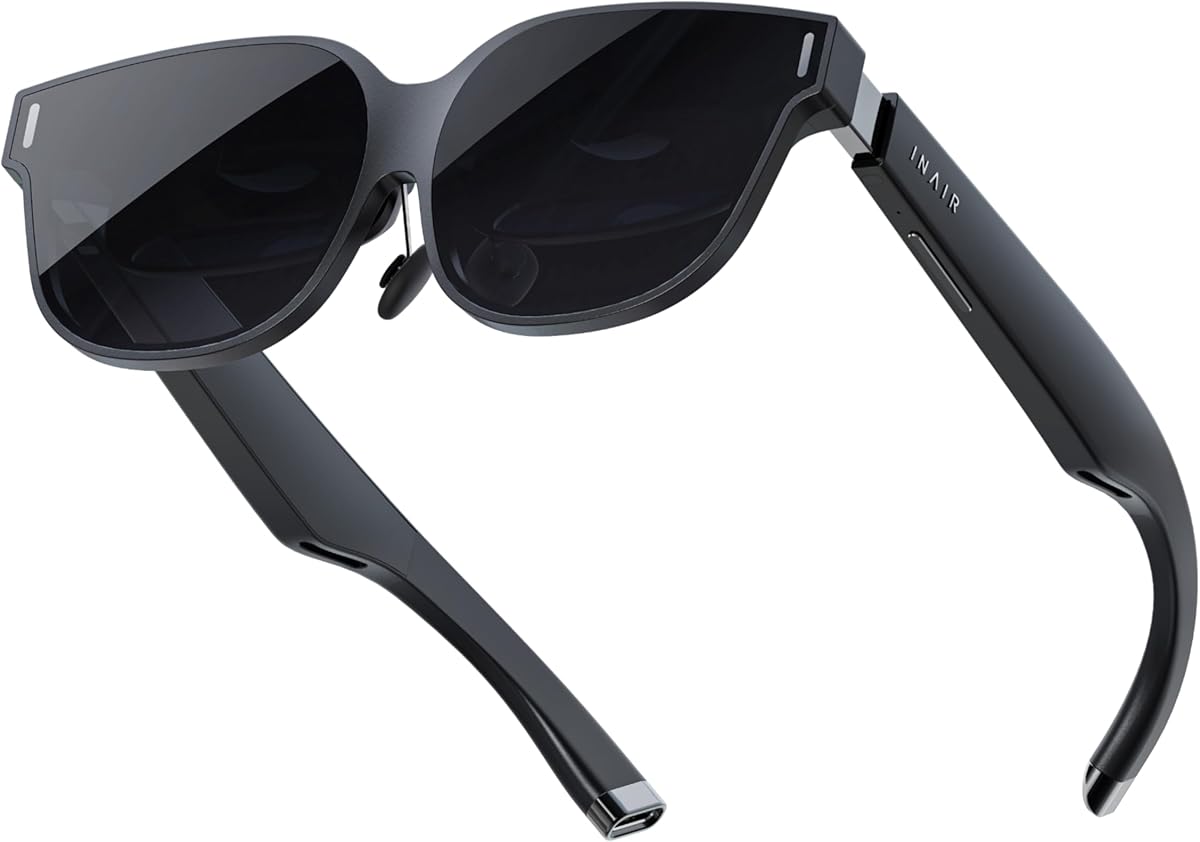
Evaluating AR Glasses: Balancing Immersive Display with Real-World Usability
The INAIR 2 PRO AR Glasses represent a specific category of wearable displays that prioritize portability over standalone computing. Unlike VR headsets, these glasses function as external monitors that project content into your field of view, with the 135" virtual screen and 120Hz refresh rate being central to their value proposition. Buyers should understand these are display accessories, not self-contained AR systems like Apple Vision Pro or Meta Quest.
Key Considerations Before Buying
- Compatibility verification is critical—while marketed as compatible with iPhone 15/16, Android, Mac, Windows, and Steam Deck, actual performance varies significantly by device due to different video output protocols and software support.
- The 'Reality/Virtual Switch' feature indicates these glasses use optical see-through technology rather than camera passthrough, which affects how naturally you can interact with your physical environment while using the display.
- The 2D to 3D conversion capability is a software-dependent feature that requires specific content formats and may not deliver consistent results across all media types or streaming platforms.
What Our Analysts Recommend
Quality AR glasses should maintain consistent brightness and clarity across the entire projected image, particularly at the edges where cheaper optics often degrade. Pay attention to reviews mentioning specific compatibility issues with your devices, as the 'multi-screen' functionality depends heavily on the host device's graphics capabilities and software support for extended displays.
Glasses Market Context
Market Overview
The consumer AR glasses market is currently divided between tethered display glasses like the INAIR 2 PRO and more expensive standalone systems with onboard processing. Tethered models dominate the sub-$500 segment by leveraging users' existing devices for computing power while focusing on display quality and comfort.
Common Issues
Users frequently report discomfort during extended wear, particularly with nose bridge pressure and temple fit. Display alignment problems—where the projected image doesn't properly match the user's interpupillary distance—are common in this price range and can cause eye strain or headaches.
Quality Indicators
Look for glasses that offer physical IPD (interpupillary distance) adjustment rather than just software correction, as this directly affects visual comfort. Higher-quality models use micro-OLED displays rather than LCD panels, though the INAIR 2 PRO's specifications don't specify which technology it employs.
Review Authenticity Insights
Grade B Interpretation
A Grade B authenticity rating with 15% estimated fake reviews indicates generally trustworthy feedback but suggests some review manipulation is present, likely to counterbalance negative experiences. The adjusted rating dropping from 3.75 to 3.50 when excluding suspicious reviews reveals genuine user sentiment is slightly more critical than the surface rating suggests.
Trust Recommendation
Focus on reviews that mention specific use cases like Steam Deck gaming or Mac productivity, as these contain verifiable details. Be particularly skeptical of reviews that praise general 'quality' without mentioning specific features like the 120Hz performance or multi-screen functionality in practice.
Tips for Reading Reviews
For AR glasses, prioritize reviews that discuss comfort over multiple hours and compatibility with your specific devices. Look for mentions of actual screen size perception—whether the 135" claim feels accurate in use—and how the Reality/Virtual Switch functions in different lighting conditions.
Expert Perspective
The INAIR 2 PRO's 3.50 adjusted rating reflects the typical compromise in this product category: impressive display specifications tempered by real-world usability limitations. The 120Hz refresh rate is a legitimate advantage for gaming and smooth cursor movement, but the value depends entirely on whether your connected devices can output at that rate. The broad compatibility claims require careful verification, as many devices have specific resolution and refresh rate limitations through their USB-C or wireless display protocols.
Purchase Considerations
Consider your primary use case: these glasses excel as portable large displays for media consumption and productivity but have limitations for true augmented reality applications. The 2D to 3D conversion is a niche feature that works best with specifically formatted content rather than general video streaming. Evaluate whether you need true AR capabilities or simply a wearable monitor.
Comparing Alternatives
Compare the INAIR 2 PRO's specifications against similar tethered AR glasses from brands like XREAL or Rokid, particularly regarding field of view, display technology, and comfort systems.


