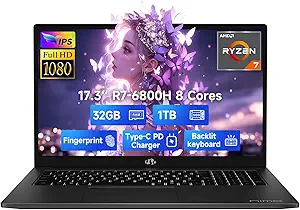
ASUS V16 Gaming Laptop: 144Hz RTX 5060 Power Meets Portability
When shopping for a gaming laptop in this tier, you're balancing raw performance against daily usability. The ASUS V16 V3607VM-DS79 pairs an Intel Core 7 240H with an RTX 5060, promising smooth 144Hz gameplay on a 16-inch WUXGA panel—but you'll want to verify thermals, build quality, and real-world battery life before committing.
Key Considerations Before Buying
- The 144Hz display is ideal for fast-paced esports, but WUXGA (1920x1200) resolution means you'll get more vertical workspace than a standard 1080p panel—check if game scaling matches your preference.
- With 32GB of RAM and 1TB storage, this configuration is ready for multitasking and large game libraries, but confirm the SSD is NVMe and whether there's an extra M.2 slot for future upgrades.
- RTX 5060 performance varies by wattage (TGP) across laptops; look for reviews mentioning sustained frame rates, not just peak specs, to gauge thermal throttling under load.
What Our Analysts Recommend
Quality indicators include a robust cooling system (e.g., dual fans, heat pipes), a keyboard with decent travel and anti-ghosting, and a hinge that feels sturdy. Also, check if the laptop supports USB-C charging for portability and whether the battery capacity (usually 90Wh or less in this class) matches your usage patterns.
Traditional Laptops Market Context
Market Overview
The mid-range gaming laptop segment is crowded with 15-16 inch models featuring RTX 40/50 series GPUs, with 144Hz panels becoming standard. ASUS competes with brands like Lenovo Legion, Acer Predator, and MSI Katana, each offering different trade-offs in build quality, display color accuracy, and software support.
Common Issues
Common problems in this category include inadequate cooling leading to fan noise and thermal throttling, mediocre battery life (often 4-6 hours), and pre-installed bloatware that slows down boot times. Some users also report coil whine or screen backlight bleed, which can be deal-breakers for immersive gaming.
Quality Indicators
Look for laptops with at least a 100% sRGB display for color accuracy, a minimum of 16GB RAM (32GB is better for future-proofing), and a GPU TGP above 100W for consistent performance. Also, check for user feedback on customer support and warranty service, as these vary significantly by manufacturer.
Review Authenticity Insights
Grade B Interpretation
The Grade B rating and 10% estimated fake review percentage suggest that the majority of reviews are genuine, but a small fraction may be incentivized or unverified. This means you can trust the overall sentiment (3.75/5) but should read individual reviews with a critical eye, especially any with vague language or extreme praise without specifics.
Trust Recommendation
Given the low fake rate, you can rely on the aggregate rating as a reasonable indicator of user satisfaction. However, since the adjusted rating is slightly lower (3.60/5), pay extra attention to negative reviews—they often highlight real issues like the USB-C disconnection problem mentioned in the analysis, which could affect your decision.
Tips for Reading Reviews
For gaming laptops, focus on reviews that mention sustained performance during long sessions, thermal behavior, and fan noise. Also, look for verified purchase badges and photos/videos of the actual unit. Be cautious of reviews that only list specs without personal experience, as these are more likely to be generated.
Expert Perspective
The ASUS V16 V3607VM-DS79 offers a compelling spec sheet for its price point, with the RTX 5060 and 144Hz display being strong assets for competitive gaming. However, the mixed reviews (3.75/5) and the reported USB-C disconnection issue suggest potential quality control or driver-related problems that could frustrate some users. The 32GB RAM and 1TB storage are generous, but the laptop's real-world performance will depend on thermal management and software optimization.
Purchase Considerations
Weigh the pros of high refresh rate and powerful GPU against the reported connectivity issue. If you rely heavily on USB-C docks or external displays, this could be a deal-breaker; otherwise, it might be a minor annoyance. Also, consider whether the 16-inch form factor suits your portability needs, as this is not an ultrabook—expect some heft and a large power brick.
Comparing Alternatives
Before purchasing, compare with similar RTX 5060 laptops like the Lenovo Legion 5i or Acer Predator Helios Neo 16, which may offer better build quality or more reliable USB-C implementations. Read professional reviews to see side-by-side benchmarks and thermal tests.