USB-C to XLR Cables: What to Know Before You Buy
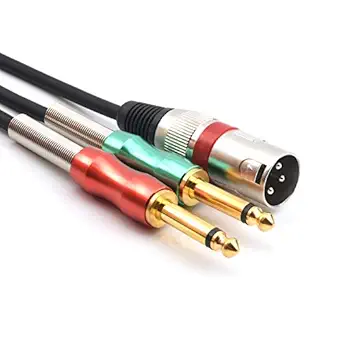
A USB-C to XLR male cable like this 3.3 ft model bridges modern digital devices—smartphones, laptops—with legacy analog audio gear such as mixers, amplifiers, and speakers. Unlike simple passive cables, it contains a built-in DAC (digital-to-analog converter) that must handle up to 24-bit/96kHz resolution to deliver clean, uncolored sound. Understanding the technical and practical nuances will help you avoid frustration.
Key Considerations Before Buying
- Device compatibility: Not all USB-C ports output audio. Your phone or laptop must support USB Audio Class 2.0 or have proper drivers; iPhones need a Lightning-to-USB-C adapter, and some Android devices require enabling USB audio routing in settings.
- DAC quality: The built-in converter determines sound quality. Look for support for at least 24-bit/96kHz to match this product, but note that higher resolutions (e.g., 192kHz) may not be supported by all devices or apps.
- Cable length and build: At 3.3 ft, this cable is ideal for desktop use but may be too short for stage or studio setups. Check connector strain relief and shielding to prevent interference, especially near power cables.
What Our Analysts Recommend
Prioritize cables with explicit DAC chipset details (e.g., Texas Instruments, Cirrus Logic) and shielding specifications. Reviews mentioning 'noise floor' or 'ground loop' can indicate real-world performance. Also verify that the XLR connector is male, as some listings confuse male/female ends.
Microphone Cables Market Context
Market Overview
The USB-C to XLR cable market is growing as more creators use smartphones and laptops for live sound, podcasting, and home studios. However, it remains niche, with few established brands; most products are generic imports. Prices range from $15 to $50, with quality varying widely.
Common Issues
Frequent complaints include incompatibility with certain devices (especially Android), audible hum or static due to poor shielding, and failure after minimal use. Some users report that the cable works only for output, not input, which surprises those expecting bidirectional audio.
Quality Indicators
A quality cable will specify the DAC chip, support sample rates up to 96kHz or higher, and have gold-plated connectors. Reviews that detail specific use cases (e.g., 'works with my Samsung S21 into a Mackie mixer') are strong signals. Avoid listings with vague specs or no mention of DAC.
Review Authenticity Insights
Grade B Interpretation
A Grade B authenticity rating with 15% estimated fake reviews means most reviews are genuine, but a notable minority may be incentivized or fabricated. The adjusted rating of 4.10/5 (down from 4.44) suggests that after filtering suspicious reviews, the product still performs well, but with slightly more mixed feedback.
Trust Recommendation
Trust the adjusted rating and focus on reviews that describe specific setups and challenges. Since 15% fake reviews is moderate, look for patterns in negative reviews—if multiple users cite the same flaw (e.g., 'doesn't work with iPhone 15'), that's likely genuine. Avoid basing your decision solely on the star average.
Tips for Reading Reviews
For this type of cable, prioritize reviews that mention the exact devices used and whether they required additional settings. Verified purchase reviews with photos or detailed troubleshooting are more reliable. Be skeptical of reviews that are overly enthusiastic but lack technical details.
Expert Perspective
This USB-C to XLR cable fills a specific need: connecting digital USB-C sources to analog XLR inputs. Its 24-bit/96kHz DAC is adequate for most live sound and home studio applications, and the 3.3 ft length suits desktop use. With a 4.10 adjusted rating from 52 reviews, it appears to satisfy most buyers, though the 15% fake review estimate warrants caution. The product is a reasonable option if your devices are compatible and you don't need longer reach.
Purchase Considerations
Before buying, confirm your device supports USB audio output and that you need a male XLR connection. Consider whether 3.3 ft is sufficient; if not, look for longer versions. Also, check if the cable requires external power (rare, but possible) and whether it works with your specific OS version.
Comparing Alternatives
Compare with other USB-C to XLR cables that specify the DAC chip and offer longer lengths or additional features like headphone monitoring. Brands like Hosa or Rolls offer similar solutions, albeit at higher prices.