
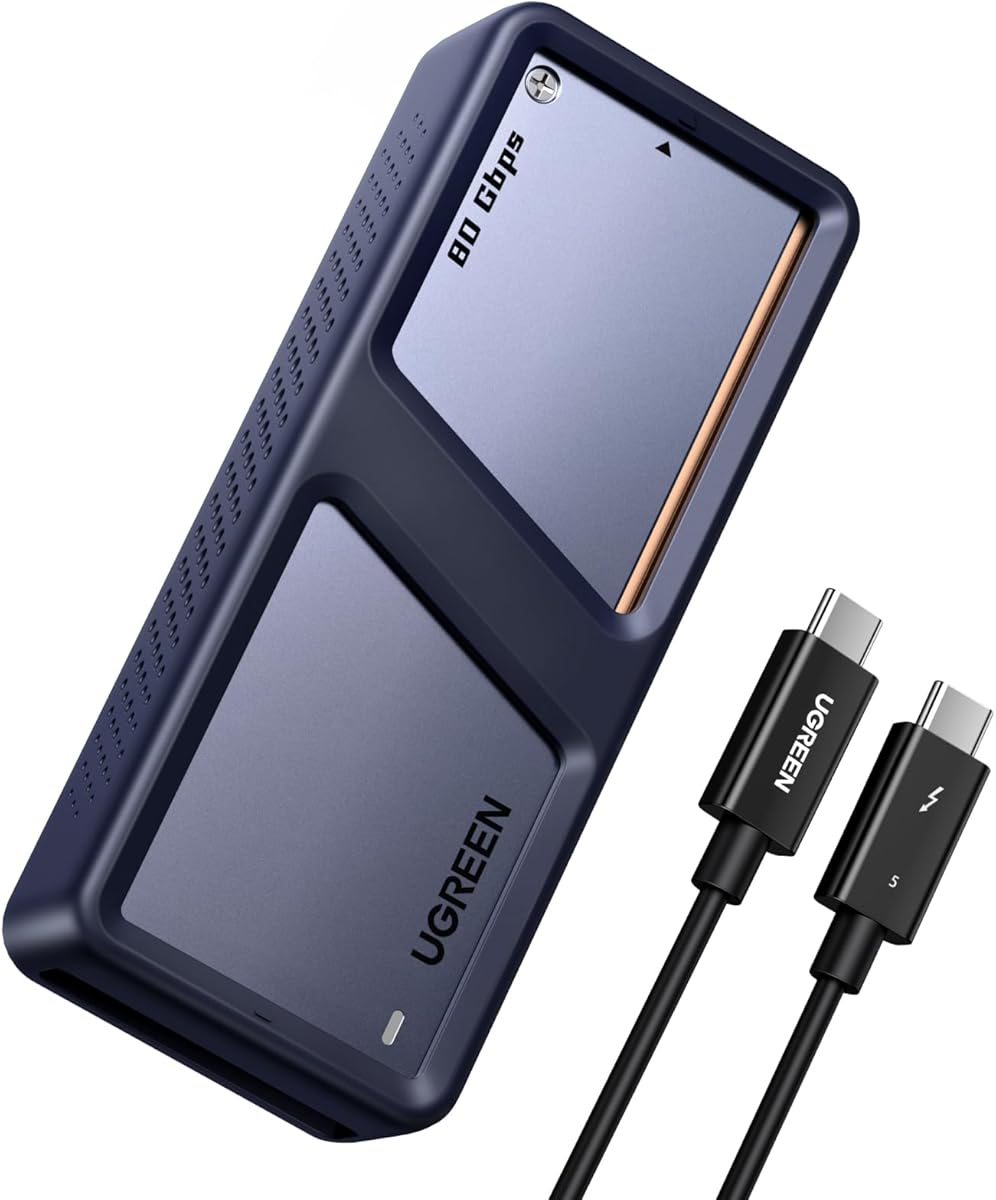
Maximize Your NVMe SSD: Choosing the Right 80Gbps Enclosure with Cooling
For professionals and enthusiasts pushing the limits of data transfer, a high-speed NVMe enclosure like the UGREEN 80Gbps model is a critical tool. This guide focuses on key features to ensure your investment in a Thunderbolt 5/4/3 or USB4 compatible enclosure pays off with reliable, top-tier performance.
Key Considerations Before Buying
- Interface and Speed: Ensure your device supports Thunderbolt 5, 4, or USB4 to achieve the 80Gbps maximum; otherwise, it will fall back to slower USB standards. This UGREEN enclosure is future-proofed for the latest ports but requires compatible hardware for peak speeds.
- Thermal Management: With Gen4 NVMe SSDs generating significant heat during sustained transfers, an active cooling fan (as included here) is essential to prevent throttling and maintain consistent performance. Passive heatsinks may suffice for intermittent use, but a fan is crucial for heavy workloads.
- SSD Compatibility: Confirm your drive is an M-Key or M&B-Key NVMe SSD in the 2280 form factor, which this enclosure supports. It handles drives up to 8TB, but always verify your specific SSD model's dimensions and power draw to avoid fitment or stability issues.
What Our Analysts Recommend
Look for enclosures with robust build quality (e.g., aluminum chassis for heat dissipation), a reliable controller chipset (like the ASMedia or Realtek used here), and clear compatibility lists. A well-designed fan should be quiet yet effective, and the enclosure should offer tool-less installation for convenience.
Enclosures Market Context
Market Overview
The external NVMe enclosure market is rapidly evolving, driven by the adoption of Thunderbolt 5 and USB4, which now offer up to 80Gbps speeds previously reserved for internal drives. This has opened new possibilities for video editors, data scientists, and gamers needing portable, high-speed storage solutions that rival internal PCIe performance.
Common Issues
A frequent complaint is thermal throttling, where enclosures without active cooling cause SSDs to slow down after sustained writes. Another issue is compatibility confusion—users often expect full speed from USB 3.2 ports, not realizing only Thunderbolt or USB4 can deliver the highest bandwidth. Finally, some enclosures have finicky cable connections or driver conflicts.
Quality Indicators
High-quality enclosures feature metal construction for heat dissipation, a reputable controller chip (e.g., ASMedia, Realtek, or Intel), and explicit certification for Thunderbolt or USB4. Look for user feedback on sustained transfer speeds and real-world thermal performance, as well as warranty length and manufacturer support responsiveness.
Review Authenticity Insights
Grade B Interpretation
The Grade B authenticity rating, with an estimated 10% fake reviews, suggests that the vast majority of feedback is genuine and reliable. This is a solid score, meaning you can trust the overall 4.22 average rating, but you should still be cautious of a small minority of potentially inflated or incentivized reviews.
Trust Recommendation
Focus on the detailed, verified purchase reviews that mention specific use cases (e.g., 'editing 8K video' or 'running as an external boot drive') and technical observations (e.g., 'sustained 6,000 MB/s transfers'). These provide the most trustworthy insights into real-world performance and reliability.
Tips for Reading Reviews
When reading reviews, prioritize those that discuss thermal behavior under load, compatibility with specific motherboards or laptops, and the enclosure's build quality. Be skeptical of short, overly positive reviews without specific details, and look for patterns in negative feedback—recurring issues like fan noise or cable failure are red flags.
Expert Perspective
The UGREEN 80Gbps NVMe enclosure stands out as a forward-looking solution for users who need maximum throughput from Thunderbolt 5 or USB4 ports. Its integrated cooling fan addresses the primary bottleneck of high-speed SSDs—heat—making it suitable for demanding tasks like 8K video editing or large dataset transfers. The strong 4.22 rating, bolstered by mostly genuine reviews, indicates solid performance and value, though the 10% fake review rate warrants a cautious eye on overly promotional feedback.
Purchase Considerations
Weigh the enclosure's premium price against your actual need for 80Gbps speeds; if your workflow doesn't involve sustained high-bandwidth transfers, a cheaper USB 3.2 Gen 2x2 enclosure may suffice. Also, ensure your device has a compatible Thunderbolt 5/4 or USB4 port to unlock full potential—otherwise, you're paying for unused capability.
Comparing Alternatives
Compare this UGREEN model with other high-speed enclosures like the OWC Express 1M2 or the Acasis Thunderbolt 4 enclosure, which may offer different form factors or additional features like daisy-chaining.


