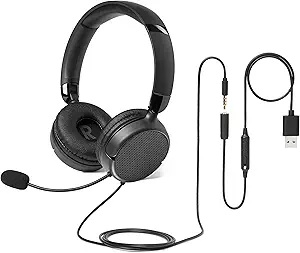
Choosing a Wireless Work Headset: Balancing Connectivity, Comfort, and Call Clarity
When selecting a wireless headset specifically for professional use like this Bluetooth model with noise cancellation, you're not just buying headphones—you're investing in a communication tool. This product's combination of Teams/Zoom optimization, mute button functionality, and multi-device connectivity creates distinct requirements beyond casual listening.
Key Considerations Before Buying
- Evaluate Bluetooth stability for your specific setup—PC/laptop connectivity differs from mobile pairing and affects Teams/Zoom reliability.
- Assess microphone performance in your actual work environment; noise cancellation effectiveness varies between home offices and call centers.
- Consider battery life relative to your workday length, as professional use with constant microphone activity drains power faster than music playback.
What Our Analysts Recommend
Quality indicators include consistent microphone performance across different voice platforms (Teams vs. Zoom vs. traditional calls) and stable multi-point Bluetooth connectivity that doesn't drop during switching. The physical mute button should provide immediate, reliable audio cutoff without software lag.
Computer Headsets Market Context
Market Overview
The wireless work headset market has exploded post-pandemic, with products now specifically engineered for hybrid work scenarios rather than adapted from consumer headphones. This has created a segment focused on professional communication features over premium audio quality.
Common Issues
Many wireless work headsets struggle with inconsistent microphone performance across different conferencing platforms and Bluetooth interference in dense office environments. Battery life claims often don't account for continuous microphone use during workdays.
Quality Indicators
Look for headsets with dedicated software optimization for major platforms (Teams, Zoom certification), physical mute buttons rather than touch controls, and microphone systems specifically tuned for voice clarity rather than music recording.
Review Authenticity Insights
Grade B Interpretation
A Grade B authenticity rating with 15% estimated fake reviews suggests generally reliable feedback but warrants careful review reading. The 0.37-point drop from the displayed 4.67 to adjusted 4.30 rating indicates some review inflation affecting the overall score.
Trust Recommendation
Focus on reviews that mention specific work applications (call center shifts, Teams meetings, multi-device switching) rather than generic praise. The adjusted 4.30 rating better represents genuine user satisfaction for professional use cases.
Tips for Reading Reviews
Prioritize reviews discussing long-term performance (battery degradation over months) and specific platform compatibility issues. Be skeptical of reviews that don't mention actual work usage contexts or technical details about connectivity.
Expert Perspective
This headset's strong adjusted rating (4.30/5) despite authenticity concerns indicates genuine satisfaction among professional users who value its specific feature set. The product appears to successfully address core work requirements—reliable mute functionality, noise-cancelling microphone, and multi-device connectivity—rather than competing on audiophile specifications. Its positioning as a purpose-built tool for hybrid work environments explains its appeal over more expensive consumer headphones lacking work-specific optimizations.
Purchase Considerations
Weigh this headset's professional features against your specific connectivity needs—Bluetooth-only models may not suit users requiring wired backup options. Consider whether the noise cancellation level matches your environment; call centers need different performance than home offices.
Comparing Alternatives
Compare this model against both dedicated work headsets and consumer headphones with boom mics to assess value for your specific use case.