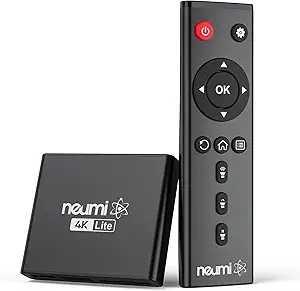
Roku Ultra Review: 4K Streaming Powerhouse with Voice Remote Pro
For shoppers diving into the streaming player market, the Roku Ultra stands out with its 4K HDR10+ and Dolby Vision support, plus a rechargeable Voice Remote Pro with backlit buttons. This guide helps you understand what makes a premium streaming device worth your money, focusing on the Ultra's specific strengths like Wi-Fi 6 and Bluetooth connectivity.
Key Considerations Before Buying
- If you have a 4K TV with HDR10+ or Dolby Vision, the Roku Ultra is one of the few players that supports both, ensuring you get the best picture quality from your content. Check your TV's HDR compatibility to leverage these features fully.
- The included Voice Remote Pro with backlit buttons and a rechargeable battery is a standout feature—consider whether you value voice search and a lit remote for dark rooms, as this adds convenience over standard remotes.
- With Wi-Fi 6 support, the Ultra is future-proof for high-bandwidth streaming, but if your router doesn't support Wi-Fi 6, you'll still benefit from its Ethernet port for a stable wired connection, which is ideal for 4K streaming.
What Our Analysts Recommend
When evaluating streaming players, look for robust codec support (HDR10+, Dolby Vision, Atmos), a responsive interface, and reliable connectivity options like Ethernet and Wi-Fi 6. Also, consider the remote's features—backlit buttons, voice control, and rechargeable battery add significant value, as seen in the Roku Ultra's package.
Streaming Media Players Market Context
Market Overview
The streaming media player market is dominated by a few key players—Roku, Amazon Fire TV, Apple TV, and Google Chromecast—each offering 4K HDR support, but differentiating on ecosystem, remote design, and smart home integration. The Roku Ultra positions itself as a premium option with a focus on universal search and user-friendly interface.
Common Issues
Common issues in this category include inconsistent HDR performance across devices, remote connectivity problems, and software bugs that affect streaming stability. Users also report that some players prioritize certain voice assistants, limiting flexibility, which is why Roku's platform-agnostic approach is a plus.
Quality Indicators
High-quality players typically feature fast processors for smooth navigation, comprehensive format support (Dolby Vision, Atmos), and frequent software updates. Build quality of the remote and device, along with positive user feedback on reliability, are strong indicators of a durable product.
Review Authenticity Insights
Grade B Interpretation
The Grade B and 12% estimated fake review rate suggest that while the majority of reviews are genuine, there's a notable minority of potentially inauthentic feedback. This means the 4.67/5 rating is likely slightly inflated, and the adjusted 4.40/5 is a more realistic expectation of user satisfaction.
Trust Recommendation
Given the authenticity grade, trust the detailed, verified purchase reviews that mention specific features like the remote's backlight or Wi-Fi 6 performance, as these are harder to fake. Be cautious of overly generic 5-star reviews that lack specifics, and weigh the adjusted rating when comparing to competitors.
Tips for Reading Reviews
When reading reviews for streaming players, focus on those that discuss long-term reliability, HDR quality, and remote functionality over time. Look for reviews that mention specific apps or streaming services you use, as they provide more relevant insights. Also, check for recent reviews to spot any software issues post-purchase.
Expert Perspective
The Roku Ultra is a top-tier streaming device that excels in format support and remote innovation, but the authenticity analysis suggests that user satisfaction, while generally high, may be closer to 4.40/5 than the headline 4.67. The 12% fake review rate isn't alarming, but it warrants a cautious approach when reading reviews. For consumers prioritizing a seamless 4K experience and a feature-rich remote, the Ultra is a strong contender, especially if you're invested in the Roku ecosystem.
Purchase Considerations
Weigh the Ultra's premium price against its features—if you don't need Dolby Vision or the Voice Remote Pro, a cheaper Roku model might suffice. Also, consider your network setup; if you lack Wi-Fi 6, the Ethernet port is a valuable fallback for consistent streaming.
Comparing Alternatives
Shoppers should compare the Roku Ultra with the Amazon Fire TV Cube and Apple TV 4K, which offer similar 4K capabilities but differ in voice assistant integration and ecosystem lock-in. Your choice may come down to whether you prefer Roku's neutral platform or the deep integration of Alexa or Siri.