
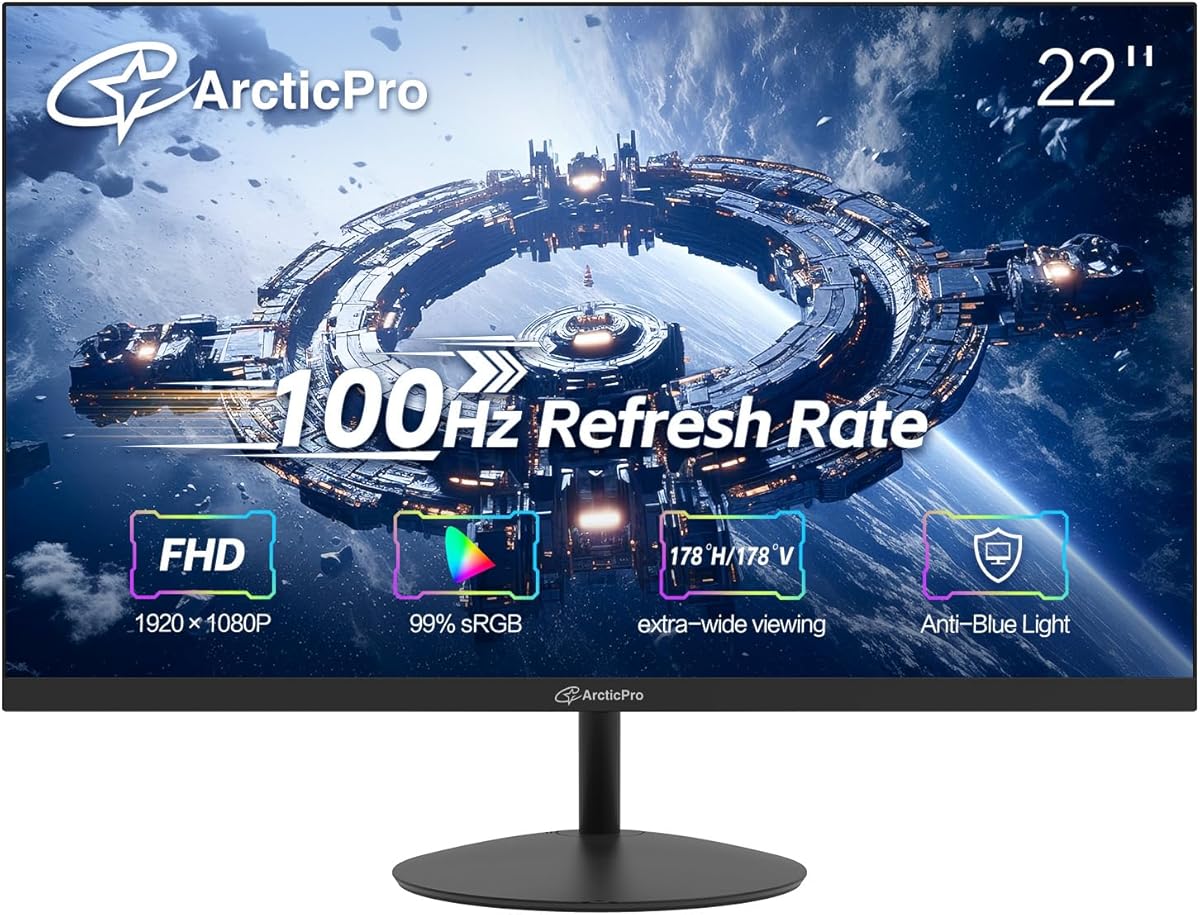
Choosing a 22-inch 100Hz monitor: balancing refresh rate, color accuracy, and connectivity
The ArcticPro 22-inch monitor targets users seeking a step up from standard 60Hz displays without entering the premium gaming monitor segment. Its 100Hz refresh rate, 105% sRGB color gamut, and 3000:1 contrast ratio create a specific value proposition for budget-conscious productivity users and casual gamers. Buyers should evaluate whether this combination of features aligns with their primary use case.
Key Considerations Before Buying
- The 100Hz refresh rate offers smoother motion than standard 60Hz displays, beneficial for general desktop use and light gaming, but lacks adaptive sync technologies like FreeSync or G-Sync found in dedicated gaming monitors.
- With 105% sRGB coverage, this monitor prioritizes color accuracy for general content creation and media consumption over the wider DCI-P3 or Adobe RGB gamuts required by professional photographers or video editors.
- The single HDMI and legacy VGA port configuration reflects a budget-oriented design; ensure your graphics card supports this connectivity, as newer systems may require adapters for VGA connections.
What Our Analysts Recommend
For a monitor in this class, examine reviews mentioning the actual performance of the 3000:1 static contrast ratio in varied lighting conditions, as this spec often differs from real-world viewing. Pay attention to feedback about the LowBlue Mode's effectiveness during extended sessions, as implementation quality varies significantly between brands. The 3-sided frameless design should be assessed for actual bezel thickness uniformity in multi-monitor setups.
Monitors Market Context
Market Overview
The 22-inch Full HD monitor segment is highly competitive, dominated by value-focused models balancing basic gaming features with office productivity. Manufacturers increasingly differentiate through refresh rates between 75Hz and 100Hz, as 60Hz becomes the absolute baseline. This market tier sees intense competition on thin bezel designs and color gamut claims while keeping costs down through simplified connectivity.
Common Issues
Budget monitors in this size class frequently exhibit backlight bleeding at the edges, inconsistent color calibration out of the box, and limited ergonomic adjustment beyond basic tilt. The advertised high contrast ratios (like 3000:1) often represent dynamic contrast in marketing materials rather than consistent static performance, which can mislead buyers expecting deep blacks in all content.
Quality Indicators
Look for consistent mention of panel uniformity in reviews, particularly regarding the IPS or VA panel type (unspecified here), which affects viewing angles and color consistency. Genuine quality displays in this category will have multiple verified reviews discussing actual color accuracy after calibration and minimal motion blur at the advertised refresh rate. VESA mount compatibility, as featured here, indicates consideration for ergonomic setups beyond the included stand.
Review Authenticity Insights
Grade B Interpretation
A Grade B authenticity rating with 15% estimated fake reviews suggests generally reliable feedback with some promotional inflation. The 0.38-point drop from the displayed 4.78 to the adjusted 4.40 rating indicates that while overwhelmingly positive, the raw score slightly overstates genuine satisfaction. This pattern is common in competitive monitor categories where brands incentivize early positive reviews.
Trust Recommendation
Focus on verified purchase reviews that mention specific use cases like programming, spreadsheet work, or casual gaming rather than generic praise. Given the authenticity analysis, weigh mid-range 3-4 star reviews more heavily, as they often contain nuanced observations about the 100Hz implementation and color performance that extreme ratings might overlook.
Tips for Reading Reviews
Prioritize reviews that discuss the monitor's performance with specific content—like whether the 105% sRGB gamut makes a noticeable difference in photo editing or streaming video. Look for mentions of the 3000:1 contrast ratio in real-world usage, especially in darker room environments where backlight bleed would be most apparent.
Expert Perspective
The ArcticPro positions itself as a hybrid display, combining a slightly elevated 100Hz refresh rate with color-accurate 105% sRGB coverage—an uncommon pairing in the budget 22-inch segment. The high adjusted rating of 4.40/5 from verified purchases suggests it delivers solid value for its specific niche. However, the lack of adaptive sync and limited connectivity reflect clear cost-saving measures that buyers must acknowledge. The 3000:1 contrast ratio, if achieved through a VA panel rather than dynamic contrast manipulation, would represent a significant strength for media consumption.
Purchase Considerations
This monitor makes the most sense for users whose workflow benefits from both smoother scrolling (100Hz) and reasonable color accuracy, such as content creators on a tight budget or office workers who also game casually. Consider whether your graphics hardware can consistently push frame rates above 60Hz in your preferred applications to justify the refresh rate premium over standard 75Hz alternatives. The tilt-only stand may necessitate a VESA mount for optimal ergonomics, adding to the total cost.
Comparing Alternatives
Shoppers should compare this monitor against similarly priced 24-inch models that may offer identical specs with slightly more screen real estate, as panel costs have decreased in recent years.






