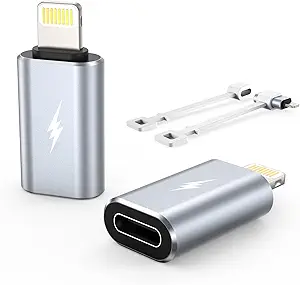
Magnetic USB-C Adapters: What to Know Before You Buy
Magnetic USB-C adapters like this 2-pack of 24-pin, 240W straight USB 4 models promise breakaway convenience for laptops, docks, and VR headsets—but they can also bottleneck power, data, or video if the specs don't line up. Here's how to evaluate whether this specific adapter fits your setup.
Key Considerations Before Buying
- Confirm the adapter actually supports USB4/Thunderbolt 4 data rates and 240W (48V/5A) Power Delivery; many magnetic adapters silently cap charging at 100W, which can throttle high-wattage laptops like 16-inch MacBooks or gaming rigs.
- Check the pin count and orientation—this is a 24-pin straight connector, so verify it matches your device's port geometry and won't obstruct adjacent ports on tightly packed laptops or docks.
- Magnetic connectors rely on pogo pins and magnets that can attract debris; assess whether you need the breakaway safety feature enough to accept periodic cleaning and potential wear over hundreds of connect/disconnect cycles.
What Our Analysts Recommend
Prioritize adapters that explicitly list USB4 certification, 240W EPR support, and 40Gbps data throughput rather than vague 'fast charging' claims. Look for reinforced strain relief, gold-plated contacts, and a magnetic retention force strong enough to stay put but weak enough to detach safely—cheap adapters often fail one of these.
Gender Changers Market Context
Market Overview
The magnetic USB-C adapter market has exploded alongside USB4 and Thunderbolt 4 adoption, with brands ranging from no-name Amazon sellers to established accessory makers. Prices swing from under $10 to over $40 for a pair, and the spec sheets are notoriously inconsistent—some advertise 240W but only deliver 100W in practice.
Common Issues
The most frequent complaints in this category are charging slowdowns, intermittent data dropouts, and adapters that stop working after a few months due to pogo-pin corrosion or magnet weakening. Another recurring problem is incompatibility with certain docks or eGPUs, where the adapter adds just enough signal degradation to break the connection.
Quality Indicators
A trustworthy magnetic USB-C adapter will publish exact power (240W/48V/5A), data (40Gbps), and video (up to 8K) specs, and ideally carry USB-IF certification. Physical quality shows in tight tolerances between the magnetic tip and housing, gold-plated pins, and a warranty longer than 90 days.
Review Authenticity Insights
Grade A Interpretation
An A authenticity grade with an estimated 5% fake review rate is strong for this category, where generic praise and incentivized reviews are common. The 4.67/5 rating (adjusted to 4.60) across 773 reviews suggests the feedback is broadly genuine rather than propped up by a small burst of fake positives.
Trust Recommendation
You can treat the overall rating as reasonably reliable, but still read the 3-star and 4-star reviews first—they tend to reveal the specific failure modes (e.g., 'worked for three months, then stopped charging') that matter most for a magnetic adapter. Pay extra attention to reviews that mention your exact laptop or dock model.
Tips for Reading Reviews
Look for reviewers who describe their setup (device, charger wattage, use case) and report long-term results; ignore one-line 'works great' posts. Also scan for repeated mentions of the same issue across multiple reviews—that's a stronger signal than any single rating.
Expert Perspective
This 2-pack of 24-pin magnetic USB-C adapters claims full 240W and USB4 support, which is exactly what high-power laptops and USB4 docks need—if the claims hold up in real use. The strong, authentic review base (4.67/5 across 773 reviews, adjusted to 4.60) suggests most buyers get satisfactory performance, but magnetic adapters are inherently more fragile than a direct cable connection. For users who frequently plug and unplug a single USB-C device, the convenience and port-safety benefit can outweigh the added failure point.
Purchase Considerations
Decide whether you value breakaway safety over maximum reliability: a magnetic adapter adds a physical junction that can degrade signal or power over time. If you need guaranteed 240W or 40Gbps for critical work, consider a direct cable; if you want to protect your laptop's port from wear, this adapter is a reasonable trade-off. Also verify the straight connector won't block neighboring ports on your specific device.
Comparing Alternatives
Shoppers should compare this 2-pack against single-adapter options from brands with longer warranties and against straight cables that avoid the magnetic junction entirely, especially if you rarely need the breakaway feature.