
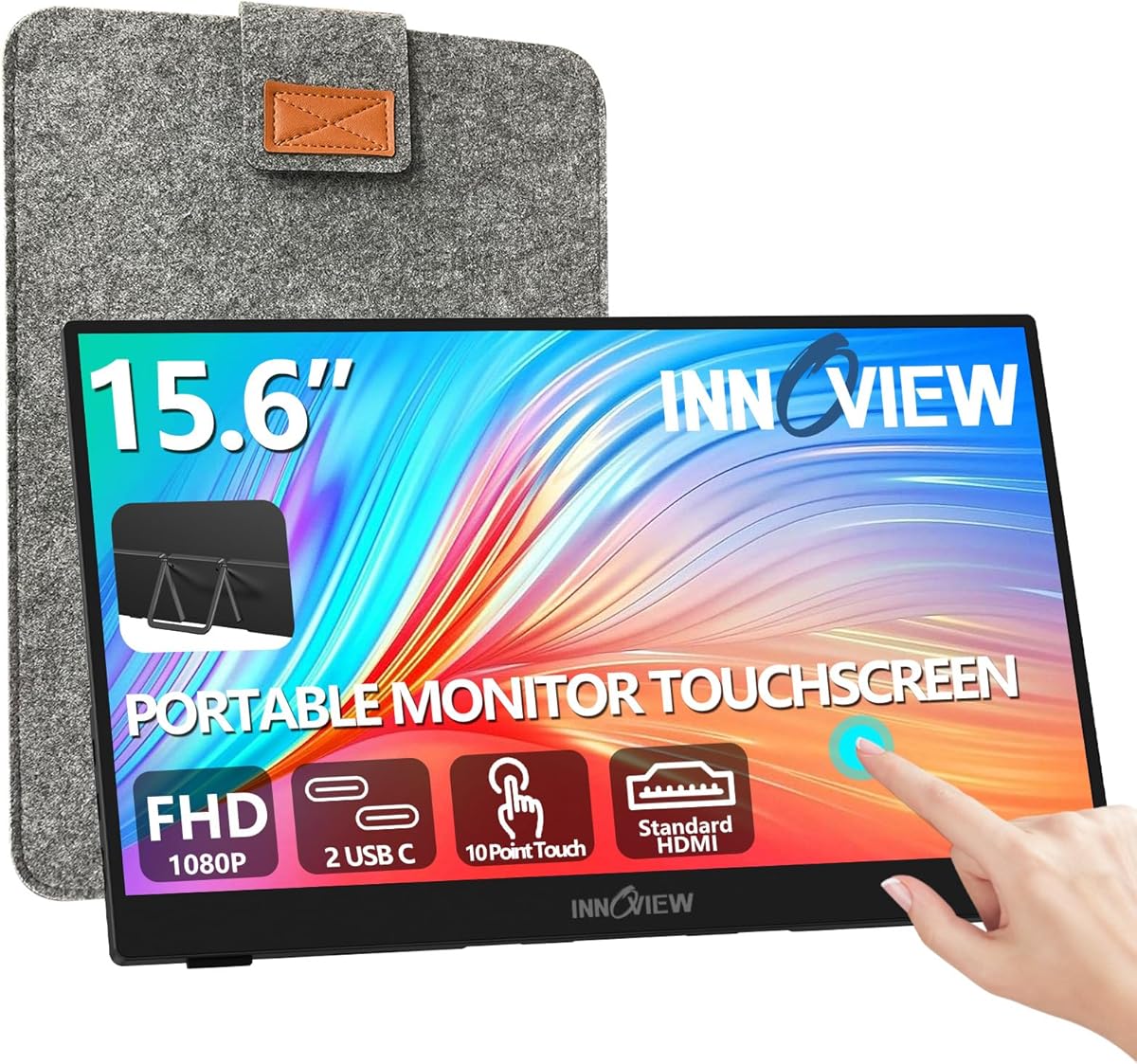
5 Key Factors for Choosing a Portable Touchscreen Monitor Like the InnoView
When shopping for a portable monitor like the InnoView 15.6-inch touchscreen, you're likely seeking a balance between productivity on the go and display quality. Key specs to consider include resolution (1080p is standard for clarity), touch responsiveness (10-point touch enables gestures), and connectivity (HDMI and USB-C ensure compatibility with laptops, PCs, and phones).
Key Considerations Before Buying
- Touchscreen functionality: For a monitor like this, 10-point touch is ideal for tasks like scrolling, zooming, or using design apps. Ensure your device supports touch input via USB-C for seamless integration.
- Portability and build: A thin, lightweight design (around 1.5-2 lbs) with a protective sleeve and built-in stand is crucial for travel. The InnoView's included sleeve and stand reduce the need for extra accessories.
- Display quality: Look for a 1200:1 contrast ratio and 60Hz refresh rate for clear, flicker-free visuals in work or streaming. IPS panels (common in portable monitors) offer wider viewing angles than TN panels.
What Our Analysts Recommend
Check for verified customer photos showing the monitor in real-world setups to gauge bezel thickness, color accuracy, and stand stability. Also, prioritize models with adjustable brightness (over 250 nits) for use in varied lighting, and confirm USB-C power delivery to avoid carrying extra cables.
Monitors Market Context
Market Overview
The portable monitor market has surged with remote work and mobile gaming, offering options from budget 1080p screens to high-refresh-rate 4K models. The InnoView competes in the mid-range touchscreen segment, appealing to users who need a secondary display for laptops or phones without breaking the bank.
Common Issues
Common complaints include flimsy stands that wobble, limited touch support on non-Windows devices, and inconsistent color accuracy out of the box. Some users report driver issues when connecting to Android phones, so check compatibility lists.
Quality Indicators
Quality portable monitors use aluminum or reinforced plastic chassis to prevent flex, have anti-glare coatings for outdoor use, and include multiple USB-C ports for daisy-chaining. A high contrast ratio (1000:1 or better) and sRGB coverage above 90% are signs of a capable display.
Review Authenticity Insights
Grade B Interpretation
With a Grade B and an estimated 10% fake review rate, this product has mostly genuine feedback but some suspicious entries. This means about 204 of the 2043 reviews may be unreliable, potentially inflating the average rating from 4.60 to 4.89. Focus on detailed reviews mentioning specific use cases like dual-monitor setups or travel.
Trust Recommendation
Trust the adjusted rating of 4.60/5 as a more realistic benchmark, but dive into the 90% authentic reviews for balanced insights. Look for reviews with photos or videos showing the touchscreen in action, as these are harder to fake and often highlight real pros (e.g., easy setup) and cons (e.g., limited brightness).
Tips for Reading Reviews
For portable monitors like this, prioritize reviews that discuss connectivity with your specific devices (e.g., MacBook, Samsung phone) and battery drain when using USB-C power. Ignore overly short reviews with generic praise, and seek out those mentioning the protective sleeve or stand quality.
Expert Perspective
The InnoView 15.6-inch portable monitor offers strong value for its price, with a 1080p touchscreen, 1200:1 contrast ratio, and included accessories that address common portability needs. Its 4.60 adjusted rating suggests reliable performance for most users, though the 10% fake review rate means some hype may be overblown. The 60Hz refresh rate is adequate for productivity and media but not for competitive gaming, making it a solid choice for travelers or remote workers.
Purchase Considerations
Weigh the convenience of the built-in stand and sleeve against potential downsides like lower brightness (likely under 300 nits) compared to pricier models. If you need touch input for design work or note-taking, this monitor is a good fit, but verify your laptop's USB-C supports video and touch simultaneously.
Comparing Alternatives
For comparison, consider models like the ASUS ZenScreen Touch or ViewSonic TD1655 for similar specs with potentially better build quality, but at a higher cost. The InnoView's value proposition hinges on its all-in-one kit at a competitive price point.



