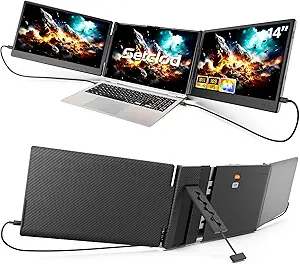
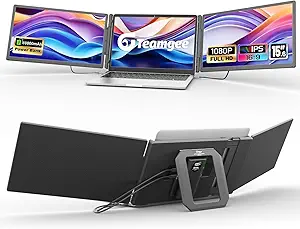
What to Know Before Buying a 10.5-Inch Portable Monitor
A 10.5-inch portable monitor like this one sits in a niche between tablet-sized screens and full laptop displays, offering 1280P resolution on a 15:10 IPS panel with 400 nits of brightness. Buyers considering this form factor should understand how its compact size, connection options, and power requirements affect real-world use for travel, gaming, and secondary-display tasks.
Key Considerations Before Buying
- At 10.5 inches with 1280P resolution, this monitor is best suited as a secondary display for a laptop, a Nintendo Switch companion, or a compact travel screen—not as a primary work monitor, since text and UI elements will appear small at typical viewing distances.
- The 400-nit brightness rating and IPS panel are reasonable for indoor use and HDR content, but this is not a high-brightness outdoor display; expect visibility to suffer in direct sunlight, so it fits travel and desk scenarios better than bright outdoor environments.
- Power delivery matters: USB-C connectivity can run the monitor from a laptop or power bank, but check whether your device supports video-over-USB-C or requires HDMI plus separate power, since this dual-connection setup is common in this category and affects cable clutter on the go.
What Our Analysts Recommend
Check that the smart cover doubles as a stand with adjustable viewing angles, and confirm the built-in speaker is adequate for casual use rather than media consumption. Also verify the included cables and ports—USB-C and HDMI inputs—match your devices, since missing adapters are a frequent complaint with compact monitors.
Monitors Market Context
Market Overview
The portable monitor market has exploded with USB-C-equipped panels aimed at remote workers, gamers, and travelers, but quality varies widely across brands and price points. Compact 10- to 12-inch models occupy a budget-friendly niche where buyers trade screen real estate for portability, making panel quality and build durability the key differentiators.
Common Issues
Frequent problems in this category include flickering or dropped signals over USB-C, weak built-in speakers, flimsy kickstand covers, and confusion over which devices support video output over USB-C. Buyers also report that some units require higher wattage power adapters than expected, which can limit use with low-output power banks.
Quality Indicators
Look for IPS panel specifications with stated brightness (400 nits is mid-range and acceptable indoors), HDR support, and clear documentation of port capabilities. Reviews mentioning stable connections, durable hinges on the smart cover, and consistent color performance are stronger signals of quality than marketing claims alone.
Review Authenticity Insights
Grade B Interpretation
A Grade A authenticity rating with an estimated 8% fake review percentage is a strong result for an electronics accessory, suggesting most of the 194 reviews reflect genuine buyer experiences. The adjusted rating of 4.30/5 versus the displayed 4.44/5 indicates only a modest inflation effect, so the overall sentiment is likely trustworthy.
Trust Recommendation
With a high authenticity grade, you can reasonably rely on the review consensus, but still prioritize reviews that describe specific use cases—like pairing with a Switch on a trip or powering the monitor from a PC's USB port—over short generic praise. These detailed accounts align with the authenticity analysis and are the most useful for your own decision.
Tips for Reading Reviews
For portable monitors, focus on reviews that mention connection stability, brightness in real environments, and speaker quality, since these are the most common pain points. Pay attention to whether reviewers used the monitor with the same devices you plan to use, as compatibility experiences vary significantly by laptop or console.
Expert Perspective
This 10.5-inch 1280P IPS portable monitor offers a sensible balance of portability and usability for travelers and casual gamers, with a 4.30/5 adjusted rating backed by largely authentic reviews. The 400-nit brightness and HDR support are solid for indoor secondary-display use, and the smart cover and speaker add convenience for on-the-go setups. However, the compact screen size and 15:10 aspect ratio mean it's a niche companion device rather than a laptop replacement, so expectations should be set accordingly.
Purchase Considerations
Weigh whether you need a truly pocketable secondary screen versus a larger 15-inch portable monitor that offers more comfortable productivity use. Confirm your devices support USB-C video output or plan for HDMI cabling, and consider whether the built-in speaker meets your needs or if you'll rely on headphones.
Comparing Alternatives
Shoppers should compare this model with other 10- to 12-inch portable monitors and larger 15.6-inch options to balance portability against screen real estate before deciding.