
Extend Your Dell Inspiron's Life: NinjaBatt WDX0R Battery Buying Guide
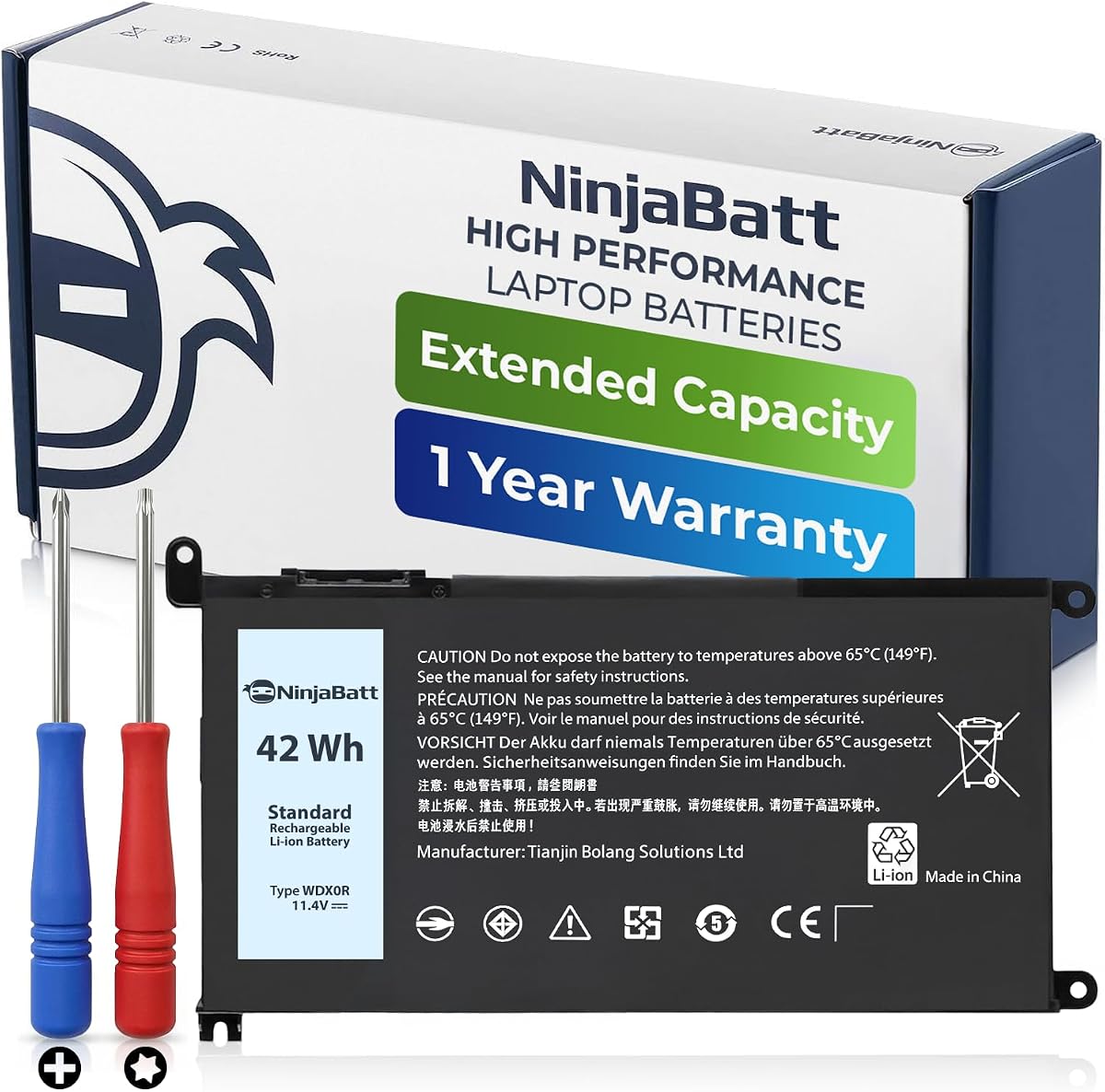
When your Dell Inspiron 15 5570 or similar model starts dying away from an outlet, a replacement battery like the NinjaBatt WDX0R is your practical solution. This 42Wh battery is designed to restore your laptop's portability, but choosing the right one involves more than just matching the part number. Here’s what you need to know before you buy.
Key Considerations Before Buying
- Compatibility is critical: The NinjaBatt WDX0R is specifically for Dell Inspiron 15 5570, 5579, 7569, and 7579 models. Verify your laptop's exact model number (look for the service tag on the bottom) to ensure a perfect fit, as using an incompatible battery can damage your system.
- Battery capacity and runtime: At 42Wh, this battery provides a standard runtime of 4-6 hours for typical use like browsing and document editing. If you need all-day battery life for intensive tasks, consider a higher-capacity (e.g., 56Wh) replacement, but confirm it fits your laptop's bay.
- Installation effort: Replacing this battery requires opening the laptop's bottom panel. Reviews mention that on some models, you may need to remove the DVD drive to access hidden screws, so be prepared for a moderate DIY task. If you're not comfortable, factor in professional installation costs.
What Our Analysts Recommend
When choosing a replacement battery, check for certifications like CE or FCC, which indicate safety compliance. Also, look for batteries with built-in protection circuits against overcharge, over-discharge, and short circuits—these features are essential for both battery and laptop safety. Finally, consider the warranty period; a longer warranty (e.g., 12-18 months) often signals manufacturer confidence.
Batteries Market Context
Market Overview
The market for laptop replacement batteries is vast, with many third-party options for popular Dell models like the Inspiron 15 series. Prices range from budget options to OEM (original equipment manufacturer) batteries, and the quality varies significantly. Most consumers seek a balance between cost and reliability, making third-party brands like NinjaBatt a common choice.
Common Issues
Common problems with third-party batteries include shorter lifespan than OEM, compatibility issues (especially after BIOS updates), and inconsistent capacity claims. Some users report that batteries degrade quickly after a few months, or that they don't hold a charge as long as the original. Additionally, poorly manufactured batteries can pose safety risks like swelling or overheating.
Quality Indicators
Quality indicators include using high-grade cells (e.g., from LG, Samsung, or Panasonic), a robust build with proper connectors, and positive user reviews that mention long-term performance. Also, look for batteries that ship with a user manual and come from brands that offer responsive customer support. A battery that maintains its capacity over many charge cycles is a sign of good quality.
Review Authenticity Insights
Grade B Interpretation
The Grade B rating and 10% estimated fake review percentage indicate that the vast majority of reviews are genuine, but a small portion may be incentivized or inauthentic. This means you can trust the overall 4.2 adjusted rating, but you should still read individual reviews critically. The authenticity analysis suggests that the product likely performs as described, but be aware that some reviews may be overly positive.
Trust Recommendation
Given the relatively low fake review percentage, you can reasonably trust this product's reviews. However, to be safe, focus on reviews from verified purchasers who provide specific details about their experience, such as battery lifespan after several months. Also, consider purchasing from a seller with a good return policy to protect your investment.
Tips for Reading Reviews
When reading reviews for this battery, pay attention to comments about battery life in real-world usage, especially after 50+ charge cycles. Look for any mentions of swelling, which is a safety concern. Also, note the laptop model each reviewer uses—this helps confirm compatibility across the listed Dell models. Ignore reviews that are overly generic or lack specifics, as they may be less reliable.
Expert Perspective
Based on the analysis, the NinjaBatt WDX0R appears to be a reliable replacement battery for Dell Inspiron 15 series laptops. The strong genuine review base, with an adjusted rating of 4.2, suggests that most users are satisfied with its performance and value. The specific installation tips and honest caveats in reviews indicate that the product meets expectations, though long-term durability remains a consideration. This is a solid choice for budget-conscious consumers who need to revive an aging laptop.
Purchase Considerations
Before purchasing, double-check your laptop's model number and battery bay size to ensure compatibility, especially if you have a variant not listed. Consider your typical usage patterns—if you heavily use your laptop on the go, you might want a higher-capacity battery, but for most users, 42Wh is sufficient. Also, weigh the warranty and return policy against the price, as this can protect you against early failure.
Comparing Alternatives
While the NinjaBatt WDX0R is a strong option, you should compare it with other third-party batteries and even OEM replacements. Look for batteries that offer similar or better specs, such as higher capacity or longer warranty, and read reviews for those alternatives to make an informed choice.


