Maximize Your MacBook's Potential: Choosing a High-Speed USB-C Hub
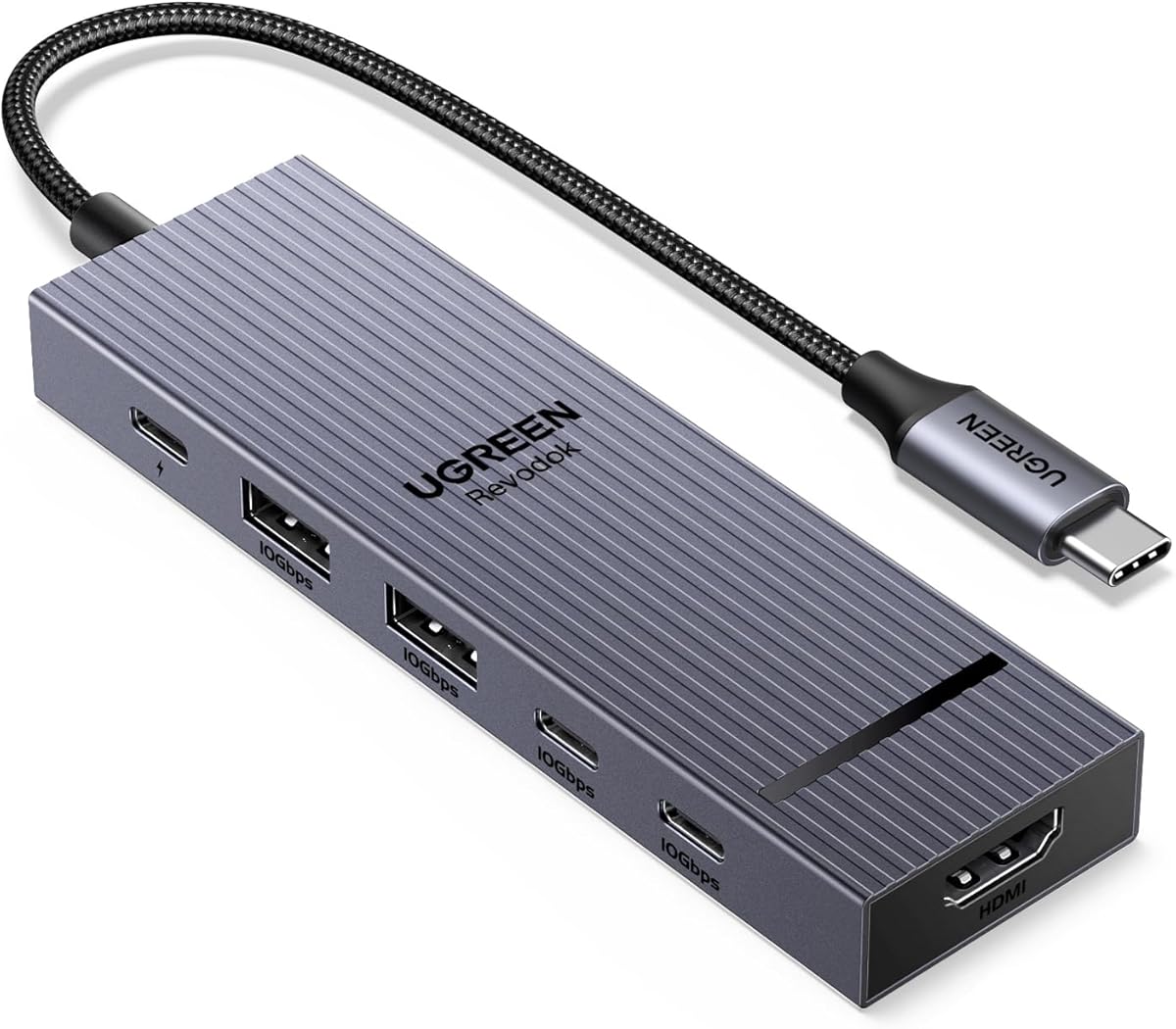
When shopping for a USB-C hub for your modern laptop or tablet, you need more than just extra ports. The UGREEN Revodok Pro, with its 10Gbps data transfer, 4K 60Hz HDMI output, and 100W Power Delivery, represents the premium tier of functionality, catering to users who demand high performance for video editing, data-heavy workflows, and seamless multi-display setups.
Key Considerations Before Buying
- Data Transfer Speed: A 10Gbps hub like this one is essential for quickly moving large files (e.g., 4K video, RAW photos) between external SSDs and your computer. Avoid slower 5Gbps hubs if you work with large media files.
- Video Output Capability: Ensure the HDMI port supports 4K at 60Hz for smooth, crisp external monitor use. This is critical for creative professionals or anyone using a high-resolution display, as lower refresh rates (30Hz) can cause noticeable lag.
- Power Delivery (PD) Pass-Through: A 100W PD input is vital for keeping a MacBook Pro or other power-hungry laptop charged while using the hub. Check that the hub's PD output matches your laptop's charging needs to avoid slow charging.
What Our Analysts Recommend
Look for hubs with robust build quality, including an aluminum alloy body for heat dissipation. Verify that the hub supports your specific device's video output standards (e.g., DisplayPort Alt Mode). Also, check for drivers or firmware updates that ensure compatibility with the latest operating systems.
USB Hubs Market Context
Market Overview
The USB-C hub market is saturated with options ranging from $20 basic adapters to $150+ professional docks. The trend is toward higher data speeds (10Gbps and beyond) and higher power delivery (100W+) to match the capabilities of modern laptops like the MacBook Pro and Dell XPS.
Common Issues
A frequent complaint is overheating, especially with hubs that combine high-power PD and data transfer. Another issue is inconsistent video output, where some hubs may not support the full 4K@60Hz on all devices. Finally, compatibility problems with specific operating systems (e.g., Linux, older Windows) are common.
Quality Indicators
Quality is often indicated by the use of premium chipsets (e.g., from Realtek or Via Labs), a metal chassis for thermal management, and clear specifications about supported standards (USB 3.2 Gen 2, HDMI 2.0). Look for hubs that explicitly state they are 'certified' for specific laptops.
Review Authenticity Insights
Grade B Interpretation
The UGREEN Revodok Pro receives a Grade B for review authenticity, with an estimated 10% fake review rate. This is a solid score, indicating that the vast majority of the 6,334 reviews are genuine, though a small portion may be incentivized or non-representative. The 4.78/5 star rating is likely close to the true product experience.
Trust Recommendation
You can trust the overall sentiment of the reviews, but be cautious of overly enthusiastic 5-star reviews that lack specific use-case details. Focus on reviews that mention using the hub with your exact laptop model (e.g., MacBook Air M2, iPad Pro M1) and that describe real-world performance (e.g., 'works with my external SSD at full speed').
Tips for Reading Reviews
When reading reviews, prioritize Verified Purchase badges and look for balanced critiques—users who mention minor issues (e.g., 'cable is a bit stiff') are more credible. Also, filter by the most recent reviews to catch any changes in build quality or compatibility after a product revision.
Expert Perspective
The UGREEN Revodok Pro stands out as a well-rounded, high-performance hub that delivers on its key promises: 10Gbps data, stable 4K 60Hz video, and 100W pass-through charging. Given its strong 4.78 rating and mostly authentic reviews, it is a reliable choice for users who need a single, compact dock for their MacBook or iPad. However, the 10% estimated fake reviews suggest that some positive feedback may be inflated, so cross-check with detailed user experiences.
Purchase Considerations
Weigh the hub's premium price against its feature set. If you only need basic USB-A and HDMI at 30Hz, a cheaper hub may suffice. But for creative professionals or power users who value speed and 4K@60Hz, the Revodok Pro is a worthwhile investment. Also, consider that the 100W PD pass-through is ideal for 14-inch MacBook Pros but may not fully charge a 16-inch model under heavy load.
Comparing Alternatives
Shoppers should compare the Revodok Pro with other 10Gbps hubs like the Anker PowerExpand and CalDigit SOHO, which offer similar specs but may have different port layouts or build materials.