Choosing a 14-port docking station requires balancing power delivery with display and data needs
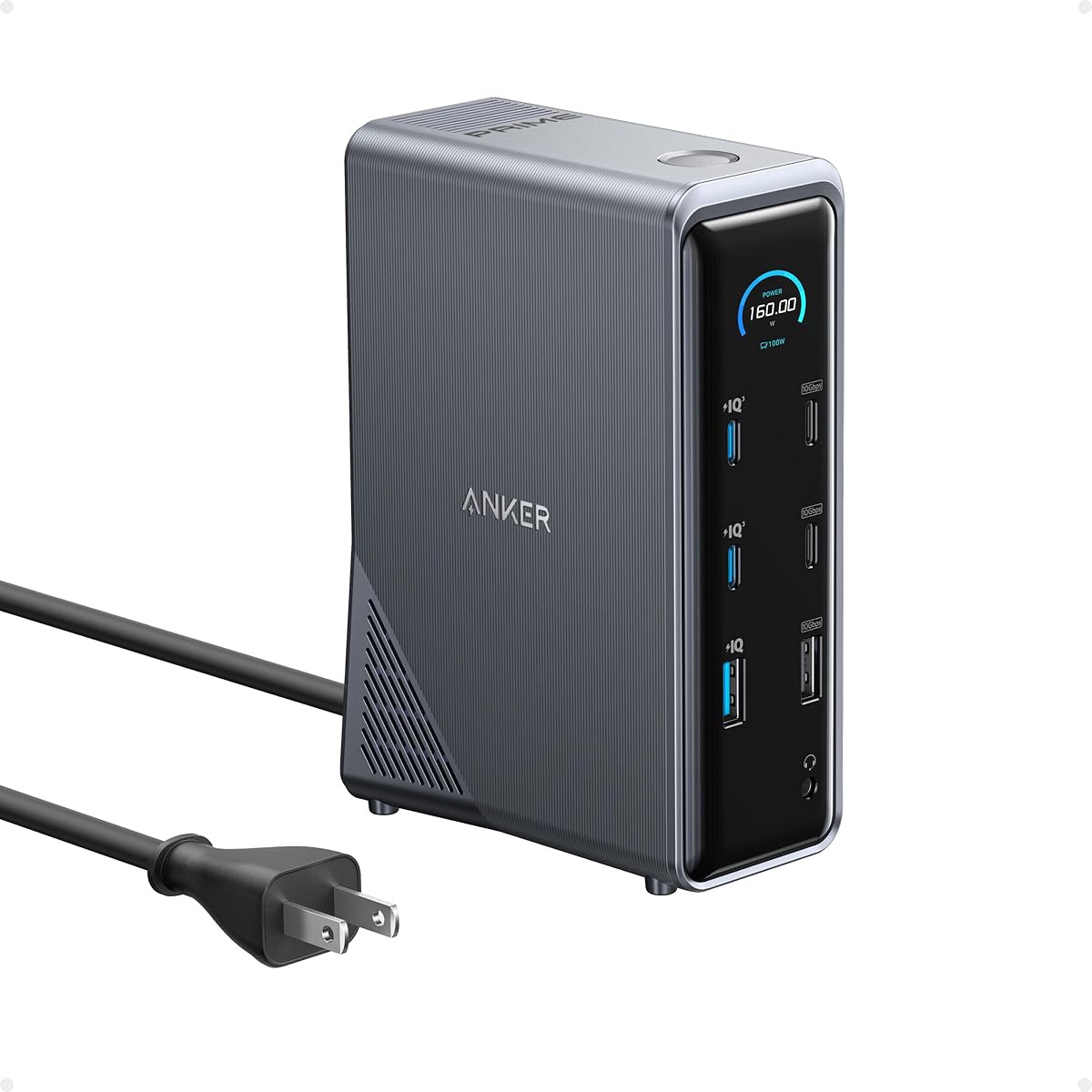
The Anker Prime's 160W power delivery and dual 4K display support make it a high-performance hub, but its 14-port configuration demands careful consideration of your specific connectivity requirements. Buyers should evaluate whether they need the simultaneous 10Gbps data transfer and real-time interface monitoring this model provides.
Key Considerations Before Buying
- The 160W power output must be allocated between laptop charging and peripheral power, with only 100W available for your laptop when other ports are active.
- Dual 4K display support at 60Hz requires compatible laptops with adequate graphics processing and proper USB-C/Thunderbolt connections.
- The 14-port configuration includes specific port types (2x USB-C, 4x USB-A, Ethernet, audio) that should match your existing peripherals and workflow needs.
What Our Analysts Recommend
Quality docking stations maintain stable power delivery during simultaneous high-bandwidth operations. Check for consistent performance across all ports when running multiple displays while transferring data and charging devices. The Anker Prime's real-time interface provides valuable monitoring of these simultaneous operations.
Docking Stations Market Context
Market Overview
The docking station market has shifted toward universal compatibility with Dell, HP, and Lenovo laptops, but power delivery standards and display protocols still vary significantly between manufacturers. High-port-count docks like this 14-port model compete on both connectivity density and smart features.
Common Issues
Users frequently encounter power distribution problems where connected devices draw more current than the dock can supply, causing charging interruptions or peripheral disconnections. Display compatibility issues also arise, particularly with older laptops that don't support DisplayPort over USB-C.
Quality Indicators
Look for docks that maintain stable Ethernet connections during high data transfers and consistent audio output when multiple ports are active. Quality units manage thermal dissipation effectively to prevent throttling during extended use with all ports occupied.
Review Authenticity Insights
Grade B Interpretation
A Grade B authenticity rating with 11% estimated fake reviews suggests mostly genuine feedback but warrants careful review scrutiny. The adjusted 4.60 rating (from 4.89) indicates some review inflation, though still represents strong authentic satisfaction.
Trust Recommendation
Focus on reviews that mention specific laptop models (Dell XPS, HP Spectre, Lenovo ThinkPad) and detail multi-peripheral setups, as these demonstrate actual usage patterns. Be skeptical of reviews lacking technical specifics about display configurations or power delivery experiences.
Tips for Reading Reviews
Prioritize reviews discussing simultaneous use of multiple features—like running dual displays while transferring large files over Ethernet. Look for mentions of the real-time interface's usefulness in monitoring power allocation across connected devices.
Expert Perspective
The Anker Prime represents a premium offering in the high-port-density docking category, with its 160W power delivery and real-time monitoring interface distinguishing it from competitors. The 4.60 adjusted rating from verified users suggests strong performance satisfaction, particularly for users needing extensive connectivity without sacrificing display quality. The product's main value proposition lies in its ability to manage multiple high-bandwidth operations simultaneously while providing visibility into system status.
Purchase Considerations
This dock makes most sense for users who regularly connect 8+ peripherals simultaneously and value the diagnostic capability of the smart interface. Consider your laptop's actual power requirements—many business laptops need only 65-90W, making the 100W laptop allocation sufficient but not excessive.
Comparing Alternatives
Shoppers should compare port configurations and power distribution specifics against similar 14-port docks from CalDigit and Plugable, particularly regarding how each handles simultaneous 4K display output and data transfer loads.