
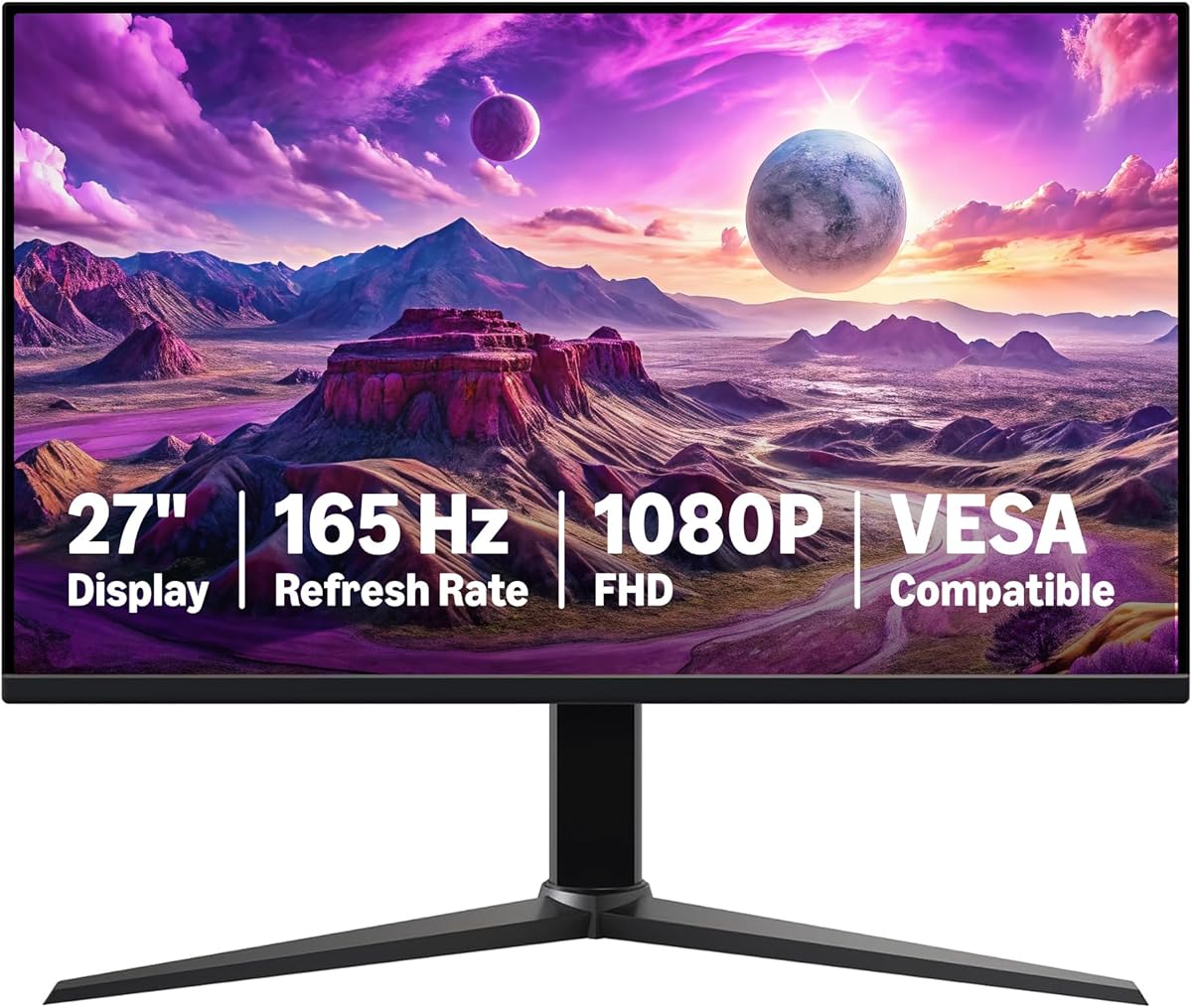
Balancing 165Hz Gaming Performance with 27-inch FHD Pixel Density Trade-offs
The Amazon Basics 27-inch Gaming Monitor presents a specific value proposition: prioritizing high refresh rate (165Hz) and fast response time (1ms) at a 1080p resolution on a larger 27-inch panel. Buyers should understand that this combination creates a distinct visual experience where motion clarity for competitive gaming may come at the cost of pixel sharpness for text and detail work compared to higher-resolution 27-inch displays.
Key Considerations Before Buying
- Pixel Density vs. Screen Size: At 27 inches, the 1920x1080 (FHD) resolution results in a pixel density of roughly 82 PPI, which can make individual pixels more noticeable during desktop use than on a 24-inch 1080p monitor (92 PPI).
- Adaptive Sync Implementation: While advertised, confirm if this monitor's Adaptive Sync works with both AMD FreeSync and NVIDIA G-Sync Compatible systems, as this varies across budget monitors and affects screen tearing elimination.
- VESA Compatibility Utility: The 100x100mm VESA mount support is a key feature for ergonomic arm mounting, but check the included stand's height and tilt adjustments if you won't be using a mount immediately.
What Our Analysts Recommend
For a monitor in this class, scrutinize user reviews for comments on backlight uniformity (screen clouding), dead pixel frequency, and the quality of the on-screen display (OSD) menu for adjusting settings. Genuine reviews often detail the out-of-box color accuracy and whether significant calibration is needed for satisfactory vibrancy in games.
Monitors Market Context
Market Overview
The budget 27-inch gaming monitor segment is fiercely competitive, with brands balancing cost-cutting on stands and speakers to fund panels with higher refresh rates. Amazon Basics enters this space by leveraging its supply chain to offer a feature set—165Hz, Adaptive Sync, 1ms—that was premium just a few years ago at an aggressive price point.
Common Issues
Common compromises in this tier include the use of VA panels with slower true response times despite 1ms claims, leading to potential ghosting, and basic plastic builds with limited connectivity (often just HDMI and DisplayPort). Color gamut coverage is typically around standard sRGB, not the wider DCI-P3 or Adobe RGB spaces.
Quality Indicators
Look for consistent praise in reviews for minimal motion blur at high refresh rates, a lack of coil whine from the internal electronics, and a bezel design that doesn't have excessive light bleed. A quality budget monitor will have reliable overdrive implementation without introducing inverse ghosting artifacts.
Review Authenticity Insights
Grade A Interpretation
An 'A' Authenticity Grade with only 8% estimated fake reviews indicates a review corpus where the vast majority of feedback comes from verified purchasers, making the overall 4.3 adjusted rating a reliable performance indicator. This low manipulation rate is notable for a high-volume, first-party Amazon product.
Trust Recommendation
Prioritize reading the verified 4-star and 3-star reviews for this monitor, as they most frequently detail the practical trade-offs, like the aforementioned pixel density on a 27-inch screen or the stand's limitations, giving a balanced view beyond 5-star enthusiasm or 1-star defect complaints.
Tips for Reading Reviews
For gaming monitors, focus on reviews that specify the games played (e.g., fast-paced shooters vs. RPGs) and the GPU used, as performance of Adaptive Sync and achieving 165fps is hardware-dependent. Reviews mentioning long-term use (3+ months) are valuable for assessing durability.
Expert Perspective
The data suggests this monitor successfully delivers core gaming features—high refresh rate, low response time claim, and adaptive sync—to a budget-conscious audience, as reflected in its strong 4.3 adjusted rating from verified buyers. Its position is that of a competent, no-frills performer. The primary compromise isn't in gaming smoothness but in the desktop experience, where the lower pixel density at 27 inches becomes apparent. The high VESA compatibility rate in reviews is a positive sign for its use as a modular component in a setup.
Purchase Considerations
Weigh your primary use case: if you play competitive esports titles where framerate is paramount and sit at a typical viewing distance, the 165Hz benefit likely outweighs the pixel density concern. If your usage is mixed with significant productivity or content consumption, the screen's sharpness may be a drawback compared to a 1440p monitor or a 24-inch 1080p panel.
Comparing Alternatives
Shoppers should compare this directly with other 27-inch 1080p/165Hz monitors from brands like AOC, ASUS, and ViewSonic to evaluate differences in panel technology (IPS vs. VA), warranty length, and OSD gaming features.






