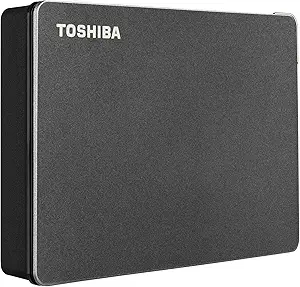
Choosing a 4TB portable drive? WD's My Passport offers cross-platform versatility.
The WD 4TB My Passport is a high-capacity, portable HDD designed for users who need to move large files between multiple device ecosystems. Its dual USB-C/USB-A interface and compatibility with Windows, Mac, Chromebook, and consoles make it a uniquely flexible storage solution. Buyers should evaluate it based on their need for physical portability versus pure speed, as it's a traditional hard drive, not an SSD.
Key Considerations Before Buying
- This drive's 4TB capacity is ideal for extensive media libraries, game installs, or system-level backups, but its 5400 RPM mechanical nature means transfer speeds will be slower than SSD alternatives.
- The included WD Backup software and hardware-based 256-bit AES password protection are key differentiators, offering basic data security and automated backup workflows out of the box.
- True cross-platform compatibility requires reformatting; it comes pre-formatted for Windows (NTFS), so Mac users will need to use the included WD Discovery software or reformat to exFAP for full read/write access.
What Our Analysts Recommend
For portable hard drives, prioritize a sturdy, shock-resistant casing and a reputable brand like WD for reliable internal components. Check that the bundled software, like WD's utilities, provides the backup and encryption features you need without being bloatware. A lengthy manufacturer warranty (WD typically offers 3 years) is a strong indicator of confidence in the drive's longevity.
External Hard Drives Market Context
Market Overview
The portable storage market is bifurcating between affordable, high-capacity traditional hard drives like this My Passport and faster, more durable, but pricier portable SSDs. For bulk storage under $100, 4TB HDDs represent a significant value point. WD's My Passport series consistently competes with Seagate's Backup Plus Slim in this capacity and price tier.
Common Issues
Portable HDDs are susceptible to physical shock damage from drops, and their performance can bottleneck on slower USB 2.0 ports if not connected properly. Some users report the bundled software can be cumbersome or that the drive may not spin down correctly when idle, potentially affecting battery life on laptops.
Quality Indicators
Look for drives with a USB 3.0/3.2 Gen 1 (5Gbps) interface or better as a minimum, which this WD model provides. A reputable brand's proprietary shock-protection technology and a non-slip, durable shell are tangible quality markers. Consistent, real-world user reports of the drive lasting several years under regular use are more valuable than synthetic benchmark scores.
Review Authenticity Insights
Grade B Interpretation
A 'B' authenticity grade and an 11% estimated fake review rate suggest the review corpus is largely reliable, with a moderate level of noise typical for high-volume electronics. The adjusted rating of 4.10/5, down from the raw 4.38/5, is a more trustworthy performance indicator, filtering out some inflated praise.
Trust Recommendation
Focus on verified purchase reviews that detail specific use cases, like expanding a PlayStation's storage or offloading video editing projects. Be slightly more skeptical of overly effusive 5-star reviews that lack technical detail, as they may constitute part of the estimated 11% inauthentic segment.
Tips for Reading Reviews
For this product, prioritize reviews that discuss long-term reliability over 6+ months and compatibility experiences with specific devices like M1/Mac Macs or the PlayStation 5. Pay close attention to 3- and 4-star reviews, which often provide the most balanced insights into real-world transfer speeds and software quirks.
Expert Perspective
The WD 4TB My Passport is a competent workhorse for cost-effective, bulk portable storage. Its core strength is its device-agnostic design, working with nearly anything that has a USB port. The analysis data—a solid adjusted 4.10 rating from largely genuine reviews—indicates it reliably meets expectations for most buyers seeking simple, high-capacity storage. However, its value proposition hinges entirely on your need for terabytes over speed.
Purchase Considerations
Choose this drive if your primary needs are storing large, archived files (photos, videos, backups) and maximum gigabyte-per-dollar value. Consider a portable SSD instead if you regularly transfer huge files (50GB+), work directly off the drive, or need greater durability for travel. The included password protection is a legitimate value-add for securing sensitive data.
Comparing Alternatives
Shoppers should compare this model directly with the Seagate Backup Plus Slim 4TB and SanDisk Professional G-DRIVE, evaluating bundled software, warranty terms, and physical design preferences.