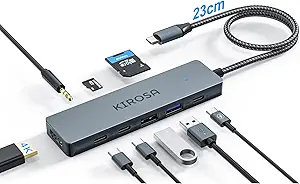
What to Know Before Buying a 10-Port USB-C Hub
The HyperDrive Next 10 Port USB-C Hub packs an unusual amount of connectivity into a single bus-powered device: 4K60Hz HDMI, two USB-A ports, a 10Gbps USB-C port, 140W power delivery passthrough, SD and microSD readers, Ethernet, and 3.5mm audio. Before buying, it helps to understand which of these ports you'll actually use and how the hub's power and bandwidth limits affect real-world performance.
Key Considerations Before Buying
- Power delivery matters: the 140W PD passthrough is generous, but the hub itself consumes some wattage, so your laptop may charge more slowly than with a direct charger—check that the remaining wattage covers your device's needs.
- HDMI 4K60Hz support requires your laptop's USB-C port to support DisplayPort Alt Mode and enough bandwidth; older or budget laptops may be limited to 4K30Hz.
- The 10Gbps USB-C data port is faster than typical 5Gbps hub ports, but all ports share bandwidth, so transferring large files while using Ethernet and card readers can slow things down.
What Our Analysts Recommend
Look for a hub with clearly labeled port speeds and power ratings, since many budget hubs advertise 'USB 3.0' without specifying 5Gbps versus 10Gbps. Check whether the HDMI port is HDMI 2.0 for 4K60Hz, and confirm the hub includes both SD and microSD slots if you work with cameras. Build quality and heat management also matter: aluminum housings and proper shielding reduce interference with Wi-Fi and Bluetooth.
USB Hubs Market Context
Market Overview
USB-C hubs have become essential accessories as laptops shed ports, and the market now spans from $20 basic dongles to $100+ multiport docks. Demand is driven by remote work, hybrid setups, and creator workflows that need HDMI, Ethernet, and card readers simultaneously. The HyperDrive Next sits in the premium multiport segment, competing with hubs from Anker, CalDigit, and Satechi.
Common Issues
Common complaints in this category include hubs that overheat during heavy use, HDMI ports that fail to output 4K60Hz, and Ethernet that disconnects under load. Another frequent issue is power delivery passthrough that doesn't supply enough wattage to charge a laptop at full speed, especially with 100W+ laptops. Users also report Wi-Fi interference from poorly shielded hubs.
Quality Indicators
Quality hubs use metal housings for heat dissipation, specify exact port speeds and power ratings, and include certified chipsets for HDMI and Ethernet. Look for clear documentation of DisplayPort Alt Mode support and PD passthrough wattage. Brands with responsive support and warranties of one year or more are a safer bet in this category.
Review Authenticity Insights
Grade B Interpretation
A Grade B authenticity rating with an estimated 10% fake review rate means most reviews are genuine, but a small portion may be incentivized or low-effort. The adjusted rating of 4.40/5 (versus 4.67/5 raw) suggests that removing suspicious reviews lowers the score modestly, so the product still appears well-liked overall.
Trust Recommendation
Trust the adjusted rating more than the raw score, and focus on reviews that mention specific use cases like 4K60Hz output, Ethernet stability, or charging speed. Verified purchase reviews with detailed pros and cons are the most reliable signal for this hub.
Tips for Reading Reviews
For USB-C hubs, prioritize reviews that name the laptop model and describe which ports were used, since compatibility varies widely. Look for mentions of heat, HDMI resolution and refresh rate, and whether the hub charged the laptop at expected speeds. Ignore generic five-star reviews that don't mention any specific port or performance detail.
Expert Perspective
The HyperDrive Next 10 Port Hub is a well-rounded premium option for Mac, PC, and Chromebook users who need a single dock for desk setups. Its combination of 4K60Hz HDMI, 10Gbps USB-C, 140W PD, Ethernet, and dual card readers covers most productivity and creator needs without a separate power brick. The 4.40/5 adjusted rating from 147 reviews indicates solid satisfaction, though the 10% estimated fake review rate means shoppers should weigh detailed reviews more heavily.
Purchase Considerations
Weigh whether you need the 10Gbps USB-C port and 140W PD passthrough, as these are the main differentiators from cheaper 5Gbps hubs. Confirm your laptop supports DisplayPort Alt Mode for 4K60Hz and that your charger plus the hub's passthrough wattage meets your laptop's charging needs. If you rarely use Ethernet or card readers, a smaller hub may suffice.
Comparing Alternatives
Compare with similar 8-to-12-port hubs from Anker, CalDigit, and Satechi to check port layouts, warranty terms, and verified review sentiment before deciding.