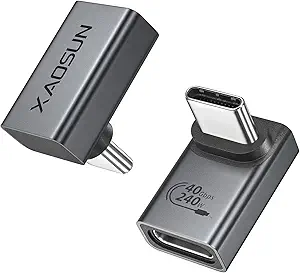
Splitting USB-C Power and Data: What to Know Before You Buy
The GELRHONR USB C to C Adapter promises to turn one USB-C port into two, delivering 10Gbps data and 65W charging. But with a 3.63-star rating and 54 reviews, it's clear that not all splitters handle this dual role equally well. Before you buy, understand the trade-offs.
Key Considerations Before Buying
- USB-C splitters rarely support simultaneous high-speed data and full 65W charging across both ports. The total power is shared, so if you charge two laptops, each may only get 30W, which is slow for larger notebooks.
- This adapter is a passive splitter, not a hub with multiple controllers. That means it cannot output video (no DisplayPort Alt Mode) and may not work with Thunderbolt docks or certain monitors.
- Compatibility varies by device. Some phones and tablets only recognize one connected accessory at a time, so the second port may not function for data or charging.
What Our Analysts Recommend
Look for explicit mention of power distribution (e.g., '65W total, 45W+20W') and data speed per port. A quality splitter will also list supported protocols like USB 3.2 Gen 2 and note any limitations, such as no video output. Avoid vague listings that promise 'full speed' without details.
USB-to-USB Adapters Market Context
Market Overview
USB-C splitters are a niche but growing category as more devices adopt USB-C. Most are inexpensive, passive devices made by lesser-known brands, and few are certified by USB-IF. The market lacks standardization, so performance varies widely.
Common Issues
Common complaints include overheating, ports that stop working after a few weeks, and failure to deliver advertised power or data speeds. Many users also find that the splitter only works in one orientation or with specific cables.
Quality Indicators
A reliable splitter will have a metal housing for heat dissipation, clear labeling of power and data limits, and positive reviews that mention long-term use. Brands that offer a warranty or responsive customer service are also better bets.
Review Authenticity Insights
Grade B Interpretation
A Grade B authenticity rating with an estimated 15% fake reviews means the majority of reviews are likely genuine, but you should still be cautious. The adjusted rating of 3.40 (down from 3.63) suggests that some positive reviews may be inflated, so the true user satisfaction is slightly lower.
Trust Recommendation
Trust the detailed, specific reviews that mention both pros and cons, and be skeptical of short, glowing reviews posted in clusters. Look for reviewers who describe their exact setup and use case, as these are harder to fake.
Tips for Reading Reviews
Focus on reviews that mention power delivery, data transfer speeds, and durability over time. Pay attention to complaints about heat or ports not working, as these are common failure points. Also, check if reviewers received the product for free, as that can bias opinions.
Expert Perspective
The GELRHONR USB C to C Adapter is a budget-friendly solution for adding an extra USB-C port, but it comes with significant caveats. Its 10Gbps and 65W claims are likely only achievable under ideal conditions, and the passive design limits its versatility. With a 3.4 adjusted rating, it's clear that many users encounter issues, particularly with power sharing and compatibility.
Purchase Considerations
If you need to connect two low-power devices (like a phone and a mouse) or charge one device while using another, this adapter might suffice. However, for high-power laptops or fast data transfers, consider a powered hub instead. Also, check the return policy in case it doesn't work with your specific devices.
Comparing Alternatives
Before buying, compare with other USB-C splitters that offer explicit power distribution and better reviews. Brands like Anker or Cable Matters may cost more but often provide more reliable performance and support.