
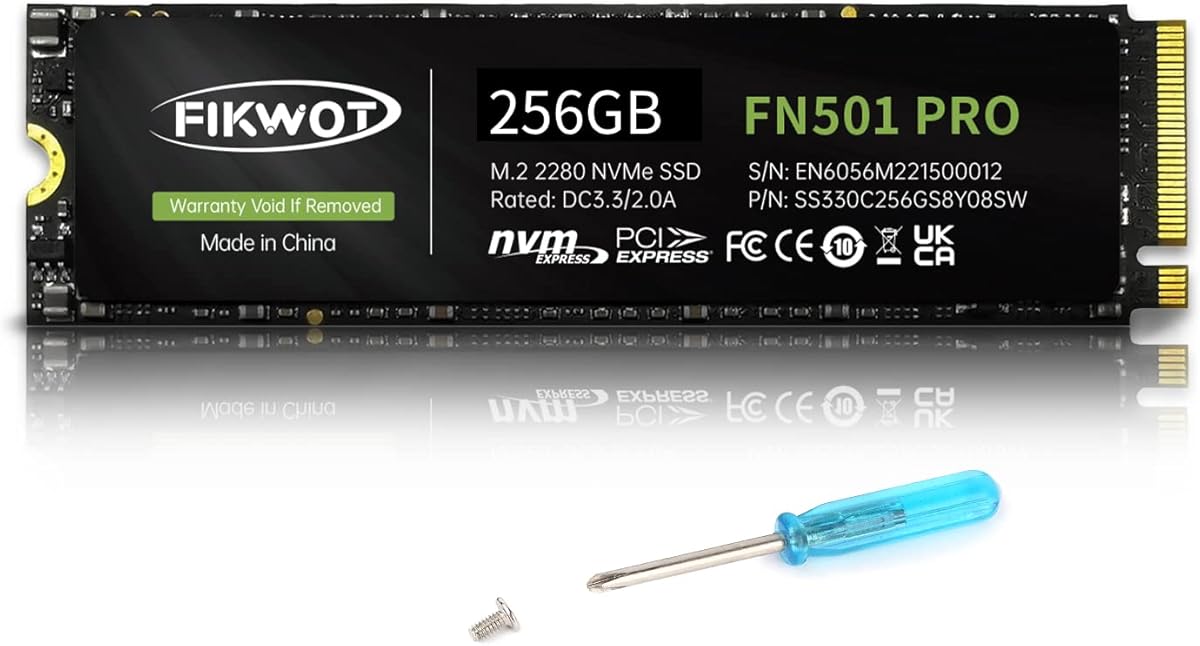
Evaluating PCIe Gen3 NVMe SSDs: What the Fikwot FN501 Pro's specs mean for you
When considering the Fikwot FN501 Pro, focus on its specific combination of PCIe Gen3 x4 interface, 256GB capacity with SLC caching, and graphene cooling solution. This drive targets users seeking a balanced upgrade from SATA SSDs or older NVMe drives, offering 3,000MB/s sequential speeds without requiring the latest PCIe Gen4 motherboard support.
Key Considerations Before Buying
- The graphene cooling sticker addresses thermal throttling common in compact laptops where this M.2 2280 drive fits, but verify your device's clearance since some ultrabooks have limited space above the SSD slot.
- At 256GB, this drive operates with aggressive SLC caching to maintain performance, but sustained large file transfers may slow as the cache fills—ideal for OS and applications, not massive media libraries.
- PCIe Gen3 x4 compatibility means it won't reach Gen4 speeds, but works with most motherboards and laptops from the last 5 years, making it a practical upgrade for older systems still using SATA drives.
What Our Analysts Recommend
For Gen3 NVMe drives like this, check controller and NAND flash mentions—the FN501 Pro uses 3D TLC NAND with SLC caching, a common architecture for this price segment. Pay attention to sustained write performance after cache exhaustion, which separates budget drives from premium ones in real-world usage scenarios.
Internal Solid State Drives Market Context
Market Overview
The PCIe Gen3 NVMe market has matured with numerous budget contenders like the Fikwot FN501 Pro competing on value rather than cutting-edge speed. While Gen4 drives dominate high-end discussions, Gen3 remains relevant for most users without compatible hardware, creating a competitive space where cooling solutions and endurance ratings differentiate products.
Common Issues
Many budget NVMe drives suffer from thermal throttling during sustained operations, particularly in poorly ventilated laptops, and inconsistent performance as their SLC cache fills. Some brands also use lower-grade NAND that degrades faster, though Fikwot specifies 3D TLC which offers better endurance than QLC alternatives.
Quality Indicators
Look for specific NAND type mentions (TLC/QLC), DRAM presence or absence (this drive uses HMB host memory buffer instead), and thermal management features. The graphene sticker here indicates attention to cooling, while the 3,000MB/s speed aligns with quality Phison or Silicon Motion controllers common in this segment.
Review Authenticity Insights
Grade B Interpretation
A Grade B with 11% estimated fake reviews suggests generally trustworthy feedback with minor manipulation concerns. The adjusted 4.60 rating (from 4.89) indicates some review inflation but still reflects strong genuine satisfaction, particularly notable in the competitive SSD market where authentic reviews often cluster around 4.2-4.7.
Trust Recommendation
Focus on verified purchase reviews discussing specific installation scenarios or performance comparisons with previous drives. Given the 1558-review volume, look for patterns across multiple detailed experiences rather than relying on top-rated reviews alone, as the fake percentage suggests some artificial boosting.
Tips for Reading Reviews
Prioritize reviews mentioning compatibility with specific laptop models (like Dell XPS or Lenovo ThinkPads), thermal performance during gaming or video editing, and long-term reliability over several months. Be skeptical of reviews lacking technical details or focusing excessively on packaging/shipping for this technical product.
Expert Perspective
The Fikwot FN501 Pro represents a competent budget NVMe option that makes smart compromises: Gen3 rather than Gen4 speeds, HMB rather than dedicated DRAM, but adds value with graphene cooling often absent at this price point. Its 4.60 adjusted rating from substantial genuine feedback suggests it delivers reliable performance for typical users upgrading from SATA SSDs or older NVMe drives. The specific combination of 256GB capacity with SLC caching targets users prioritizing responsiveness over massive storage.
Purchase Considerations
Consider this drive if you need a cost-effective upgrade for a Gen3-compatible system and value thermal management for sustained workloads. However, if you regularly transfer 100GB+ files or have a PCIe Gen4 motherboard, investing in a Gen4 drive might better utilize your hardware. The graphene cooler adds installation thickness, so measure your laptop's SSD compartment clearance first.
Comparing Alternatives
Compare with similarly priced drives from TeamGroup, Silicon Power, or Crucial's P3 series, noting differences in warranty length, endurance ratings (TBW), and whether they include thermal solutions.


