
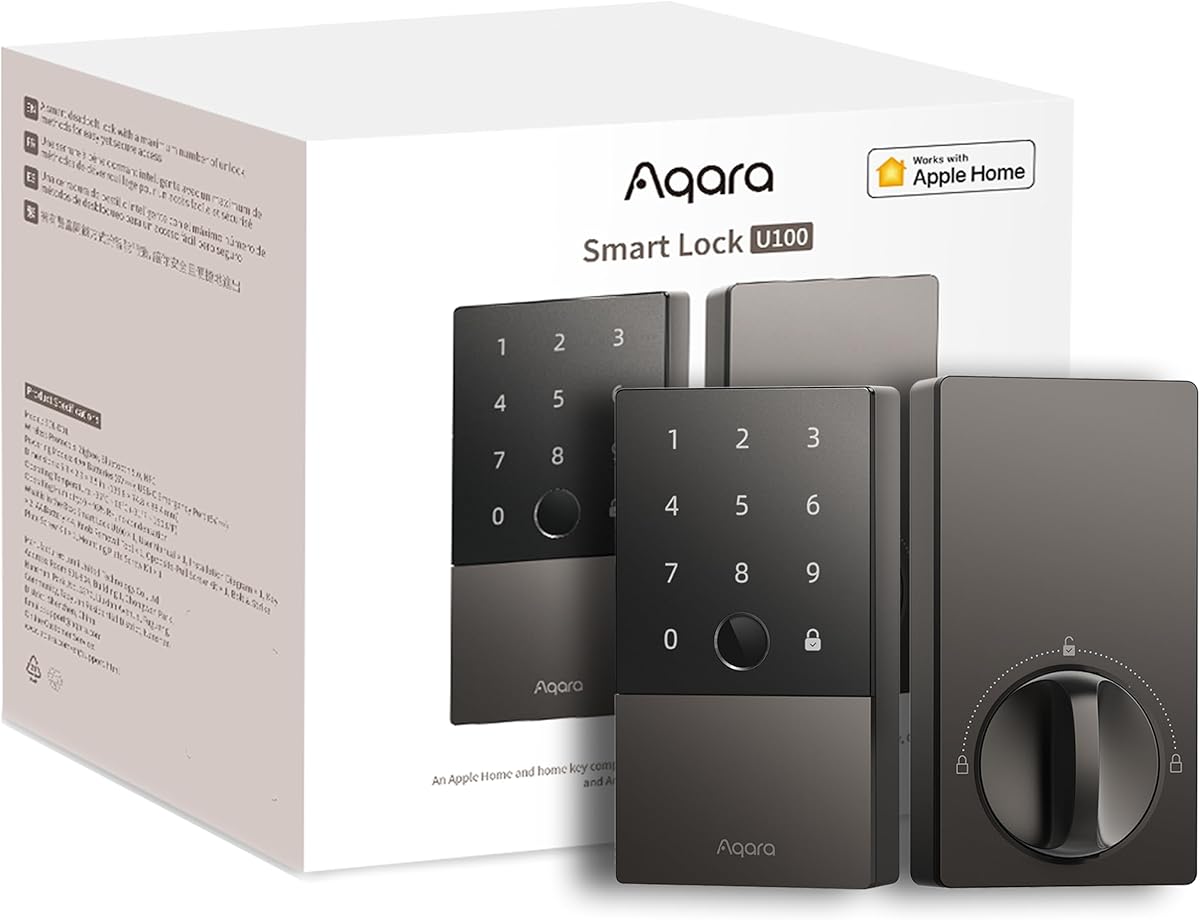
Choosing a Smart Deadbolt: What Matters for Security and Convenience
The Aqara Smart Lock U100 is a fingerprint deadbolt that integrates Apple Home Key, offering keyless entry via fingerprint, iPhone, or Apple Watch. As a retrofit deadbolt, it replaces your existing lock without major door modifications, but success depends on compatibility and your smart home ecosystem.
Key Considerations Before Buying
- Compatibility: Ensure your door's cross bore (2-1/8 inches) and backset (2-3/8 or 2-3/4 inches) match the lock's specifications. Also, check if your door thickness is between 1-3/8 to 2 inches, as the U100 supports this range.
- Ecosystem: The U100 works best with Apple HomeKit, but also supports Aqara Home, Google Assistant, and Alexa. If you use Apple Home Key, you'll need an Apple device and a home hub like Apple TV or HomePod for remote access.
- Power and Installation: The lock is powered by 4 AA batteries (included) and claims up to 8 months of battery life. Installation requires basic DIY skills and a Phillips screwdriver; the Aqara app guides you through the process.
What Our Analysts Recommend
Look for a lock with multiple entry methods (fingerprint, code, key, app) and robust security features like AES-128 encryption and anti-peep codes. Check for a BHMA Grade 2 or higher certification for durability, and ensure the fingerprint sensor is capacitive for quick recognition. The U100 offers these, but verify your door's compatibility before purchase.
Deadbolts Market Context
Market Overview
The smart deadbolt market is growing rapidly, with options ranging from budget-friendly to premium. Apple Home Key is a standout feature, allowing tap-to-unlock with iPhone or Apple Watch, but only a few locks support it natively. The Aqara U100 is one of the more affordable Home Key-compatible locks, making it attractive for Apple users.
Common Issues
Common complaints include unreliable Wi-Fi connectivity (many smart locks use Bluetooth or Zigbee, requiring a hub), battery drain, and fingerprint sensor failures over time. Installation can be tricky for non-standard doors, and some users report app glitches. The U100 uses Zigbee via an Aqara hub for remote access, which can be a pro or con depending on your setup.
Quality Indicators
A quality smart deadbolt should have a sturdy metal construction, a ANSI/BHMA Grade 2 certification, and a backup key option. Look for a lock with a high-quality fingerprint sensor (capacitive rather than optical) and multiple access methods. Also, consider the warranty length and customer support reputation.
Review Authenticity Insights
Grade A Interpretation
With an adjusted rating of 4.10/5 and a Grade A authenticity, the Aqara U100's reviews are highly trustworthy. Only about 5% of reviews are estimated to be fake, which is low for Amazon. This means the 4.22-star rating reflects genuine customer satisfaction, with most reviews providing detailed pros and cons.
Trust Recommendation
You can rely on the overall rating and detailed reviews when evaluating this product. Pay attention to reviews that mention specific use cases, like installation on particular door types or integration with Apple HomeKit, as these are likely from real users. Avoid making decisions based solely on extreme ratings; read a mix of 3- and 4-star reviews for balanced insights.
Tips for Reading Reviews
Focus on reviews that discuss long-term reliability, battery life, and fingerprint accuracy, as these are critical for smart locks. Look for mentions of customer service experiences, especially regarding warranty claims. Also, note if reviewers have similar door setups or smart home ecosystems to yours.
Expert Perspective
The Aqara Smart Lock U100 is a compelling option for Apple users seeking a Home Key-compatible deadbolt without breaking the bank. Its fingerprint sensor is fast and accurate, and the build quality is solid for the price. However, it requires an Aqara hub for remote access and integration with other smart home platforms, which adds cost and complexity. The 4.10 adjusted rating suggests most users are satisfied, but some report connectivity issues and battery drain.
Purchase Considerations
Before buying, confirm your door's compatibility and whether you already have an Aqara hub or are willing to buy one. If you prioritize Apple Home Key and fingerprint entry, this is a strong contender. But if you need Wi-Fi directly or want to avoid hubs, consider alternatives like the Schlage Encode Plus or Level Lock+.
Comparing Alternatives
Compare the U100 with other Home Key locks like the Schlage Encode Plus (Wi-Fi, but pricier) and the Level Lock+ (retrofit, but limited features). Also, consider non-Home Key options like the Yale Assure Lock 2 if you don't need Apple-specific features.


