
Choosing a Dual-Bay SATA Enclosure: Fan Cooling, UASP, and Power Matter
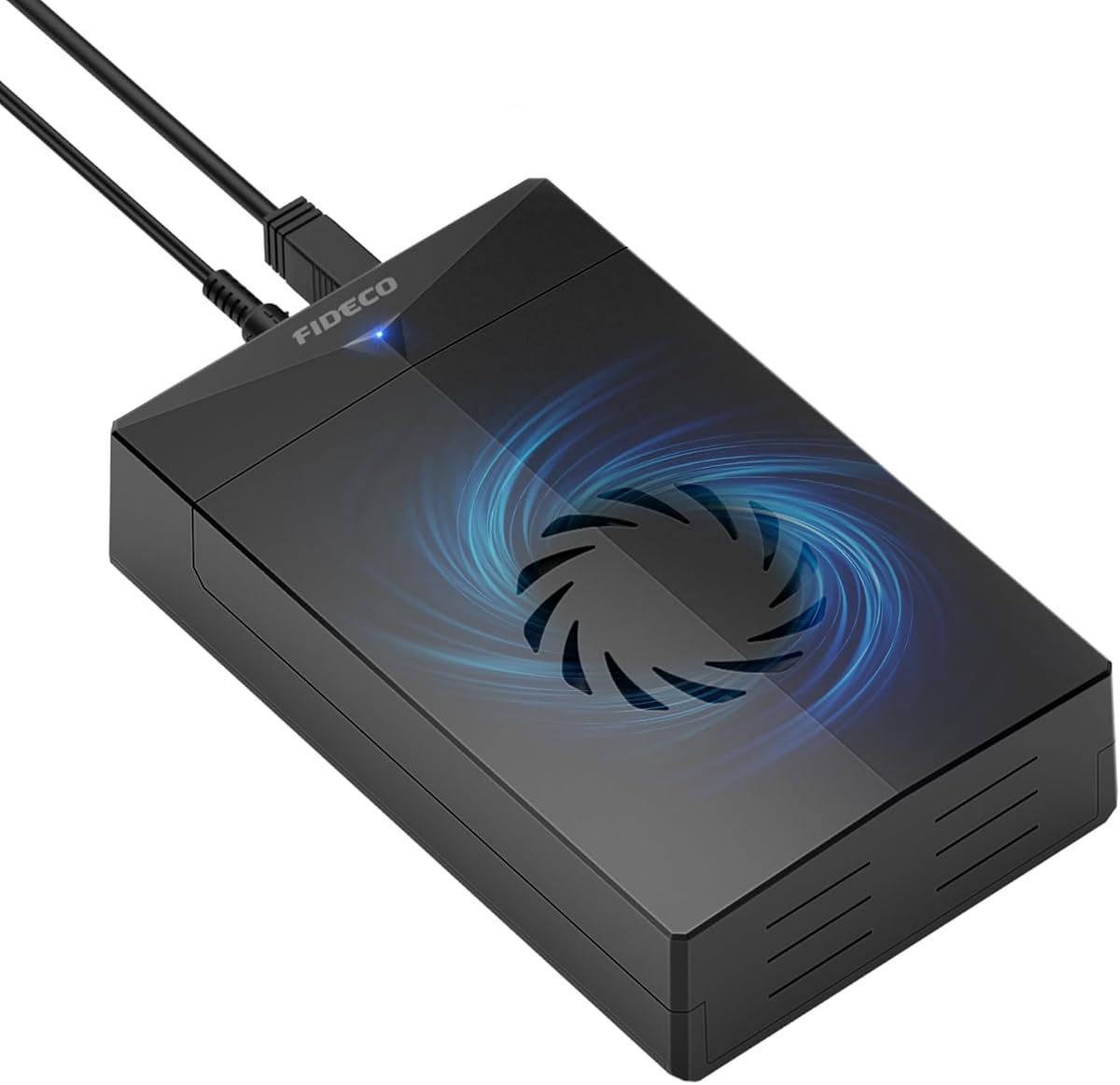
The FIDECO enclosure stands out by accepting both 3.5-inch and 2.5-inch SATA drives, adding a built-in cooling fan and a 12V power adapter for desktop-class HDDs. Buyers should focus on drive compatibility, interface speed, and whether the included power supply matches their drive's needs.
Key Considerations Before Buying
- Confirm the drive size and power requirement: 3.5-inch HDDs need the included 12V adapter, while 2.5-inch SSDs can often run bus-powered, so check whether the enclosure forces external power for all drives.
- Look for UASP support and USB 3.0 or higher: UASP reduces overhead and improves transfer speeds, but real-world performance also depends on your host controller and drive type.
- Evaluate cooling and noise: a small fan helps keep 7200 RPM HDDs cool during long transfers, but some users find tiny fans audible, so consider placement and whether the fan is temperature-controlled.
What Our Analysts Recommend
A quality enclosure uses a sturdy tool-free tray, a well-shielded SATA connector, and a power adapter with sufficient amperage for 3.5-inch drives. Check for clear LED activity indicators and a chipset known for stable UASP support, as these details separate reliable units from intermittent ones.
Enclosures Market Context
Market Overview
The external SATA enclosure market is mature, with many low-cost options, but dual-size 3.5/2.5 support with active cooling and a bundled 12V adapter remains a practical niche for repurposing desktop drives. USB 3.2 Gen 1 is now standard, and UASP support is expected at this price point.
Common Issues
Common complaints include insufficient power for 3.5-inch HDDs, flimsy drive trays that don't align connectors, and fans that become noisy over time. Some enclosures also suffer from sleep or disconnect issues under sustained load, often tied to chipset or power delivery quality.
Quality Indicators
Look for a metal or rigid plastic chassis, a labeled power adapter with adequate output, and a controller chip from a reputable brand. Reviews that mention sustained transfer tests, drive temperatures, and long-term reliability are more informative than star ratings alone.
Review Authenticity Insights
Grade A Interpretation
A Grade A authenticity rating with an estimated 5% fake review rate means the 4.44/5 average is largely trustworthy, and the adjusted 4.30/5 suggests only a minor inflation. For a utility product like this, that gap is consistent with a few overenthusiastic reviews rather than a manipulated listing.
Trust Recommendation
Shoppers can rely on the overall rating but should still prioritize reviews that describe specific setups, such as using a 4TB 3.5-inch HDD or a 2.5-inch SSD, and mention transfer speeds or fan noise. Pay attention to negative reviews that detail repeatable issues like disconnects or power problems.
Tips for Reading Reviews
Filter for reviews with photos or detailed troubleshooting stories, and look for mentions of the included power adapter and UASP performance. Ignore generic five-star reviews that lack product-specific context, and weigh balanced reviews that note both pros and cons.
Expert Perspective
The FIDECO enclosure offers a sensible feature set for users who need to access both desktop and laptop SATA drives, with active cooling and a bundled 12V adapter addressing the most common pain points. Its 4.30/5 adjusted rating and Grade A authenticity suggest generally satisfied buyers, though the 5% fake review estimate means a small number of reviews may be less reliable. The tool-free design and UASP support are practical for frequent drive swapping, but the small fan may not suit noise-sensitive environments.
Purchase Considerations
Weigh whether you primarily use 3.5-inch HDDs, which require the included power brick, or 2.5-inch SSDs, where a bus-powered enclosure might be more convenient. Also consider whether you need hot-swap convenience or just occasional backup access, as fan noise and cable clutter matter more in desktop use.
Comparing Alternatives
Compare with other dual-bay or single-bay enclosures that offer USB-C, better fan control, or tool-free trays, and check whether a powered hub or docking station better fits your workflow.


