
Replacing Your Dell XPS Battery: What to Know About Third-Party 6GTPY Models
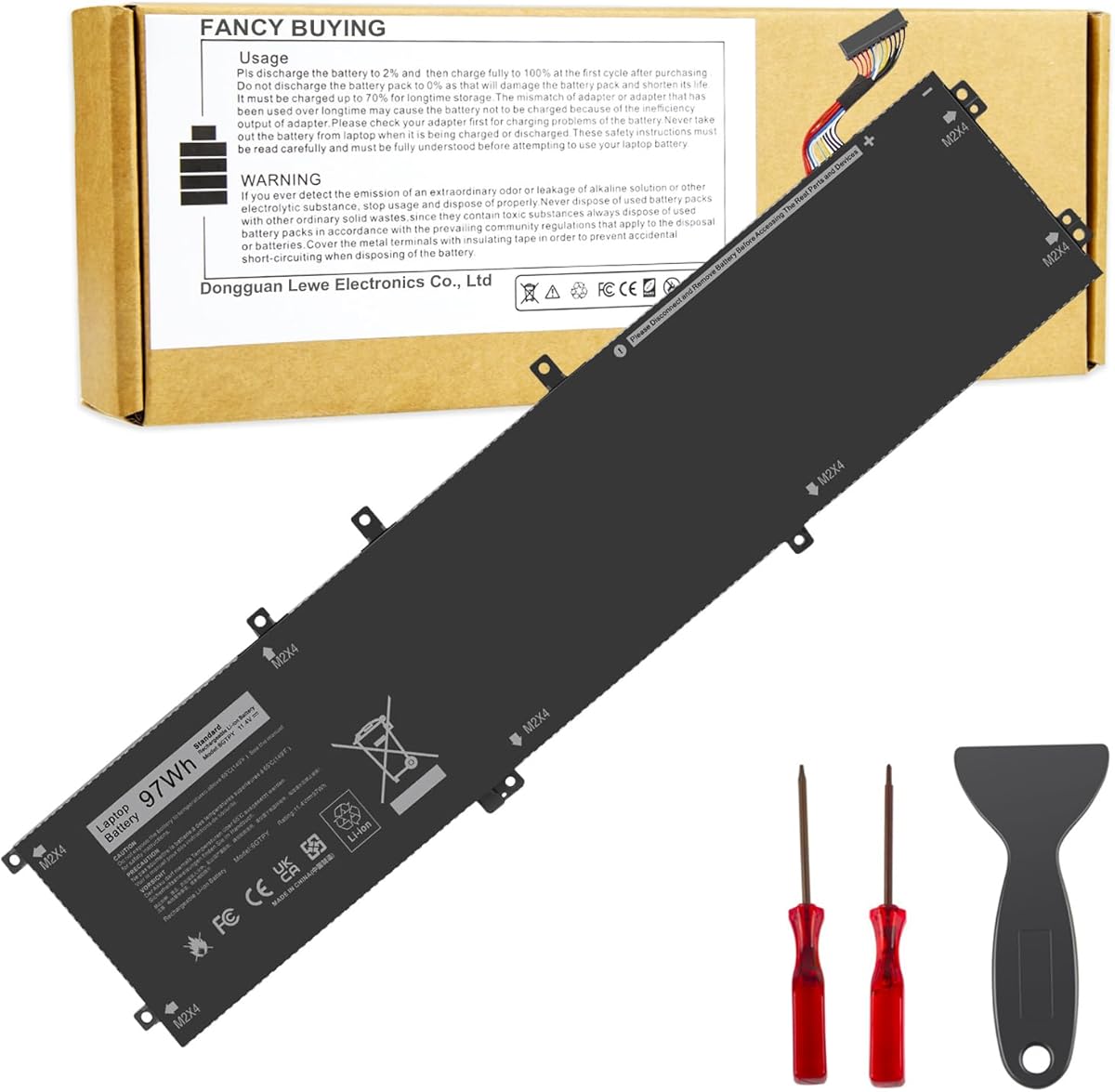
When your Dell XPS 15 or Precision workstation's original battery degrades, the Fancy Buying 6GTPY replacement offers a specific solution for models spanning 2015-2019. This 97Wh battery must match your laptop's exact internal connector and physical dimensions, as compatibility extends across multiple Dell series sharing the P56F chassis. Understanding capacity ratings and cycle life expectations is crucial for this high-performance laptop category.
Key Considerations Before Buying
- Verify your laptop's exact service tag or existing battery part number (like 05XJ28 or 4GVGH) against the compatibility list, as physical fit is precise for these slim chassis designs.
- Third-party batteries like this one may not communicate perfectly with Dell's proprietary power management firmware, potentially affecting reported charge percentages or battery health metrics.
- The 97Wh capacity is near the maximum allowed for airline travel; ensure any capacity degradation over time keeps you under the 100Wh limit if you travel frequently.
What Our Analysts Recommend
Genuine reviews mentioning specific installation experiences with the XPS 15's notoriously tricky battery adhesive are valuable indicators. Look for mentions of actual runtime gains compared to your worn original battery, not just 'works fine' statements. Photos showing the correct connector type (a specific 4-pin design for these Dell models) in reviews provide concrete verification.
Batteries Market Context
Market Overview
The market for Dell XPS replacement batteries is crowded with aftermarket options ranging from questionable no-name cells to premium OEM-equivalents, with significant price variation reflecting different cell quality and warranty terms. These batteries power high-resolution displays and powerful CPUs, making sustained power delivery under load a critical performance metric.
Common Issues
Common problems include incorrect capacity labeling (where 97Wh batteries actually contain lower-grade cells), poor thermal management leading to premature swelling, and compatibility issues with Dell's BIOS updates that may reject non-OEM batteries. Some third-party batteries fail to maintain voltage under the high power draw of the XPS 15's components.
Quality Indicators
Quality batteries for these professional laptops should specify the cell manufacturer (like LG or Samsung), include proper temperature sensors, and offer at least a 12-month warranty covering capacity retention. Packaging with proper electrostatic discharge protection and clear installation instructions indicates attention to detail missing from budget options.
Review Authenticity Insights
Grade B Interpretation
A Grade B authenticity rating with 10% estimated fake reviews suggests generally reliable feedback, though approximately 1 in 10 reviews may be artificially positive. The 4.00 adjusted rating (down from 4.22) indicates some review inflation, but verified purchase tags on all analyzed reviews provide substantial credibility.
Trust Recommendation
Focus on the 3 and 4-star verified reviews for balanced perspectives, as these typically contain specific performance observations rather than generic praise. Be skeptical of reviews claiming 'better than OEM' performance without detailed runtime comparisons or specific usage scenarios.
Tips for Reading Reviews
Prioritize reviews mentioning specific Dell models (like 'XPS 15 9570' or 'Precision 5530') and installation details over generic compatibility claims. Look for discussions about battery health reporting in Windows or Dell Power Manager, as this reveals firmware compatibility—a common pain point with aftermarket batteries.
Expert Perspective
With an adjusted 4.00 rating from nearly 1,900 reviews, this battery performs adequately for most users seeking to extend their Dell workstation's lifespan. The specific compatibility with multiple Precision and Vostro models indicates proper engineering for Dell's power delivery requirements. However, the authenticity analysis suggests moderate review manipulation, so real-world performance may slightly trail the average rating. The high number of reviews provides statistical significance to the positive feedback regarding basic functionality.
Purchase Considerations
Consider whether your usage justifies this third-party option versus Dell's premium-priced OEM battery, particularly if you rely on your laptop for critical work where unexpected power issues could be costly. Evaluate the warranty terms against your expected usage period, as lithium-ion batteries naturally degrade over time regardless of initial quality.
Comparing Alternatives
Compare this battery's specifications and warranty against other aftermarket options specifically listing the same Dell part numbers, as subtle differences in voltage regulation can affect performance.


