
Choosing the Right Replacement Battery for Your Dell 13-Inch 2-in-1 Laptop
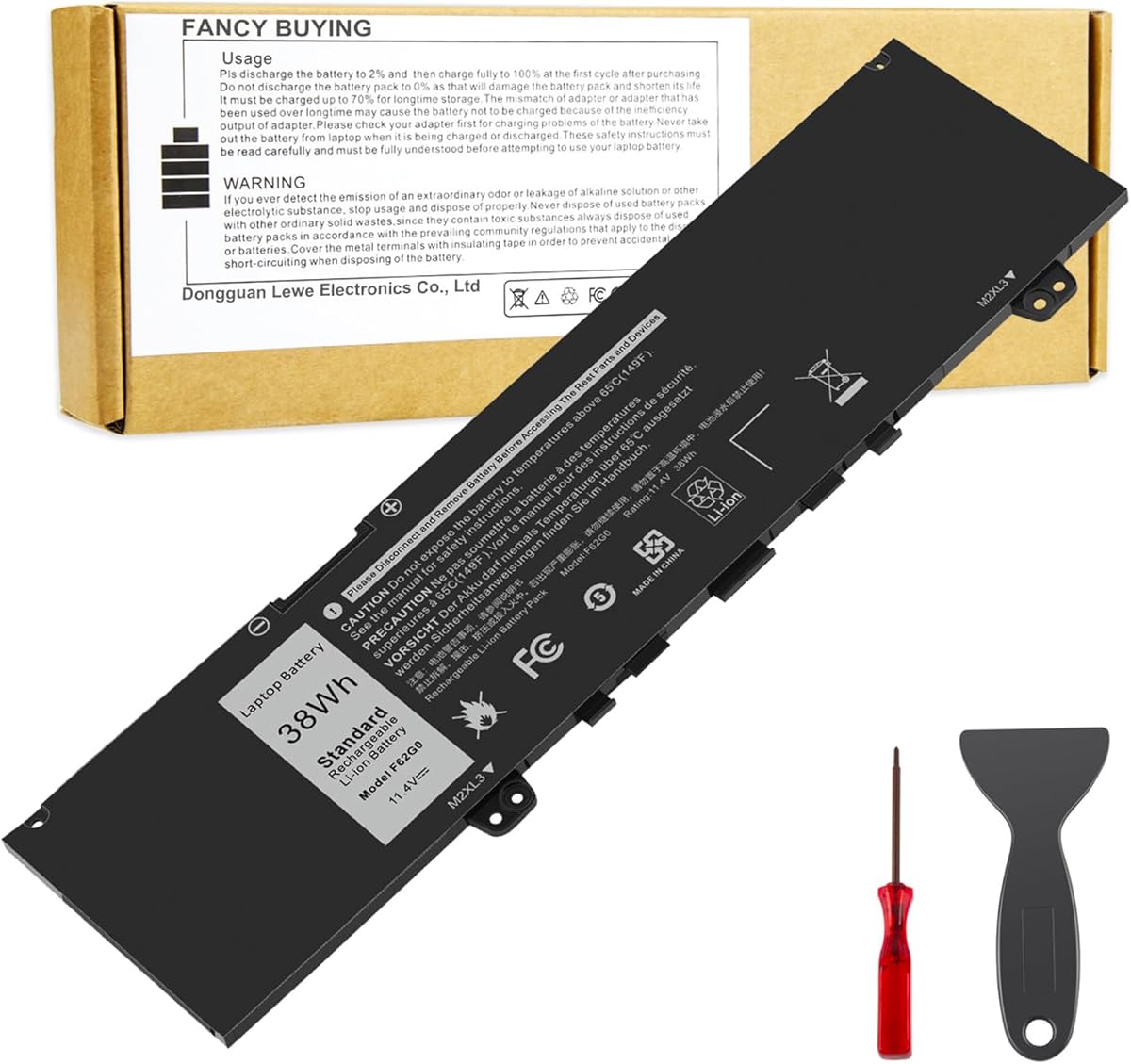
When replacing the battery for Dell Inspiron 13 7000 series 2-in-1 laptops like the i7373 or 7386, compatibility is more complex than basic model numbers suggest. This Fancy Buying 39DY5 F62G0 battery must match not just your laptop series but also your specific Dell part number (like P83G001 or P87G001) and physical connector configuration. Unlike generic batteries, this replacement targets the exact power requirements of Dell's convertible 13-inch designs.
Key Considerations Before Buying
- Verify your original Dell part number matches one listed in the product title—P83G, P87G, and P91G series batteries have subtle differences in capacity and connector placement that affect fitment.
- Check whether your laptop is the standard Inspiron 13 7000 or the Vostro 13 5370 business variant, as both use compatible 39DY5 batteries but may have different power management firmware.
- Consider that 2-in-1 hinge mechanisms in these Dell models create unique battery compartment shapes; third-party batteries must replicate the original's exact dimensions to avoid pressure on internal components.
What Our Analysts Recommend
Genuine compatibility is confirmed through Dell's Service Tag lookup, not just model numbers. Quality indicators include clear labeling of the 39DY5/0F62G0 part codes, proper voltage (typically 7.6V for these models), and capacity ratings in watt-hours (Wh) that match or slightly exceed your original battery's specifications.
Batteries Market Context
Market Overview
The aftermarket laptop battery sector is flooded with varying quality levels, particularly for popular Dell models where original equipment manufacturer (OEM) batteries are expensive. Third-party options like this Fancy Buying unit compete primarily on price while attempting to match Dell's proprietary battery management systems.
Common Issues
Most complaints in this category involve incorrect capacity reporting to Windows, premature capacity degradation within 6-12 months, and physical fit issues where replacement batteries are slightly thicker than OEM parts. Some third-party batteries also lack proper thermal sensors, causing inaccurate charge percentage readings.
Quality Indicators
Look for batteries with authentic-looking Dell part number labels, proper UL/CE certifications (not just stickers), and reviews mentioning consistent performance over multiple charge cycles. Higher-quality replacements will use name-brand lithium-ion cells from manufacturers like LG, Samsung, or Panasonic rather than generic cells.
Review Authenticity Insights
Grade B Interpretation
A Grade B authenticity rating with 10% estimated fake reviews indicates this product has generally trustworthy feedback, though approximately 1 in 10 reviews may be artificially positive. The 0.24-point drop from the displayed 4.44 to adjusted 4.20 rating suggests some review manipulation exists but doesn't dominate the feedback.
Trust Recommendation
Focus on verified purchase reviews that mention specific performance metrics like actual runtime hours or charging behavior rather than generic praise. The 100% verified purchase status of all reviews significantly increases credibility, but still prioritize reviews discussing long-term use (3+ months) over initial impressions.
Tips for Reading Reviews
For this battery, pay particular attention to reviews mentioning compatibility with your exact Dell part number variant. Look for detailed notes about installation experiences, whether the battery required calibration cycles, and any differences in reported capacity versus the original Dell battery.
Expert Perspective
This Fancy Buying battery demonstrates solid market acceptance with 1,761 reviews maintaining a 4.2 adjusted rating, suggesting it generally meets expectations for Dell 13-inch 2-in-1 replacements. The specific targeting of multiple Dell part numbers (P83G, P87G, P91G series) indicates the manufacturer understands the nuanced compatibility requirements of these models. However, the authenticity analysis reveals some review manipulation exists, so the true performance may be slightly less consistent than the overall rating suggests.
Purchase Considerations
Weigh the significant cost savings against potential longevity concerns—third-party batteries typically offer 70-80% of OEM lifespan. Consider whether your laptop will remain in service for more than 2-3 years; if so, investing in a genuine Dell battery might provide better long-term value despite higher upfront cost.
Comparing Alternatives
Compare this unit against other 39DY5-compatible batteries from established third-party brands like Cameron Sino or ExpertPower, checking for differences in warranty length and cell quality claims.


