
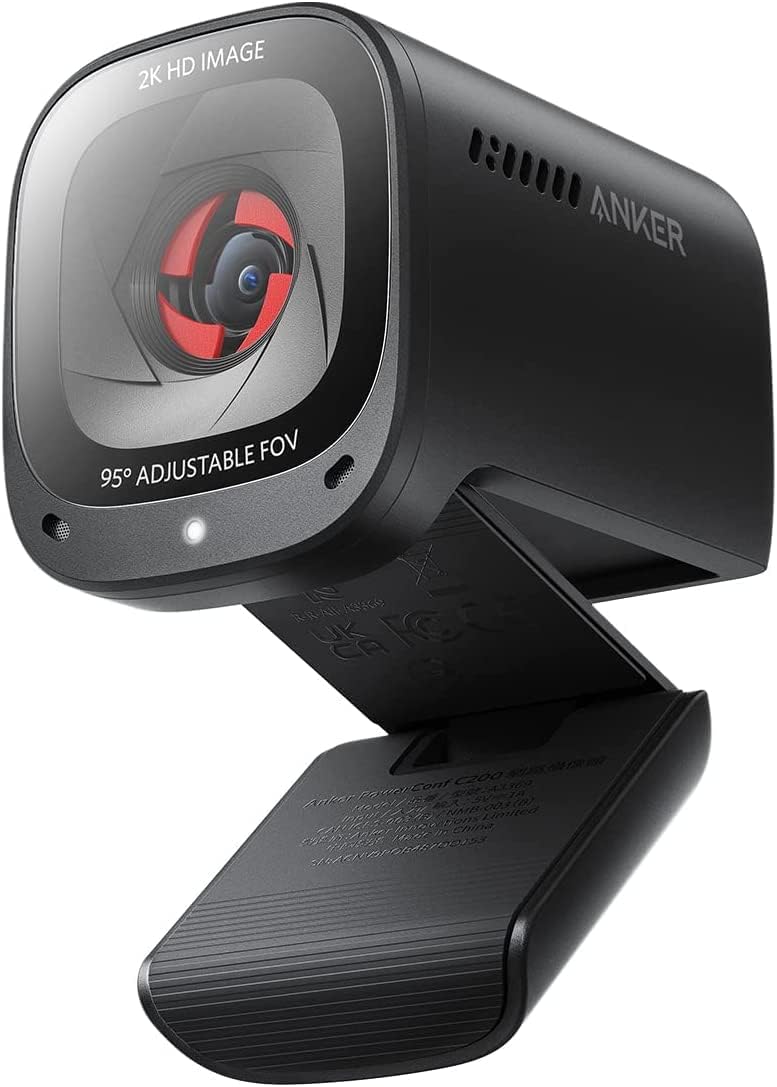
Anker PowerConf C200: Is 2K Clarity Worth It for Your Home Office?
When shopping for a webcam, the Anker PowerConf C200 stands out with its 2K resolution, low-light correction, and AI noise-canceling mics. Buyers should focus on how these features translate to real-world performance in varied lighting and noisy environments, especially for professional meetings.
Key Considerations Before Buying
- Resolution vs. Bandwidth: The C200's 2K (2560x1440) offers sharper detail than 1080p, but ensure your internet and platform (like Zoom or Teams) support this resolution without lag or compression.
- Low-Light Performance: With its low-light correction, this webcam is ideal for dim home offices, but check reviews for how it handles mixed lighting (e.g., window glare) to avoid overexposed or grainy footage.
- Audio Quality: The AI noise-canceling stereo mics are a key differentiator; consider if you need clear voice capture in a noisy room versus a quieter setup where basic mics suffice.
What Our Analysts Recommend
Look for webcams with adjustable fields of view (like the C200's 65°, 78°, or 95° options) to frame your shot perfectly. A built-in privacy cover is a must for security, and check for consistent focus and color accuracy across different lighting conditions—not just specs on paper.
Webcams Market Context
Market Overview
The webcam market has exploded post-pandemic, with 2K and 4K models becoming more affordable, but many still struggle with poor autofocus and mediocre mics. The Anker PowerConf C200 targets the sweet spot between budget 1080p cams and high-end 4K options, emphasizing audio and low-light improvements.
Common Issues
Common complaints in this category include unreliable autofocus that hunts during meetings, tinny audio from built-in mics, and software compatibility glitches. Webcams often overpromise on low-light performance, resulting in noisy or washed-out video.
Quality Indicators
Quality webcams feature true 2K or 4K sensors (not upscaled), dual or stereo mics with noise cancellation, and robust mounting systems. Look for reviews that test in real-world conditions, like dim lighting or cluttered backgrounds, and check for firmware update support.
Review Authenticity Insights
Grade B Interpretation
A Grade B with an estimated 10.00% fake review rate means the vast majority of reviews for the Anker PowerConf C200 are authentic, but a small fraction may be incentivized or fabricated. This is typical for popular electronics, so you can generally trust the 4.60 adjusted rating, but be cautious of overly glowing 5-star reviews without specifics.
Trust Recommendation
Focus on verified purchase reviews that mention specific use cases, like 'works well in my dim office' or 'mics picked up my voice despite a fan running.' These are more reliable than brief, generic praise. The high 4.89 raw rating is slightly inflated, but the adjusted 4.60 still indicates strong satisfaction.
Tips for Reading Reviews
For webcams, prioritize reviews that discuss video quality in different lighting, mic performance in noisy settings, and ease of setup. Be wary of reviews that only mention 'great quality' without context, and look for those that compare the C200 to other models like the Logitech C920 or Brio.
Expert Perspective
The Anker PowerConf C200 delivers on its promise of 2K clarity and robust audio, with low-light correction that outperforms many competitors in the $50–$100 range. The adjustable field of view and built-in privacy cover add practical value, though the 10% fake review rate suggests some hype. With a 4.60 adjusted rating from nearly 9,000 reviews, it's a reliable choice for professionals seeking an upgrade from basic 1080p webcams.
Purchase Considerations
Consider this webcam if you frequently take calls in variable lighting or need clear audio without an external mic. If you require 4K for streaming or have a perfectly lit studio, higher-end options may be better, but the C200 offers excellent value for most home office setups.
Comparing Alternatives
Compare the PowerConf C200 with the Logitech C920s (solid 1080p) or the Razer Kiyo Pro (superior low-light) to see which features align with your specific needs and budget.


