

Miroir M600: Battery-Powered 1080p Projector for On-the-Go Business Pitches
When selecting a portable projector for professional presentations, the Miroir M600 stands out with its 1080p resolution and battery-powered design, promising to elevate your business pitches without the need for a wall outlet. However, as with any compact projector, understanding its connectivity options and real-world performance is crucial before making a purchase.
Key Considerations Before Buying
- Check the USB-C port's capabilities: The M600's USB-C port is designed for charging devices, not for video input, so ensure your laptop or phone supports alternative video output methods like HDMI or wireless casting.
- Evaluate battery life against your presentation needs: While the built-in battery offers portability, verify the runtime (typically 1-2 hours) to ensure it covers your longest meetings or classes without a power source.
- Consider ambient light conditions: Like most portable projectors, the M600 performs best in dim or dark rooms; bright environments may wash out the image, so assess your typical presentation settings.
What Our Analysts Recommend
Look for projectors that balance brightness (measured in lumens) with resolution and battery life. For business use, ensure the projector has multiple input options, a sturdy build, and a remote control for seamless navigation. Also, check for built-in speakers and their clarity, as external audio may be needed for larger rooms.
Video Projectors Market Context
Market Overview
The portable projector market has expanded rapidly, with models like the M600 offering 1080p resolution and battery operation, catering to professionals who need to present anywhere. However, this segment is crowded with varying quality, making it essential to differentiate between genuine portability and mere miniaturization that sacrifices performance.
Common Issues
Common issues in this category include lower-than-advertised brightness, short battery life, and limited connectivity options. Many users also report fan noise and overheating during extended use, which can be distracting during presentations. Additionally, some projectors struggle with keystone correction and focus, leading to distorted images.
Quality Indicators
Quality indicators include a high lumen count (at least 300-500 ANSI lumens for basic presentations), reliable battery performance that matches claims, and a robust set of ports including HDMI, USB, and wireless capabilities. A well-designed remote and intuitive on-screen menu also signal attention to user experience.
Review Authenticity Insights
Grade B Interpretation
The Grade B rating and 10% estimated fake review percentage suggest that while the majority of reviews are genuine, there is a small but notable presence of potentially manipulated feedback. This means you can generally trust the 3.70 adjusted rating, but should remain vigilant for overly glowing or vague reviews.
Trust Recommendation
Given the relatively low fake rate, you can rely on the overall sentiment, but cross-check critical reviews for specific technical points, such as the USB-C limitation or battery performance. Look for reviewers who mention using the projector in real business scenarios, as these tend to be more authentic.
Tips for Reading Reviews
When reading reviews, focus on those that provide specific details about brightness, connectivity, and battery life under various conditions. Be cautious of reviews that lack specifics or seem overly promotional. Also, consider the ratio of positive to negative reviews; a balanced perspective is often more credible.
Expert Perspective
The Miroir M600 is a solid choice for professionals seeking a portable 1080p projector, especially for pitches and small group presentations. Its sleek design and battery operation are definite pluses, but the USB-C port's limitation to charging only is a notable drawback for those expecting video input via that port. The 3.70 adjusted rating reflects a generally positive reception, with most users satisfied with its performance in controlled lighting.
Purchase Considerations
Weigh the need for true portability against the projector's brightness and connectivity. If your presentations are in dim rooms and you rely on HDMI, the M600 is a good fit. However, if you need USB-C video input or higher brightness for daylight use, consider other options.
Comparing Alternatives
Before purchasing, compare the M600 with similar portable projectors like the Anker Nebula Capsule or ViewSonic M1, which offer different trade-offs in terms of brightness, battery life, and connectivity.
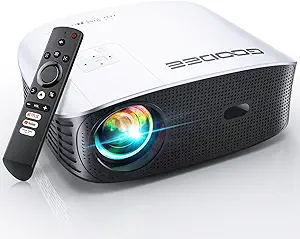
![CLOKOWE Mini Projector with WiFi and Bluetooth - [Built-in Apps] Smart Portable Projector with 180° Rotation, Auto Keystone, Support 1080P, Compatible with HDMI/USB/TV Stick/Smartphone/Laptop](https://m.media-amazon.com/images/I/71aHwv3EZ0L.__AC_SX300_SY300_QL70_FMwebp_.jpg)

