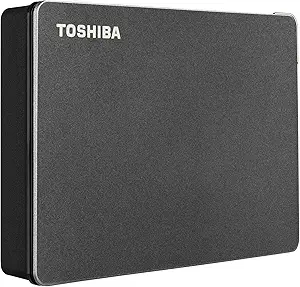
8TB Desktop Storage: Capacity Meets Caution in Seagate's Expansion Drive
When you're eyeing an 8TB external desktop drive like the Seagate Expansion, you're likely a data hoarder, video editor, or backup strategist. This capacity class demands attention to power, cooling, and drive type—factors that can make or break your experience with a high-capacity HDD.
Key Considerations Before Buying
- Check the drive's power adapter: Desktop drives like this need AC power, so ensure your setup has a free outlet and surge protection—unlike bus-powered portables, this isn't plug-and-go without a wall socket.
- Consider the drive's speed: With 8TB, you're likely moving large files; USB 3.0 offers up to 5Gbps, but real-world transfer speeds hover around 150-200MB/s, so plan for long copy sessions and use a USB 3.0 port for best results.
- Think about cooling and noise: High-capacity drives run warm and audible; place it in a ventilated area and avoid stacking it on other electronics to prolong lifespan.
What Our Analysts Recommend
In this category, look for drives with a reliable SMR or CMR recording technology—CMR is better for sustained writes, though this model often uses SMR, which can slow down large backups. Also, check for a robust warranty (Seagate offers 2 years) and user-reported reliability over time, not just initial performance.
External Hard Drives Market Context
Market Overview
The external desktop HDD market is dominated by Seagate, WD, and Toshiba, with 8TB models priced as high-capacity workhorses for home and small office use. These drives compete on cost-per-terabyte, often undercutting SSDs significantly, but they sacrifice speed and durability for that price.
Common Issues
Users frequently report drive failures after a few years, especially with SMR drives under heavy use, and some complain about loud clicking noises during operation. Also, many drives ship with pre-formatted NTFS, which can be a hassle for Mac users without third-party software.
Quality Indicators
Quality in this segment is indicated by low failure rates reported in community forums, consistent transfer speeds across the drive's capacity, and minimal heat generation. Look for drives with good ventilation and a solid build—metal enclosures often dissipate heat better than plastic.
Review Authenticity Insights
Grade B Interpretation
The B grade and 15% estimated fake reviews suggest that while most feedback is genuine, a notable minority could be incentivized or fabricated. This means you should weigh the 4.44 average with caution—the adjusted 4.10 gives a more realistic picture of user satisfaction, which is still solid but not stellar.
Trust Recommendation
Given the 15% fake rate, rely on verified purchases and detailed reviews that mention specific transfer speeds or usage scenarios. However, the genuine reviews, like those from users with multiple drives, indicate this is a dependable product for archival storage, so you can proceed with confidence if it meets your needs.
Tips for Reading Reviews
When reading reviews for high-capacity drives, focus on long-term usage reports (6+ months) and any mentions of failures or RMA processes. Be wary of overly generic praise or reviews that don't mention the drive's specific quirks, like its size or power requirements.
Expert Perspective
The Seagate 8TB Expansion is a cost-effective solution for bulk storage, offering a low price per terabyte and a straightforward design. However, its SMR technology and modest build quality mean it's best suited for backup and archival use, not as a primary drive for active projects. The authenticity data suggests the product largely delivers on its promises, but the 15% fake review rate is a reminder to temper expectations.
Purchase Considerations
Weigh the drive's capacity against your actual needs—if you're storing media libraries, it's a good fit, but for frequent writes, consider a CMR drive or an SSD. Also, factor in the cost of a backup solution for this drive, as no single HDD should be your only copy of important data.
Comparing Alternatives
Shoppers should compare this with the WD Elements 8TB and Toshiba X300 series, which offer similar capacities but different reliability profiles. Always check current prices, as discounts can shift the value proposition.