
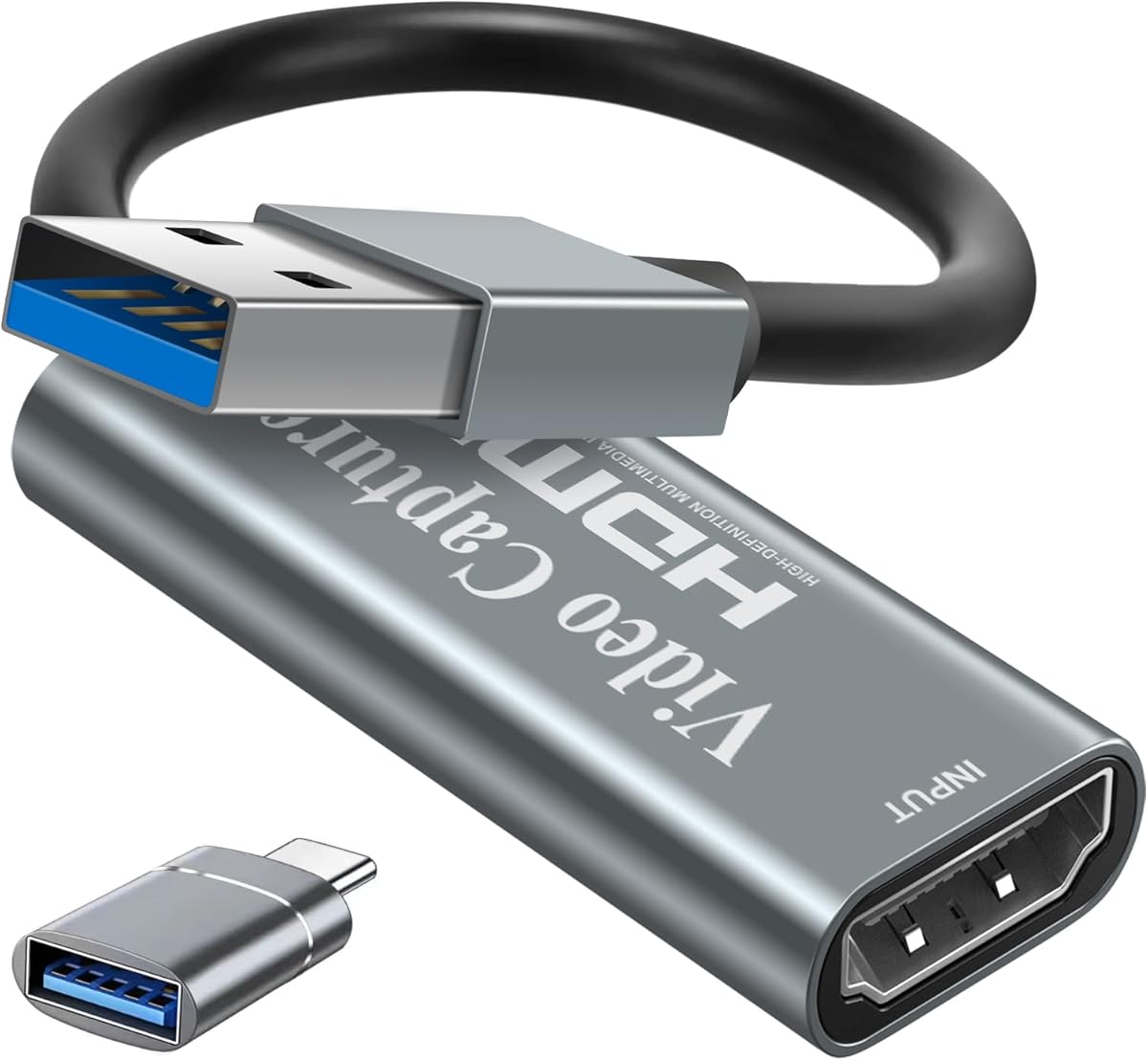
Capture Card Buying Guide: Papeaso 4K HDMI to USB 3.0 for Streamers
When shopping for a video capture card like the Papeaso 4K HDMI to USB 3.0 device, you're entering a market where latency, resolution support, and ease of setup are critical. This specific model promises 1080P at 60fps for broadcasting, making it a contender for gamers, educators, and conference users who need reliable video grabbing without breaking the bank.
Key Considerations Before Buying
- Resolution and frame rate: Ensure the card supports your output needs—Papeaso offers 4K passthrough but captures at 1080P 60fps, which is ideal for streaming but not for recording in 4K directly.
- USB compatibility: USB 3.0 is essential for low-latency transfer; using a USB 2.0 port can bottleneck performance, causing dropped frames or audio sync issues during live broadcasts.
- Use-case fit: This card is tailored for live streaming, teaching, or video conferencing, but may lack advanced features like hardware encoding or multiple inputs found in professional-grade models.
What Our Analysts Recommend
Look for verified USB 3.0 support and real-world latency tests in reviews. Quality indicators include consistent 60fps capture without overheating, plug-and-play compatibility with major software like OBS or Zoom, and a robust build that prevents signal degradation over time.
Internal TV Tuner & Capture Cards Market Context
Market Overview
The capture card market has exploded with the rise of live streaming and remote work, offering options from budget USB dongles to high-end PCIe cards. Papeaso competes in the mid-range segment, where consumers prioritize affordability without sacrificing basic 1080P 60fps performance for platforms like Twitch or YouTube.
Common Issues
Common issues include driver conflicts on Windows, overheating during extended use, and inconsistent audio-video sync, especially with cheaper models. Some users report that USB 3.0 cards can be finicky with certain motherboards or cables, requiring troubleshooting.
Quality Indicators
High-quality capture cards feature sturdy metal housings for heat dissipation, certified USB controllers, and firmware updates that address compatibility. Look for cards with at least 4K passthrough support, as this indicates better internal processing, even if capture is limited to 1080P.
Review Authenticity Insights
Grade A Interpretation
The Grade A rating with only 8.00% estimated fake reviews suggests that nearly all of the 817 reviews are genuine and trustworthy. This is rare in a market flooded with incentivized or bot-generated feedback, giving you confidence in the aggregate 4.44/5 rating.
Trust Recommendation
You can rely heavily on the user feedback for this Papeaso card, especially verified purchase reviews that detail specific setups (e.g., 'works with my Elgato HD60 replacement' or 'great for Zoom teaching'). Focus on recent reviews to check for any firmware or compatibility changes.
Tips for Reading Reviews
For capture cards, prioritize reviews that mention your specific use case—like console gaming or video conferencing—and note any mentions of latency, audio delay, or software compatibility. Ignore vague praise or complaints without technical context, as these are often low-quality or fake.
Expert Perspective
The Papeaso 4K HDMI to USB 3.0 capture card earns a solid recommendation for budget-conscious streamers and educators due to its strong authenticity signals and high user satisfaction. The 4.44/5 rating, backed by a Grade A review profile, indicates reliable performance for 1080P 60fps capture, though the 4.30 adjusted rating suggests minor issues like occasional driver hiccups. It's not a professional tool, but it delivers on its promises for basic live streaming and recording.
Purchase Considerations
Weigh the need for 4K recording against the Papeaso's 1080P capture limit—if you require future-proofing, consider a card with native 4K capture. Also, ensure your PC has a USB 3.0 port and that you're comfortable with potential software tweaks for optimal performance.
Comparing Alternatives
Compare with similar-priced options like the Mirabox or AVerMedia Live Gamer Mini, which offer comparable specs but may have different software ecosystems or build quality.



![ByteWave USB 3.0 HDMI Capture Card, [Metalshell, 4K Loop Out, No Latency] Full HD 1080P60 HDMI to USB C Audio Video Game Capture Device for Streaming, Cam Link Compatible with Switch2/PS5/Xbox/PC/OBS](https://m.media-amazon.com/images/I/71HqOFcPHtL._AC_SY300_SX300_QL70_FMwebp_.jpg)