
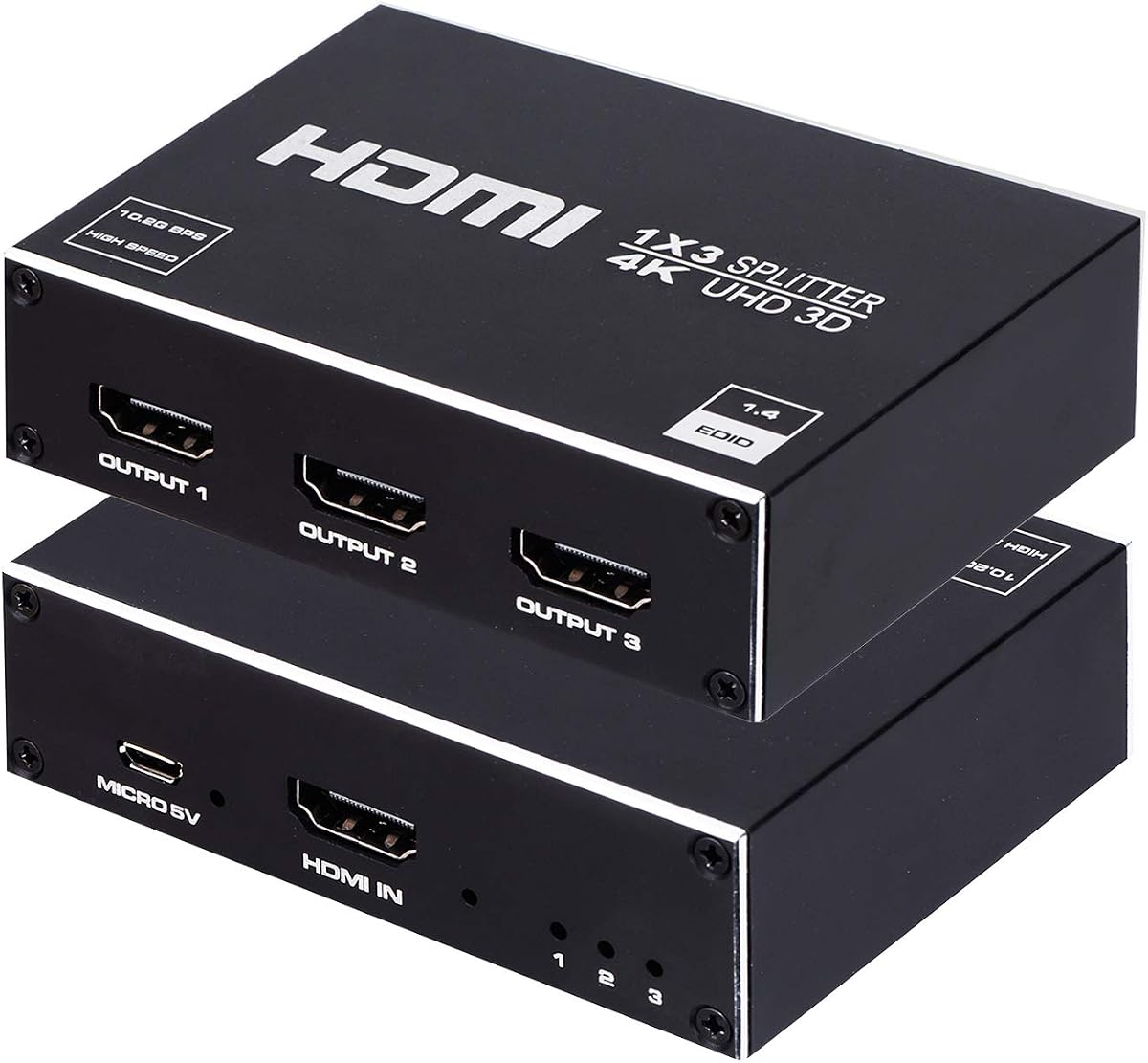
Split HDMI to 3 Displays: 4K, 3D, and Setup Tips
When you need to send one HDMI source—like a cable box, streaming stick, or gaming console—to multiple TVs or projectors simultaneously, a 1x3 splitter is your essential tool. This particular model promises 4K x 2K and 3D support, making it a versatile choice for home theaters or digital signage, but not all splitters are created equal.
Key Considerations Before Buying
- Ensure the splitter supports the exact resolution and refresh rate of your source and displays; 4K at 60Hz requires a different chipset than 4K at 30Hz, and many budget splitters cap at 30Hz.
- Check if the splitter is HDCP 2.2 compliant—needed for streaming 4K from Netflix or Amazon Prime—else you'll get a blank screen or reduced resolution.
- Consider whether you need simultaneous audio extraction (e.g., to an AV receiver) or if you'll rely on the display's speakers; some splitters include optical or 3.5mm audio outputs.
- Power supply quality matters: a weak adapter can cause flickering or signal dropouts, especially when driving long cables or multiple displays.
What Our Analysts Recommend
Look for splitters with metal housings for better heat dissipation, gold-plated connectors for reliable contact, and support for CEC (Consumer Electronics Control) if you want to control all TVs with one remote. Also, verify the maximum cable length supported—typically 15-30 feet—to avoid signal degradation.
Splitters Market Context
Market Overview
The HDMI splitter market has expanded rapidly with the rise of multi-room entertainment and digital signage. Budget options abound, but performance varies widely, especially at 4K resolutions, where bandwidth demands are high. This product sits in the mid-range, targeting consumers who need a no-frills solution without breaking the bank.
Common Issues
Common problems include HDCP handshake failures (resulting in black screens), lack of proper 4K support despite marketing claims, and insufficient power leading to intermittent signal loss. Also, some splitters don't downscale, so mixing 4K and 1080p displays can cause issues.
Quality Indicators
Quality indicators include brand reputation, chipset used (e.g., from LSI or Analog Devices), and user reviews that mention long-term reliability. Also, look for splitters that come with a warranty and responsive customer support, as HDMI compatibility can be finicky.
Review Authenticity Insights
Grade B Interpretation
A Grade B with an estimated 12% fake reviews is a decent score, suggesting the majority of the 410 reviews are genuine. This means you can trust the overall 4.22 rating to reflect real user experiences, with a small caveat for potential hype or shill reviews. The adjusted rating of 4.00 is a more conservative estimate, indicating that the product is good but not outstanding.
Trust Recommendation
Given the moderate fake review percentage, you should focus on verified purchases and detailed reviews that mention specific setup scenarios (like using it with a PS3 or projector). Look for recurring positive feedback about ease of setup and reliable performance, and be wary of overly vague five-star reviews.
Tips for Reading Reviews
For splitter purchases, read reviews that mention the exact devices they used (e.g., 'works with my Roku and Samsung TV') and any troubleshooting steps. Also, check for reviews that discuss 4K performance at different refresh rates, as this is a common pain point. Ignore reviews that simply say 'works great' without specifics.
Expert Perspective
This 1x3 splitter appears to be a reliable workhorse for basic HDMI distribution, with a solid 4.22 rating backed by mostly authentic reviews. Its support for 3D and 4K x 2K (likely 4K at 30Hz) makes it suitable for home theaters and office setups, but it may not satisfy gamers needing 4K at 60Hz. The 12% fake review estimate is a slight red flag, but the adjusted rating of 4.0 suggests real-world satisfaction is still positive.
Purchase Considerations
Before buying, assess whether you need 4K at 60Hz or HDCP 2.2; if so, this splitter might fall short. Also, consider the number of outputs—if you only need two, a 1x2 splitter could be more cost-effective. If you plan to mix 4K and 1080p displays, ensure the splitter can handle that without issues.
Comparing Alternatives
Shoppers should compare this with other 1x3 splitters that explicitly state 4K@60Hz and HDCP 2.2 support, especially if future-proofing is a priority. Also, consider powered splitters with built-in signal boosting for longer cable runs.


![HDMI Splitter 1 in 4 Out, WARRKY 4K Power HDMI Splitter 1x4, [Ultra-Thin Design, USB-C Powered, Easy to Set Up] Only Support Mirror/Duplicate Mode, for TV, Projector, Monitor, Set-Top Box, PC, Laptop](https://m.media-amazon.com/images/I/718UxD-dKOL._AC_SY300_SX300_QL70_FMwebp_.jpg)
